|
The SD-Mobile WorkDiary This document is a cousin to the SD-WorkDiary, but chronicles improvements in SD-Mobile, as opposed to ServiceDesk. It's essentially a "blog," and though not initiated until June '09, it retrospectively includes entries for dates prior based on the insertion of text from improvement-announcing emails, as prior used. |
On-Demand Initiation of SMS-Text-Messaging to Designated Telephone Number Targets:
Occasionally I want to use a feature, and assume it must be there, then I am disappointed to find it's not.
This was such a case.
It seemed, within the SD-Mobile interface, I ought to be able to double-click on a customer's telephone number, and thereby auto-initiate sending of a text message to that number.
By "auto-initiate," what I mean is the system should open the SD-Mail interface with that telephone number inserted, and ready-to-go as a send-to SMS target.
Hmmm.
Turns out that feature did not exist.
Now it does.
Just double-click on a customer's telephone number as present in the JobDetails page, and you'll see.
(Of course, you'll have to type your message then click to send before anything actually goes out.)
EMV-Compatible Credit Card Processing -- In Other Words, You May Now Use "Chip Readers":
Rossware has done the coding and been certified for its Windows-based Virtual Terminal to work via Cayan's Genius Mini.
The "Mini" is a beautiful little cordless device (connects via Bluetooth) which can easily fit in a tech's pocket or be carried on a neck lanyard. Besides allowing card insertion for chip reading, it also allows a traditional swipe. Even better , it allows NFC proximity reading (i.e., reading via card taps, for any card that is so configured).
Also, the device is inexpensive (only $59 per unit).
The one drawback is that Cayan imposes a monthly $9.95 fee on use of the device. That's potentially offset by the fact that, by switching to the Genius system, you may eliminate your annual PCI compliance fee.
Here are instructions for switching into use of this device:
1.
Acquire a device for each person/place you want it to be used.
2.
Work with Cayan to assure your Cayan gateway profile is on the platform which
allows EMV processing (it's a particular "First Data" platform, I believe).
3.
Assure each person is operating in a version of SD or SDM that's been updated to
use the device (all Window's-system releases from 4/19/18 onward have the
capability; SDM-i is likely still a month away).
4.
For use in Windows platforms, you'll need to download and install the
Genius Application (this application works
as an agent that is called to do certain processing by Rossware's Virtual
Terminal; if you have not otherwise installed it, the Virtual Terminal will
prompt you and provide a link).
5.
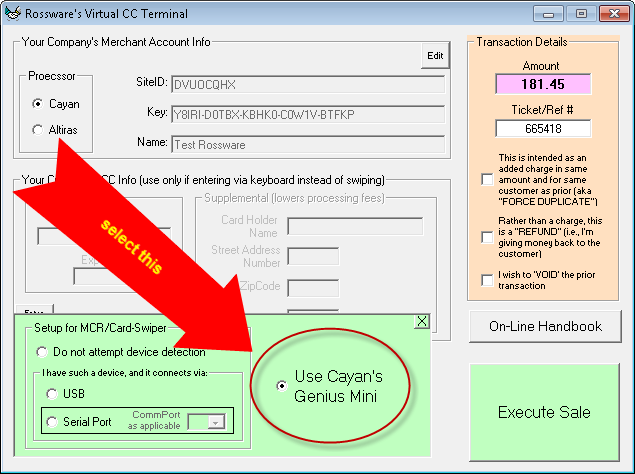
From within the Virtual Terminal interface, click on the "Device Setup" button,
and select as shown here:
With the above done, you should be able to run perfect
transactions using the Mini in any of its modes.
From virtually the beginning, the JobRoster view in SD-Mobile has included a column that indicates the quantity of parts that should be being brought along as connected to each job, and, if a tech clicks on the reference, he sees a list of those parts (these might be parts that were spec-tagged or special-ordered in triage, or that were special-ordered in consequence of a prior visit). It's a good feature. But, if a tech wants to do a quick verification that he has all the parts (that should be being brought along) for his entire roster, it might potentially be a little tedious to go through each scheduled job, item-by-item.
Therefore, we've now made it very easy.
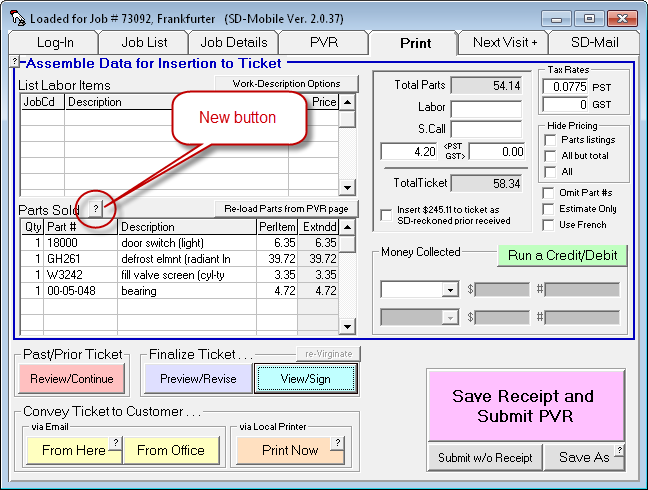
Please notice the new button as shown here:
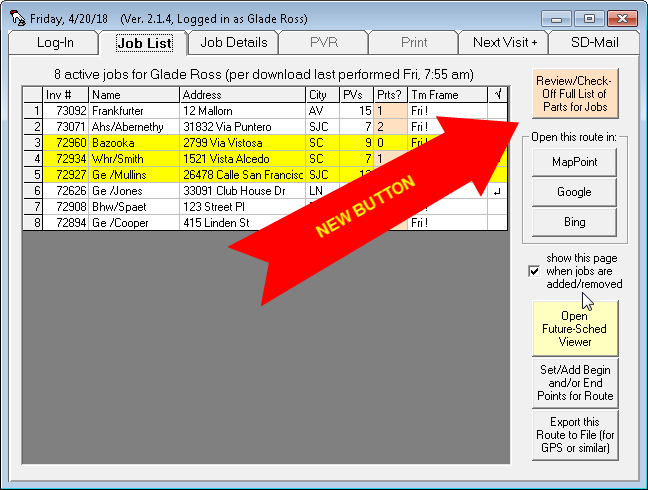
When you click on this new button, you'll be shown a new interface, that looks like this:
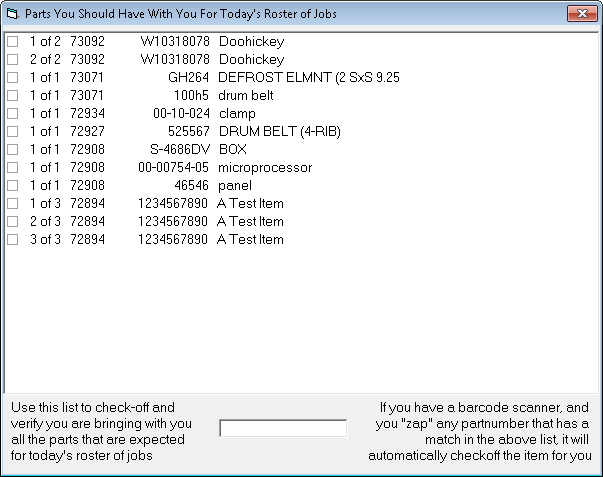
As you can see, this new interface presents a comprehensive, one-place-to-look list of all the parts the tech should have with him, as specifically connected to his entire roster of jobs. Moreover, as he checks in his "tote" or similar to verify the presence of each such item, he can click in the list, to place a checkmark next to each item, thereby signifying he has confirmed its presence. Thus, as he concludes the process, it will be easy to see any item he may be missing.
Even better than the above, if your tech is equipped with a barcode scanner, he can simply "zap" each part (i.e., each such part as he finds in his "tote" or similar) with the scanner. With each such "zap," the system will itself find the item in the list and check it off for him. Thus, he can very easily go zap, zap, zap on each item in his tote, then look to see if there is any item in the list that has not been checked off. If so, he'll then know he needs to look into acquiring that missing item.
If you did not know, you can purchase barcode scanners very cheaply these days. We got one from Amazon that works fine, and it was just $17 and change. Of course, it's USB-corded. You may want to obtain ones that work via Bluetooth, and those (while still pretty cheap) are a little bit more.
Improved Scripts for Tech "Call-Aheads;" Customization of Scripts Also Now Available:
Our first objective in this current work was to make mechanisms that will allow you to create whatever custom scripts as you may like to have used in this context, whether it's for "call-aheads" that are done via RoboCall or done via SMS text-messaging (not truly a "call-ahead," of course, which is why put the expression in quotes for this context).
Though that was our first objective, on working to pursue it, we noticed that our "canned" scripts (the only ones until now available) could in themselves be improved. Thus we've done so. Indeed, besides improving the language generally, we also noticed and addressed a certain structural deficit.
In particular, though we like to use language (in the RoboCall scripts, in particular) indicating that the tech "is just finishing his prior job," such language is inapt when the call-ahead is to the first stop in the tech's roster for the day. Not only is it inapt, it could potentially upset a customer if that customer has been told their appointment will be first in the tech's roster for the day.
Accordingly, we have modified both the scripts and the underlying structure so the language is more appropriate to circumstance, depending on if it's the tech's first stop of the day, versus otherwise.
Beyond that, yes, if desired you may now create your own
custom scripts for these contexts. Instructions are in
this document (as of this date the applicable section begins on Page 7).
More Space for Prior History:
Sometimes, whether it's on the job itself or in multiple preceding jobs that involved the same machine, there is a lot of history in a situation. We learned that in some situations the space that we'd allotted to contain this history was insufficient, so information that was otherwise relevant was being cut off. As this point we have approximately quadrupled the allocated space. We believe this will solve the issue.
Updated Handbook:
Let's face it. The
SD-Mobile
Handbook had scarcely been updated since the very early days of this product.
There were elements in it that were pretty badly dated. Though it's still
not been thoroughly modernized so much as we'd like, its most glaring
anachronisms have been addressed, and a number of descriptions added. The
current rendition is much improved.
Finally, a New SDM-i Release:
Thanks to contributions from our former iOS developer (working directly with our new in-house iOS developer), active work has resumed on the iOS side of Mobile development. A TestFlight release has been subject to beta testing over the prior few weeks. It seems to have proven itself there, and so is being rolled out into full release throughout the course of this week (basically, some systems will update on Monday, some on Tuesday, and so on).
This release sedulously addresses all the major items that had accumulated with urgent-need status in the last two years. We expect other releases to be following with alacrity, each step-by-step bringing SDM-i up to the same feature and sophistication level that SDM-w has attained during the period that iOS development was in an essentially lapsed status.
Improved Reaction When Using (But Not Depleting) "SU" Supply Items:
In May we announced that we'd finally added proper treatment for when a tech indicates he's used an inventory item that's designated in the office for quantity of "SU" -- which means it's a supply item (e.g., roll of tape, jug of freon, etc.). In other words, the tech may want to put in an indication of use on the customer's ticket, but it doesn't mean he's necessarily used up his supply and needs restock. Thus, when he indicates use of such an item a dialog now asks if he's actually used up his supply, or just used some of it.
It turns we did not think through the system's reaction as well as we should have.
In particular, we'd coded so that if he indicates he did not use up his supply, the item did not insert to the ticket. This was contrary to need, for the tech's very reason for selecting the item is so it (and a fee for it) will insert to the ticket.
Now it's changed. When the tech indicates he did not use up his supply, it inserts to the ticket regardless. However, it insert in a manner that allows the system to know it should refrain from decrementing the tech's quantity of stock.
Disclaimers May Now Be Made Selectively Mandatory:
Some of our clients have wanted assistance in making sure their techs collect signed disclaimers in each instance of expectation. In other words:
"That darned John, I've yelled at him a thousand times, telling him he must collect a signed disclaimer in this circumstance, and he's still not doing it!"
To be clear, at Rossware we do not believe it's reasonable for our software to be depended on, as a complete and utter substitute, for your own company's training and discipline of its technical team. However, we believe where practical it can certainly be a robust supplement. We believe this is such a case.
Thus, there is now a mechanism whereby you can make any of your particular disclaimers mandatory (i.e,. the Mobile interface requires your technician to have the customer sign). You can make a disclaimer mandatory for all jobs, or selectively for jobs that involve particular machine types. Instructions are contained in a footnote within the SD-Mobile Handbook (it's possible in the future the location of this footnote will change, but presently it's footnote 11 at the bottom of page 15):
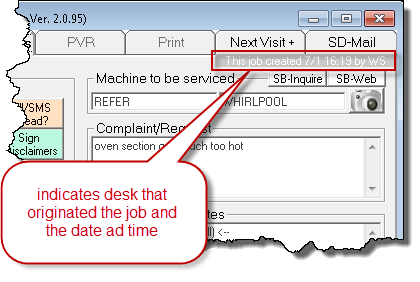
Now You Can See each Job's Origin-Desk and Origin-Date:
I'm surprised we've not provided this piece of information from the beginning. It's there now:
Improved Reaction When You Book Your Own Return Visit, and Request a Second Man:
It was an oversight. We added functionality a while back for requesting a second man on the next appointment. That functionality works superbly if you, as a tech, have not booked your own next appointment. If, however, you do your own booking, it was not working so well. The reason is because the mechanism depended on the action of an office person booking your next appointment. This action triggered a prompt to add-on an appointment for your helper. Absent this action by an office person (which, naturally, does not occur where you've already booked your own return), there was no occasion for that prompt.
Now the system looks to see if: (a) you've booked your own return; and (b) you've requested a helper. If both are true, SD-MobileLink does NOT create the sticky-note, that it otherwise would to serve as the mechanism that tells ServiceDesk a helping appointment needs made when an office person books the primary return. Instead, it creates an SD-Mail to alert an office person to create the helping appointment for you.
Now You Can Know Where to Find a Part on Your Truck:
What if we let a picture first describe this one:

It's perfectly great, of course, that SD-Mobile informs you of what you have in stock on your truck -- and even what's in stock at other locations within your operation. It even warns you, if you're about to create a special-order request on a stocking item, that maybe you should use it off your truck instead. What it has not done, until now, is tell you where the item is on your truck.
Upon having this omission brought to my attention, it was another of those "huh?" moments, where I more or less slapped myself on the forehead.
To clarify, I know why this functionality was not in SD-Mobile initially (i.e., when we first built it). It's because, initially, we had to build with just the minimum basics of functionality, and of course expand from there (which we've been doing for several years now). What's surprising is that, after all this time, this particular functionality was still not there, few had complained, and I was personally oblivious to its absence.
Well, it's there now.
Assuming that your MasterPartsPlan within ServiceDesk has an indicated bin location for either trucks or office, that information will now display when you do a stock-quantities inquiry in SD-Mobile. If by any chance you do not know, a stock-quantities inquiry is initiated by doing a Ctrl/Rt-Click on a partnumber as inserted to a "Parts Used" box within the PVR page (for an inquiry regarding solely your truck) or a Shift/Rt-Click for an inquiry regarding all of your operation's stocking locations. If you forget these commands, the little button as shown here will remind you:
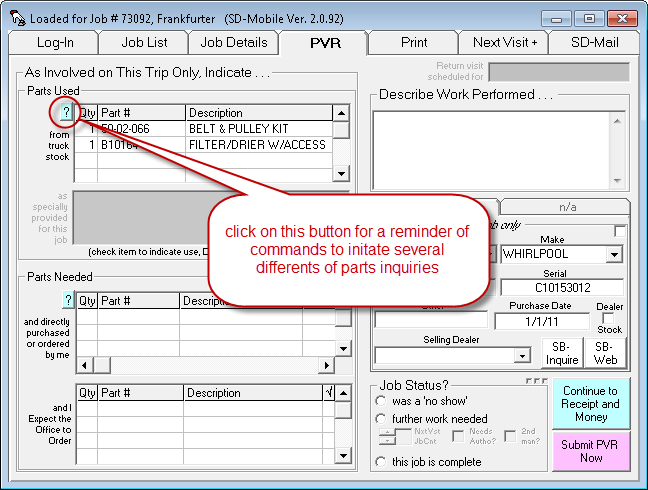
Please note these stock-quantity inquires are live transactions, meaning they only work when you have a currently-useable internet connection.
Please also note this new functionality depends on updating both Mobile and MobileLink to the current release or later (the new information will not be uploaded and made available to Mobile with any earlier version of MobileLink).
End the Annoyance (Single-Chime option for unread SD-Mail Items):
When you have any items in your SD-Mail box that have not been displayed for at least a second, the system chimes continuously -- as a mechanism by which to pester you to look at your mail.
Some folks did not like it this way, and have in fact resisted using SD-Mail because they found this structure so annoying.
So now there is a new option:
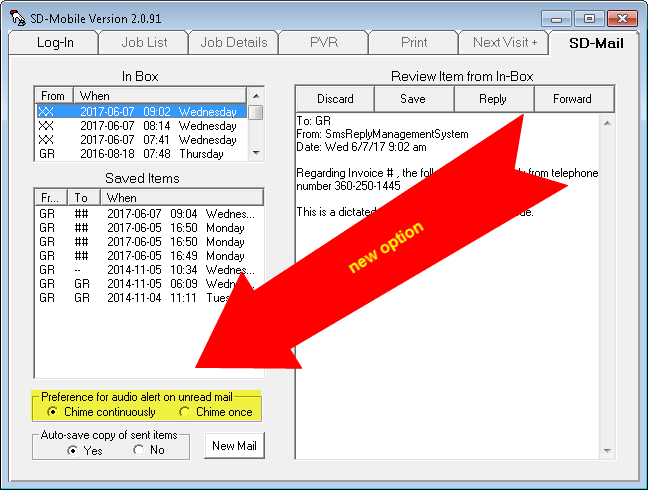
Yes, just change from the default selection, and you'll get just a single chime with arrival of each new SD-Mail (or a single chime on startup if unread items are pending).
Don't worry, visual flashing for the SD-Mail tab will persist regardless, so long as any SD-Mail items have not been displayed (which creates an assumption of having been read) for at least one second.
SMS Text-Messaging for "I am on my way" Semi-Automated Communication (Plus Reception of Replies, Ability to Respond Back, etc.):
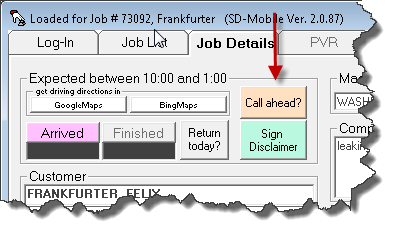
Here's an obvious change, if you look for it:
| Old | New |
 |
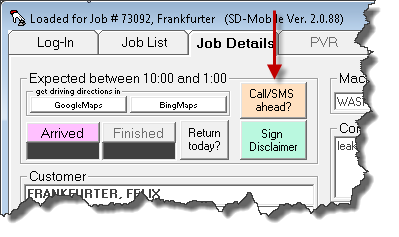 |
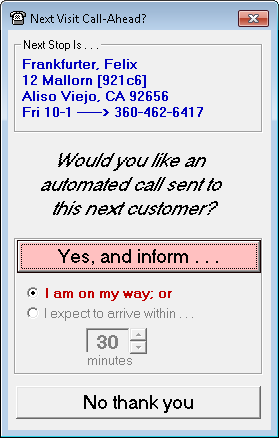
When you click on the button (or when you consent to "call-ahead" when prompted), you'll see an even more obvious change:
| Old | New |
 |
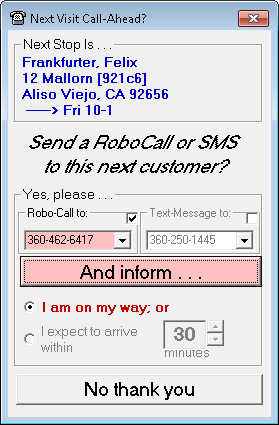 |
As you can see (even without benefit of highlighting or arrows), there is a whole new section in the vertical center of the form. In a nutshell, you may now choose whether your "call-ahead" is done for you via RoboCall of via text-message. Not only that, whereas previously the telephone number that would be used (for the then RoboCall-only option) was simply whatever telephone number was in the first box for the consumer, now you can use the dropdown boxes to pick which particular number you wish to have used for either method.
Even more than that, the system is intelligent. In regard to the particular telephone number that it default picks in each box, it will look to see if the underlying JobRecord evidences explicit indication that a number should be used for RoboCalling and/or TextMessaging, and, if so, that it is the number it will pre-select for you, by default, for the respective context.
One small note in regard to this: Within ServiceDesk it is permitted to place a telephone number into the consumer's email box, as one form of indicating that that telephone number is a potential target for text-messaging. If your office has used this method, you will not see a telephone number in that context offered here, unless you update SD-MobileLink to the current release or later (prior copies did not upload telephone numbers from such a context).
So, these mechanisms make it very easy for you, as a tech, to enjoy high flexibility in terms of semi-automatically sending alerts to each customer that you'll be arriving soon. But, what happens if you use the SMS method, and your customer texts back in reply?
Obviously, you need to receive any such message back. It could be something important such as:
"Okay, I'll be in the backyard, so please come around the the house instead of ringing the doorbell."
Because it's important for you to receive any such reply, we've created a mechanism for it. Specifically, you will see any such reply appear as an SD-Mail item. Assuming you have an internet connection, replies should appear within 30 seconds of having been sent by your customer.
Even better, you may respond to those replies. Just do it in the same way you respond on any other SD-Mail item. The system will itself see that it's a text-messaging situation, and will create a text-message back to your correspondent, as opposed to any regular SD-Mail (which of course your customer cannot receive).
Also, if you want to initiate a text-message to your customer and it's not a standard "call-ahead" situation, you can easily do that from the SD-Mail interface. Just copy the telephone number you wish to use (from the underlying customer info), choose in the SD-Mail interface to create a "New" mail item, then paste the telephone number into the "To:" box. Based on seeing a telephone number there instead of other text, the system will know to treat what's sent as a text-message.
Please do keep in mind these text-messages are not free. Your company will be charged 3 cents per message (which is, nevertheless, cheaper than RoboCalls, which are now priced at 9 cents each).
If you are wondering, yes, we do plan to add this option into the iPad version of SD-Mobile. Happily as well, we have a wonderful new intern who is working to take on the task of resumed iOS development (which, sadly, lagged after we lost our prior in-house developer).
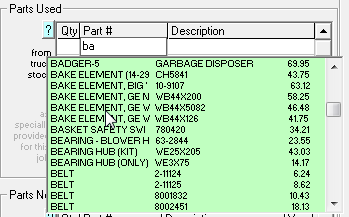
Search in Inventory Listings on Basis of Part Description:
This has been an available feature within ServiceDesk itself since, well, day one. In SD-Mobile, as-you-type searching was -- until now -- based solely on partnumber. Now you can just type the description, and see as matches appear:
Proper Treatment of "Supply" Items When Usage is Indicated:
In any technician's inventory there are typically items that are only used a portion at a time, e.g., a roll of tubing, a jug of refrigerant, a box of screws, etc. If a tech in his PVR indicates using some of any such item on a job, there is an important question: did he use so much that he now needs a new roll or jug or box, or is his supply of this item still sufficient for now?
ServiceDesk has long had an elegant mode for dealing with this situation. For any item of this character, its restock point should be designated within the MasterPartsPlan as "SU" -- which signifies it as a "Supply" item. When in a PVR it's indicated that such an item was used, a dialog invokes that says, essentially: "Hey, that's a supply item; was so much used that a new supply is needed, or is the tech still good for now?"
Again, ServiceDesk has long had that solution for its PVRs (i.e., those performed internally to it). Turns out we forgot to add that sophistication into SD-Mobile. It's there now.
Specify "Second Man Needed" for Next Visit:
We put in a checkbox for this purpose a long while back, but did not make it active. Now it actually works:
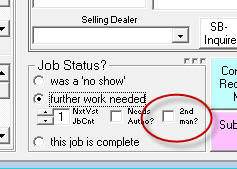
If you check it, the system will create an AttentionNote in the underlying JobRecord back in ServiceDesk, telling the office person that, upon re-scheduling, a second-man needs to be included.
Tax-Scheme Layer-5 Now Incorporated into SD-Mobile:
ServiceDesk offers a series of schemes for managing sales tax rates as may be applicable within different segments wherein a service company works. These strategies range from very simple (specifying a labor and materials rate as across the board) to rather more complex. The top/most-complex level we call Layer-5. Until now, a JobRecord could be assigned a Tax Scheme within the office under Layer-5, but the information did not reach into SD-Mobile. Now it does.
Alternate CC Processing, with Altiras:
This option was introduced into ServiceDesk about a month ago. It's now available in SDM-Windows (updates in both SDM and SDML are required). Operation in SDM-iOS is anticipated shortly.
New "Get Driving Directions to Next Job" Feature:
We've long had a feature whereby you can load your entire day's route into MapPoint, GoogleMaps or BingMaps. The iOS side of Mobile has likewise had a feature (this is one where it was ahead of the Windows side) where you can driving directions, specifically, from where you are to your next job. We've now added that feature into the Windows side of SD-Mobile. It's on the JobDetails page, as seen here:
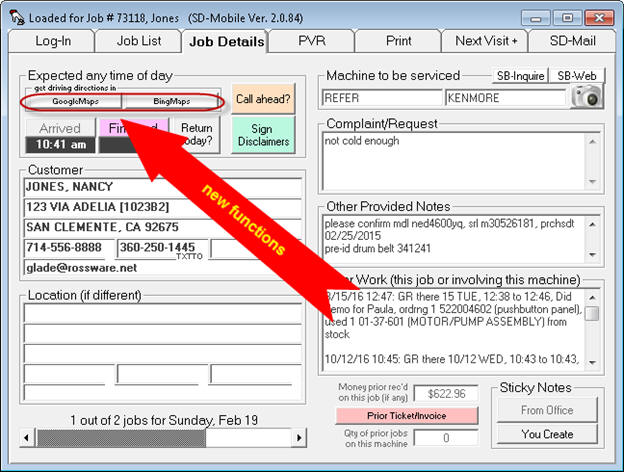
Just click to get your instructions. You'll see there is a dialog to ask your current location, and it will default to show the prior job (or what you have set as beginning node, if you've asked for directions to your first job). If the default as offered in the dialog is correct, you may just hit Enter to accept it.
We hope you like this feature.
Warning to Retrieve Part that May be Under Parts-Return Warranty:
If you replaced a part and it fails during the warranty period (and you're back again on the replacement call), it's obvious you need to retrieve the failed part, so it can be returned to the vendor for warranty credit. But, what if you forget or fail to realize this need. We've added a reminder to help you:
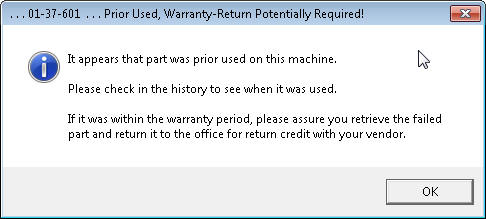
This reminder is based on seeing prior use within the narrative history. Presently, it's only coded to work in regard to parts that were prior-used from stocking inventory.
New "JobCart Import" from the online-BlueBook:
For a quite a long while, we have had ability in SD-Mobile to download your company's BlueBook rates, and for the the tech to direct-select from that data any such JobCodes (together with description and price) that he wishes to add to each job. In this mode, the "ticket" for the job is essentially prepared within SD-Mobile itself, and SD-Mobile is likewise the vehicle by which such a "ticket" is presented to your customer.
There is , however, another mode for preparing a BlueBook-based ticket that's provided by the good folks at ServiceCompanySolutions. They provide an online interface in which the ticket may be prepared and presented, and that online interface may possess certain "sell" qualities that are advantageous as compared to when using the SD-Mobile interface. Because of those advantages, some of our users have been using that online interface for first assembly and presentation -- then, assuming the customer says yes, the tech goes to such further effort as required to manually insert (and seek to make identical) the same information within SD-Mobile. That is not an optimum setup, obviously.
What's new in this release is you may now assemble your ticket in the BlueBook online interface, then do a direct-import of that same information into SD-Mobile. To accomplish this, there is a new button as shown here:
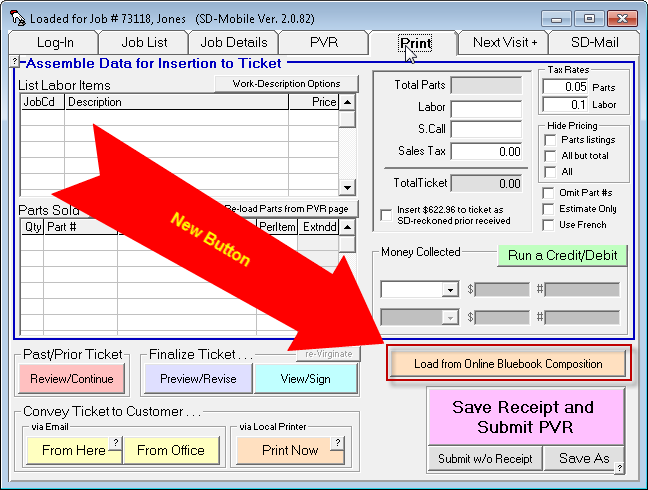
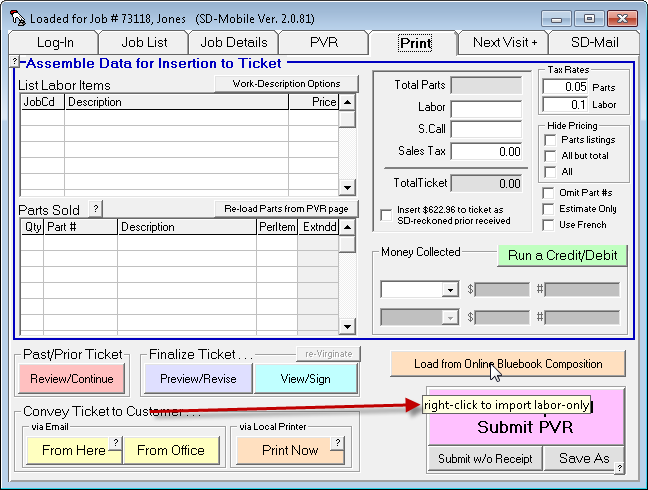
Please note our general design intent is for both labor items and parts listings be direct-imported from your BlueBook online ticket (aka JobCart). If, however, you have already independently done your parts listings from within SD-Mobile (and therefore wish to import labor items only), you may pick a labor-only import by right-clicking on the new button, as opposed to by using the standard left-click. If you forget this option, you may be reminded by floating your mousepointer over the new button, at which point a reminder ToolTip will appear:
When the BlueBook JobCart information is imported and loaded in, the system does a "reconciliation" check to assure that the part-item listings as brought in match whatever such part-item listings as you may have placed within your PVR page (the latter being actionable for such purposes as pulling from inventory, creating within-ServiceDesk s/o part requests, etc.). Absent a match, the system will attempt to assist.
In particular, if the system finds it loaded in items from your BlueBook JobCart import that are not in your PVR page, it will offer to add for you on basis of a dialog that will look something like this:
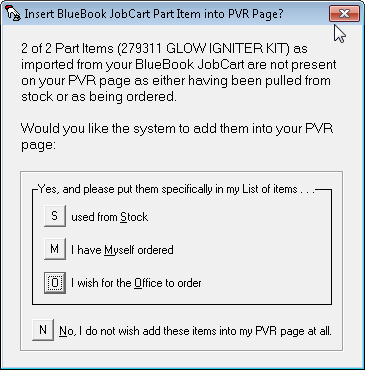
If, on the other hand, it finds items are already present on your PVR page that are not reflected in the list as loaded in from your JobCart, it will present you with this warning:
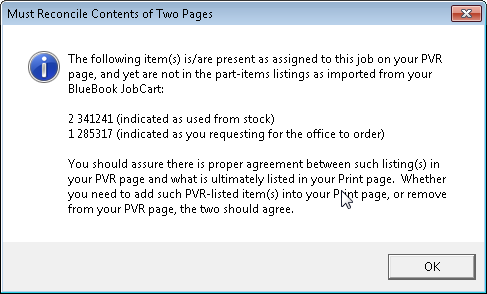
Overall, our intent has been to make importing of BlueBook JobCart information as seamless and easy as it possibly can be. If you have suggestions for improvement, please don't hesitate to let us know.
New Policing Aid: Seeking to Help Techs More Consistently Verify Mod/Ser and/or Take QuickPics:
This feature seeks to assist with two issues.
One is that some techs do not take seriously the UIS checkbox whose purpose it is to make a self-declaration that they have verified accuracy in any Model and Serial as already attached to the job. In other words, they just routinely check that box (which is required), but without doing the actual verification. In consequence wrong data persists, and claims end up being rejected. Most owner/managers do not appreciate this.
The other issue is that some techs neglect to snap the QuickPics that their managers want them to snap. In consequence, you end up not having the pictures you want.
There is now a new section of checkboxes in SD-MobileLink:
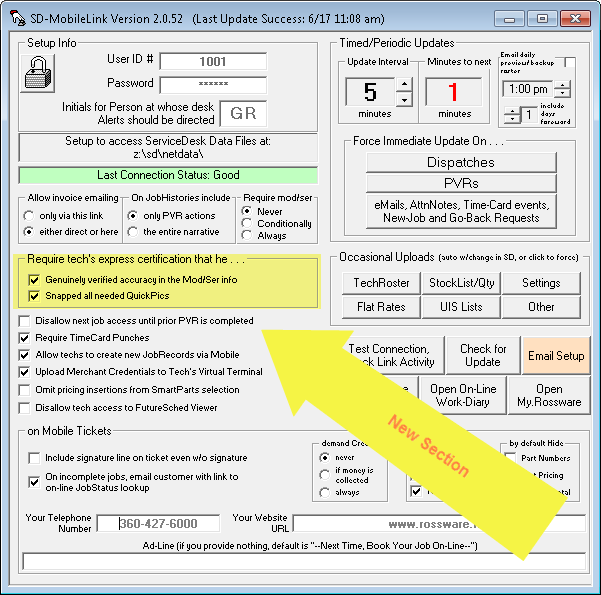
If you read the titles in that new section, the meanings are pretty self-explanatory, but we'll nevertheless show you precisely what results from the technician's perspective.
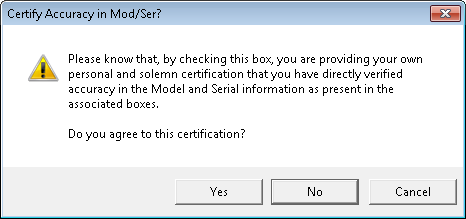
With the first of the new checkboxes checked, when a tech goes to click on his UIS-yes-I-have-verified-accuracy button, he'll get this in response:
With the second of the new checkboxes checked, when a tech clicks to submit his completed PVR, he'll get this:
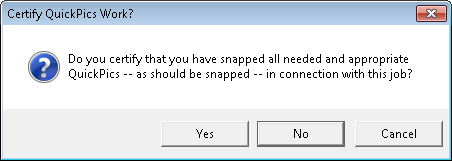
If you've had any trouble otherwise, we hope this pairing of features will help you more consistently get the results from your techs that you seek.
New Protection Against Unintended PartProcess And Inventory Actions:
The scenario is this.
A tech uses his Mobile interface to indicate the parts he intends to use on the needed repair (and regardless of whether such parts will be used form stock or special-ordered). He prepares a ticket with such items and his labor listed, so as to quote the customer. The customer is not sure she wishes to proceed, so the tech prints or emails her a copy of the proposed ticke. Because it is only proposed, he checks the box that causes it to print in the "Estimate Only" format. Then, he prepares a new ticket to actually charge just for the work he's actually done (e.g., service call, diagnosis and quote). He collects from the customer and prints or emails this real ticket to her, then submits his PVR.
But there's a problem. To make the real ticket, the tech likely pulled parts listings (of items that were only proposed to be used) from the earlier ticket setup. He may not have similarly pulled those listings from the PVR page, where they actually have operational effect. If he neglected to so pull and submitted with the listings still there, the underlying mechanisms end up thinking they are real. So, the system does actual pulls from inventory for items that were so listed. It likely puts into the PartsProcess system any items that were listed for special-order. Needless to say, this causes havoc within ServiceDesk's part management systems.
We're hoping to make this kind of oversight far less likely.
How it works is, after the tech has printed or emailed any ticket and with the "Estimate Only" checkbox selected, the system will display this message:
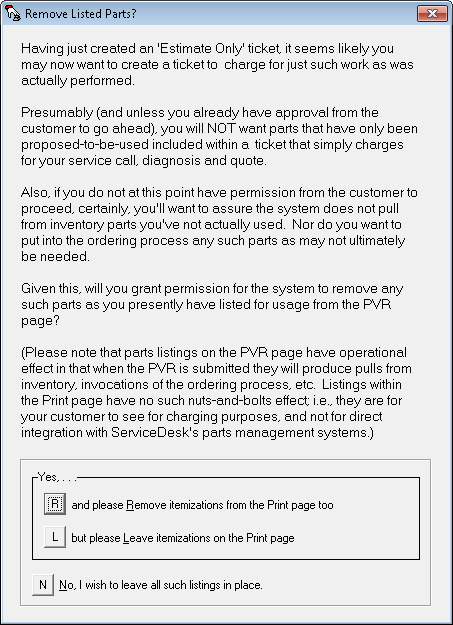
With any user choice, the system will do exactly as indicated.
Fixed Fault that May be Keeping Your Customers From Receiving Invitation to Check JobStatus Online:
I botched a little fix. We had a client who checked the option as seen here:
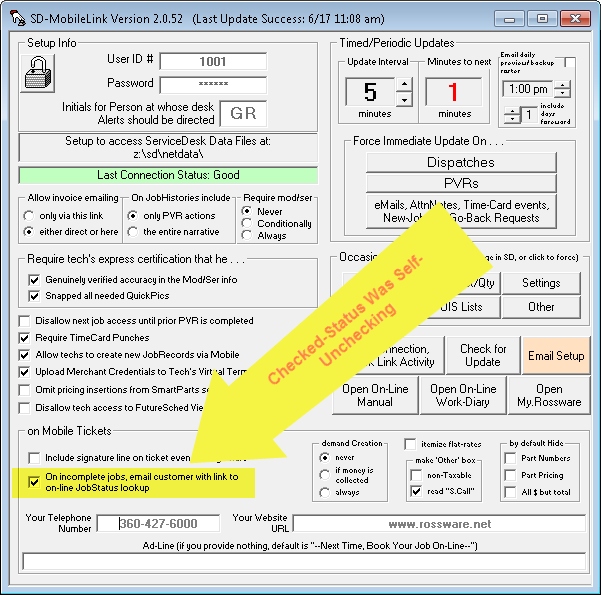
in spite of the fact they were not setup with SD-CyberOffice, which the feature in fact depends on. So, I added some program code that was designed to do a quick behind-the-scenes look, when any user checks the box, to assure there is indeed a setup for SD-CyberOffice (and, if not, to inform there is no purpose in so checking absent the setup, and then automatically un-check). Unfortunately, though my code worked fine for where there is no such setup (the scenario for which I directly tested), I somehow neglected to test otherwise, and in fact it caused an error where you have an SD-CyberOffice setup -- plus it removes your check from the checkbox.
For this reason, you may find that presently your
SD-MobileLink has this feature un-checked, even if you wish for it to be
checked. With this release, the fault will no longer occur. If you
want it, please check the box again, and now it should stay checked.
Option to Immunize Particular Inventory Locations from Intelligent Pulls:
With release of SDML Ver. 2.0.48 (see pertinent entry some distance below) we happily announced that, when pulling items from inventory which the tech indicates he has used, the system will now smartly make the "pull" substantively be reckoned as the particular item in your inventory where, owing to the combination of cost and payer, it maximizes your sell value. Turns out, a few people manage one or more inventory locations in such manner as to need to avoid the underlying "switcheroos" which the system does to accommodate this. So, we've made provision whereby, if you are an operation with such need, you may selectively immunize particular inventory locations.
To harness this immunization option, open any text editor (NotePad is likely an optimum choice) and type the two-letter abbreviation for each location you wish to immunize. If there is but one such location, simply type its abbreviation. If you wish to immunize more than one, type the two letter abbreviation of each, separated by the vertical bar symbol. In other words, do it something like this (where I have listed two locations to immunize):
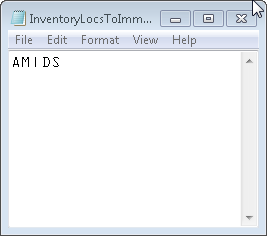
Save the document as a text-only file to the \sd\netdata folder on your server, under the specific filename "InventoryLocsToImmunizeFromIntelligentPulls.txt". With this release of SDML and forward, the system will see that file, see any locations you have listed within it, and on such basis will know to refrain from involving any inventory items that are in such locations from the new intelligent-pull gerrymandering.
Option to Keep Techs from Viewing FutureSched:
It's another instance where we invested greatly to make something new that lots of people wanted, and it turns out some folks do not want it. In this case, it concerns our Future-Sched Viewer, which we proudly rolled out on 10/29 of last year (find entry bearing that date some distance below).
It seems that some technicians, on being able to see their upcoming appointments, conveniently find themselves able to feel ill on days when they can in-advance see jobs that they do not want to do. Darned techs!
Anyway, there is a new option where you can can disable your tech's access to the viewer:
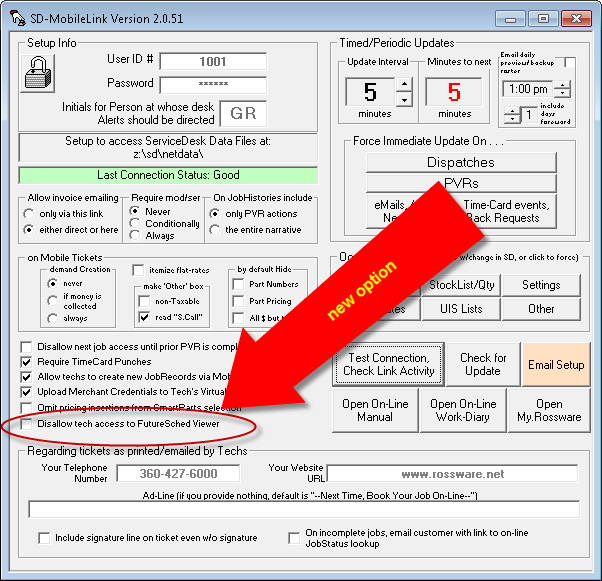
If you are wondering, yes, we do have an intent in the future to provide you with ability to make some of these options particular to individual techs, as opposed to being across-the-board settings. Watch for that. It will be coming.
Button to Open My.Rossware:
A lot of people don't even know about this wonderful online resource. It's designed to be your personal online interface by which to review and manage a plethora of elements associated with your Rossware online systems usage . . . from watching streaming tutorials, reviewing survey-system results, checking on the connection status of techs in SDM and whether PVRs were submitted, reviewing and managing elements of CyberOffice functionality, managing your QuickPics, Robocalling, engaging in Live Chat, setting up Blue Book, accessing Mini-Manuals, voting on project priorities -- and even requesting emergency after-hours support. All these tools are there. It's easy enough to get there by typing "my.rossware.net." into the address bar of a web browser. But, we made an easy button you can use SDML, as well:
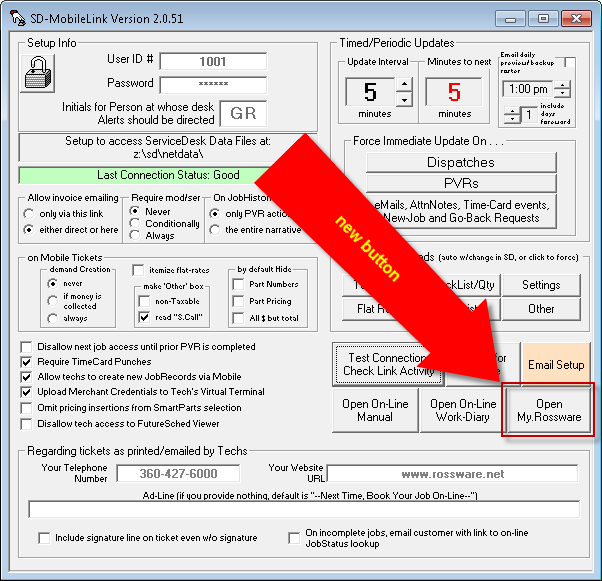
If you've not formerly explored my.rossware.net, please check it out.
An Electronic "Leave-Behind" May Now be Auto-Provided to Your Customer:
Many service companies have found it is beneficial to have the tech leave the customer with some kind of brochure or flyer, as each job is completed. These can serve a number of purposes. There might, for example, be a coupon for future service, tips on machine maintenance or invitation to sign up for a maintenance plan. For servicers doing Whirlpool warranty service, a leave-behind might consist of a primer that seeks to poise the customer for providing a beneficial review when a survey-inquiry arrives from Whirlpool.
Whatever the purpose, physical leave-behinds cost money to print, take time away from technician's work as he seeks to provide them, are something of a hassle to keep the technician stocked with, and you never know how reliable the technician will actually be in distributing them. For such reasons, we were asked to create a system that accommodates provision of an electronic leave-behind.
Here is how to set it up.
Create whatever kind of leave-behind document you wish to employ, and in any file format you prefer (e.g., .pdf, jpg, etc.). In fact, you may create different and unique such documents, to be specifically used in connection with each/any of your particular QET-clients (e.g., one to be used in connection with Whirlpool Warranty jobs, another to be used in connection with Warrantech work, etc.). Save such documents in any location that is accessible to the SD-MobileLink application (the \sd folder on your server or one of its subfolders will likely be ideal). Then, in the QuickEntryTemplate as applicable to any client whose jobs you want to have a leave-behind go out on, type within its Relevant Documents box the expression "LeaveBehind" followed by a space, and then a complete-path reference to the desired document.
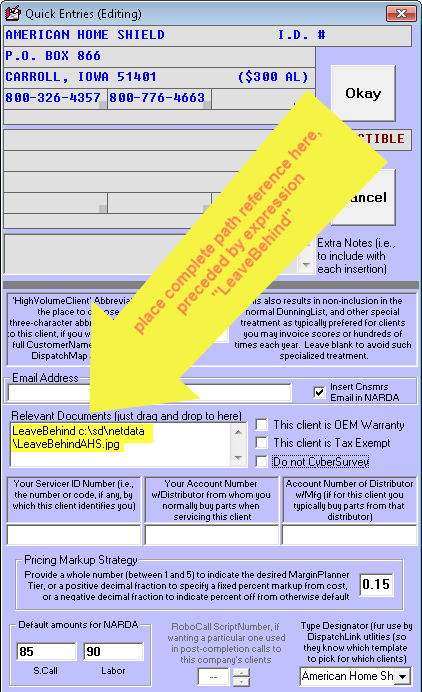
Here is what then happens.
When SD-MobileLink processes a tech's PVR with an applicable QET-client as the paying party, and when it's a PVR on which the tech has created a ticket (or work-completion document) to be office-emailed to the consumer, SD-MobileLink will find the designated document and include it as an added attachment in the same ticket-send email that is otherwise going to the consumer.
Please note this document will not attach if the tech elects (and if you've given him freedom to) direct-send the ticket (i.e., the attachment occurs only within the office). And (with exception about to be described), it will only occur where you have direct-designated a document from within the applicable paying-party's QET.
Regarding that exception?
It occurred to us you might want to have a leave-behind structured for your COD customers. If so, create a document called MyLeaveBehindForCOD.xxx (where "xxx" is replaced by whatever is the extension for the file type you've chosen to use. Save it to the \sd\netdata folder on your server. If it's present, SD-MobileLink will find it there, and (similar to the QET situation) make it an added attachment in ticket-send emails (only in this case for COD jobs only).
Intelligent Pulling of Parts-Used-From-Inventory:
This is a big one.
It addresses a need that has long been on Rossware's agenda, and which for too long has been left un-served.
The need is as follows:
You have several instances of a particular part in inventory. Perhaps there is one on each of your trucks, and perhaps there are a few in your office storeroom. Regardless, in some cases you will have paid different prices for different instances of this part. Occasionally, the difference may be large, especially where some instances were purchased prior to a price increase, and some were purchased after.
So, the tech uses a part, indicates his use in the SD-Mobile PVR, and, in reaction, SD-MobileLink pulls it from the tech's inventory. But, what if it was on a warranty job, and what if the instance ServiceDesk reckons was in the tech's inventory happened to be one that you paid a small price for? That's not good, because the following warranty-credit will be based on that small price. You'd have been better off if the system reckoned it was the costliest instance (and from your overall inventory, as opposed to just from the tech's inventory) that was used, regardless of where that instance actually resides. This is true, particularly, because it would save the cheaper instance for application on a COD job, where you could then effectively get a much larger margin from the sale.
The opposite arises where the tech is on a COD job, and indicates having used a part from inventory. Now, you are better off if the system will exercise such intelligence as to reckon it was the cheapest instance from your overall inventory that was used, regardless of actual location.
Until now, the system has never exercised this kind of IQ.
It does now, but (and of course) it also does so with some finesse.
Finesse is needed, for -- obviously -- you'd not want the system to find that, though Bob used a part from his inventory, a better cost-optimized instance was found in Bill's truck, therefore it simply does a normal pull from Bill's. This would be bad, for now the system would reckon Bill had fewer than he actually did, and that Bob had more. So, in essence, the system needs to first do a swap, between Bob and Bill's indicated instances of the part, of just the acquisition information (vendor from whom acquired, acquisition date, acquisition invoice number and acquisition cost), then do a normal pull from the actual indicated location. Effectively, this makes the pull into a cost-optimized one, while nevertheless making the physically-indicated movement appropriate to the true location.
The logic and programming rules on this are simple.
When going to pull an inventory item (i.e., remove it from inventory on the basis of indicated use), SD-MobileLink now looks to see if the underlying/paying client/customer is QET-designated as "OEM-Warranty" or with a "Markup Strategy" that directs toward a fixed-percent markup from cost. If yes, the system biases toward seeking the highest-cost instance of the part. If no, it biases toward seeking the lowest-cost instance.
Based on this bias, the system will, for each indicated use, look to see if there is a better cost-optimized instance of the part, as opposed to the particular one (or perhaps more than one) as indicated within the tech's own inventory. More particularly, it will look to find whatever instance within your entire inventory is best cost-optimized for the circumstance. Assuming it finds a better-cost-optimized instance than what would have otherwise been pulled from the tech's own inventory, it does a behind-the-scenes swap of that acquisition information, before then pulling from the tech's inventory.
Aside from updating to current, there is nothing you must
think about or do in order to make the above occur. It will simply happen
on your behalf, no fuss or muss required.
Mobile-Ticket Totaling Boxes: Complete Customization of Labels Now Available:
When SD-Mobile was first launched, the bottom-right section of a Mobile ticket had boxes labeled like this, and with no other option:
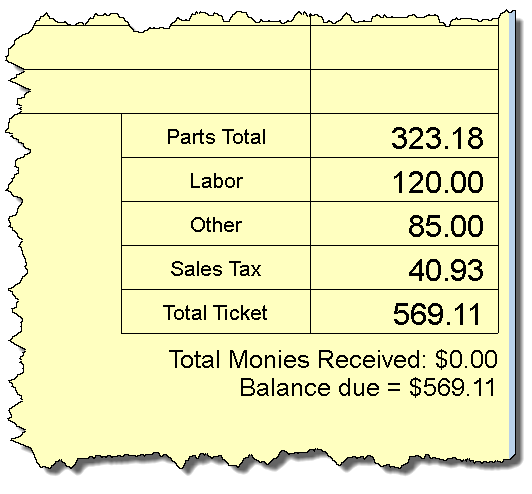
It was not long before a number of users wanted the option for the "Other"-labeled box to be explicitly labeled instead as for a Service Call, so we added this option in SD-MobileLink:
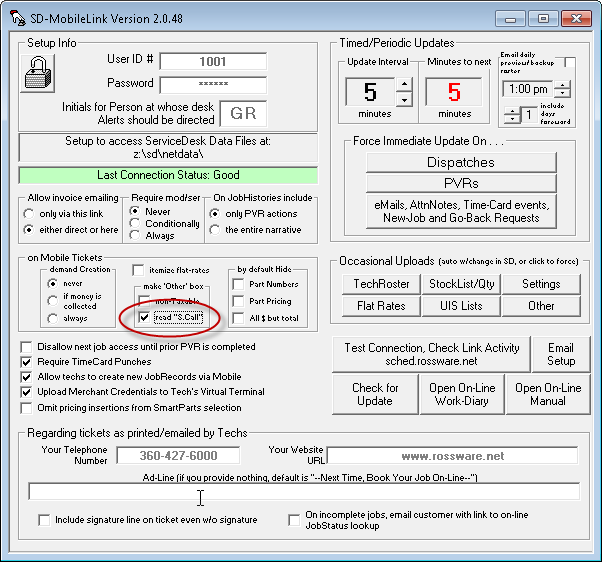
. . . and, in consequence if you have that box checked, that same section in the Mobile ticket changes to look like this:
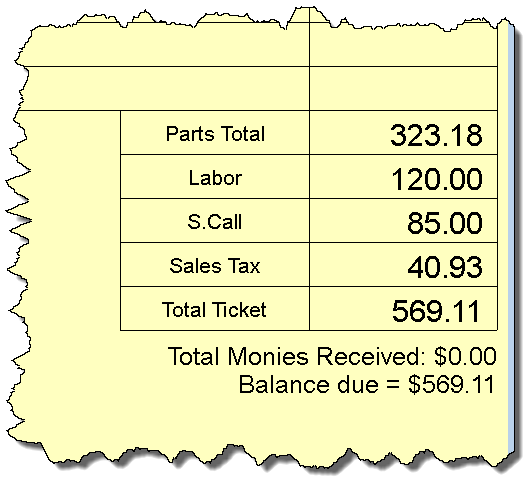
(In addition to the label change, ServiceDesk also does something different. Specifically, when going from the Mobile FinishedForm to auto-populate a SalesJournal entry, it treats any amount that's in this box as an actual service call (i.e., populating to that particular field in the auto-populate), whereas otherwise it would combine any "Other" amount with Labor when doing that auto-populate.)
The ability to change that one label (and only to a particular other label) was, obviously, a tiny allowance for customization. Recently a user pled for more. So, we've provided it.
Specifically, you can change all five labels to whatever you'd like them to be.
To do so, open any text editor (MS NotePad is a good one) and type each of the five labels you want, as separate lines of text. Make sure you have precisely five lines. Save to the \sd\netdata folder on your server, with this precise filename:
MyCstmBxTtlsForMblTckt.txt
(the name is intended as abbreviation from "My-Custom-Box-Titles-For-Mobile-Ticket").
When you have done the above, SD-MobileLink will see the file, and know to use your text as labels for the corresponding ticket boxes. It will also upload the file-information to each of your tech's instances of SD-Mobile itself, so those interfaces will also know to use your substituted text.
A few matters to note:
If you are setup to use separated GST and PST in Canada, those labels will continue to prevail (and for the two separated boxes) over the single box otherwise normally-labeled as Sales Tax (in other words, whatever is the text in the fourth line of your new file, it will be ignored, because you're getting two boxes that are labeled GST and PST instead).
The differentiated treatment when ServiceDesk auto-populates a SalesJournal entry will continue on basis of whether you have selected, within SD-MobileLink, the option to have the "Other" box treated as "S.Call" (though your customized labeling will prevail so far as labeling itself is concerned).
To be effective, this change requires updates of both SD-MobileLink in the office and of SD-Mobile by each tech.
Your techs in Mobile will not see the difference until the day after you've added the file in your office.
Policing/Helper Function on Pre-Auth Limits:
It stinks!
You invest significantly in assuring a job is completed with competence, professionalism, skill and superb customer service. You made the consumer happy, and another machine is running smoothly again. Sadly, however, there's a matter that everyone involved slipped up on. The underlying third-party client had a strict authorization limit, and the work as performed significantly surpassed it. Someone should have caught it, and assured that either that authorization was increased, or that you did not proceed with the repair. But, no one did, and now it's too late to get the needed authorization increase. After all that fine work and investment, you end up eating it.
It should never happen, and now we've added a system to help you assure it does not.
First, you must assure that each JobRecord in ServiceDesk has an appropriate indication of the applicable pre-auth limit, if any. These may be indicated in either of two ways:
Method A: Place the pre-autho amount in the right-hand side of the LocationName box, with a precise preceding title, in this fashion:
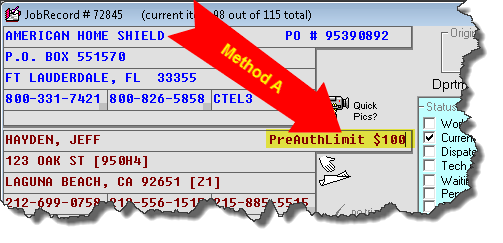
A nice benefit of using this method is you may configure each applicable QuickEntryTemplate to already-be populated with this format.
Method B: Add an AttnNote (aka "StickyNote") that similarly uses the key phrase "PreAuthLimit" with the actual amount following. E.g.:
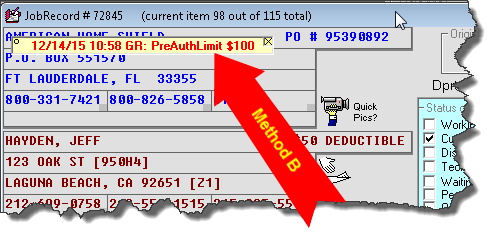
As a general concept, the SD-MobileLink program will look for a pre-auth amount in either context, and, if finding it in either, will upload that amount as an explicit value in the dispatch as provided to each technician.
This leads to the second thing you must do to use this new feature. Please assure you are using SD-MobileLink Ver. 2.0.42 or above.
The third thing you must do is assure your techs (if using the Windows version of SD-Mobile) are updated to Ver. 2.0.73 or above (if your techs are using the iOS version, we expect its Ver. 1.93 will likely have this new enhancement; though that version has not yet been released).
So, what happens within the tech's Mobile interface on basis of this new feature?
Quite simply, the system looks at several points to see if it appears investments on the job (and the likely fee that needs to be charged for such investments) has (or is likely to) exceed whatever is indicated as the pre-auth limit.
For example, a check is made when the tech first opens a job. If the investment as already made appears to threaten the pre-auth limit, the tech will get a message similar to this:
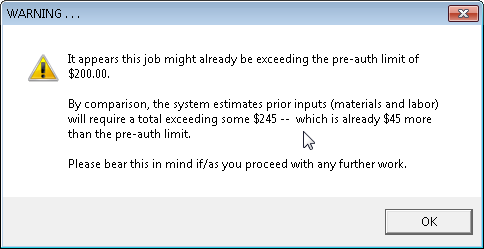
Another check is made whenever the tech goes to finalize any ticket. This one is actually a little different in that, rather than attempting to analyze the investments that have gone (or which may be going) into the job, it looks simply at the bottom-line dollar value in the ticket, and warns if that particular value exceeds any provided pre-auth limit, as follows:
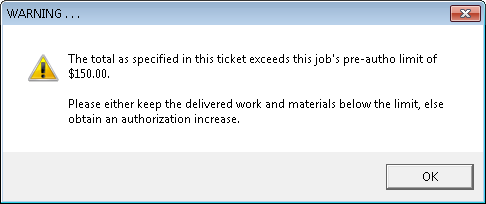
Finally, a check is made when the tech goes to submit each job's PVR. Here, the system may encounter a few different circumstances.
For example, investment may not yet exceed a provided pre-auth limit, but it may appear as though contemplated future investments will do so, in which case the tech will receive a message like this:
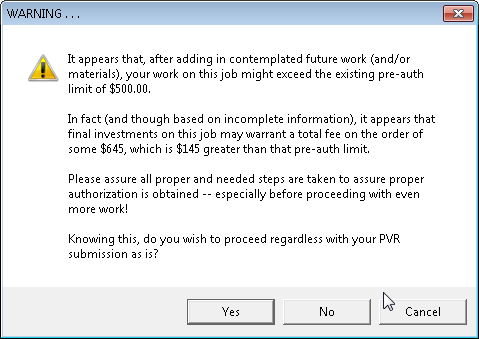
Or, it may be the case that present investments already exceed a provided pre-auth limit, and even more investments are contemplated, which will produce a message like this:
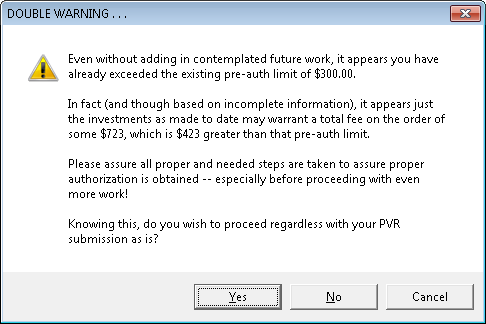
Finally, it's possible present investments exceed a provided pre-autho limit, but at least no further investments are contemplated, in which case the tech should see a message like this:
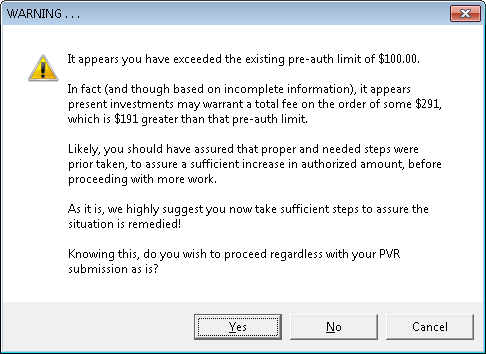
As you can see, it's a plethora of possibilities, regarding warnings the tech may receive, depending on circumstances. Regardless, the purpose is to help keep you out of that terrible "stinky" situation.
To further assist you in this goal, we all understand that some techs may simply disregard these otherwise helpful messages, and, if they do, you may still find yourself in that "stinky" situation. If so, we've also created a basis by which you may more stringently discipline any such techs . . . and, hopefully, mold them into team players that better help you avoid the stink. It's based on the fact that, usually, people reform better when they know they are (or will be) caught. Here's how it works.
Each time SD-Mobile gives the tech any warning such as the above, it adds it to a tally that will be reported in the applicable PVR narrative. So, for example, you might find yourself in that stinky situation on a particular job. You look in the narrative history, and in the PVR you read something like this (with highlighting added for emphasis here; you won't see it in the actual narrative):
\___
12/3/15 8:58: GR there 3 FRI, 8:43 to 9:55,
replaced main seal, ordrng 1 00-05-048 (bearing), used 1 2-11124 (BELT) from
stock, pckd up 1 00-07-765 (support),
warned three times against exceeding $100 pre-auth limit,
O-emld tckt [SdLink\73092a.png] (via SDM)
/¯
Our thinking is that when you as a manager have your nice little "sit-down" with an involved (stinky-making) tech, and when you are able to point out to him that he had (and evidently chose to ignore) these very direct warnings, it's going to make for a much more compelling scolding than otherwise. Likewise, he is going to realize that going forward it's going to be far more incumbent on him to pay due attention.
You may be curious as to what are the actual mechanics by which these newly-added systems calculate what likely needs to be the minimum charge for such investments (in time and materials) as have been put into a job, or which are contemplated?
The simple answer is the underlying mechanics are neither simple, nor will they in any case produce perfect predictions. A very rough (and generally somewhat conservative) approximation of needed total-sale is the best that's even hoped for.
If you must know more details, here is a brief guide:
SD-MobileLink calculates all investments as made to date, and uploads that as a single value to SD-Mobile. It's calculation follows these rules:
If any prior trips, the first is valued at $75, subsequent trips valued at $25, and time on the job at $75/hour.
Any inventory parts as prior used are valued at the MasterPartsPlan-indicated retail, if any; otherwise at indicated cost plus 15 percent plus shipping.
Any s/o parts as prior used are valued at cost if the sell-for price has been set zero (it's the OEM warranty situation); or at the indicated sell-for if there if a non-zero sell-for has been indicated; or at an indicated vendor-recommended retail if that is indicated, and otherwise at purchase cost if that is indicated.
SD-Mobile uses similar logic. More particularly,
For calculating present labor investment, it counts the tech's present trip according to the same scheme as in 1a, and adds present time (based on his "I've arrived" and "I've Finished" clicks) likewise according to the same time rate scheme.
For calculating a corresponding present materials investment, it looks at what the tech indicates was used from stock or via local purchase, along with what is indicated as having been used from the job's PartsPick list.
For calculating anticipated future labor investment, it looks to see if the tech has indicated the job is not done. If so, it looks at the "Next Visit JobCount" window to see what value the tech has placed there. Whatever is value it multiplies by the same hour basis as in 1a, and also calculates the anticipated future trip accordingly.
For calculating anticipated future materials investment, it looks at parts the tech has indicated he wishes for the office to order.
It adds all these values to whatever was calculated (and uploaded) by SD-MobileLink as the value of prior investments.
In all, this underlying machinery is a little complex, and
it's certainly imperfect. It's also not customized. We threw in
those simple basis rates (for trips and time), knowing they would not be perfect
fits for, well, anyone. But (and regardless), we suspect this scheme will
provide needed warnings in almost all instances where it's beginning to look as
though a reasonably-anticipated-as-to-be-needed sale amount is likely to exceed
a pre-auth amount (especially if by large
degrees). Simultaneously, we think the scheme is likely to produce no more
than a moderate rate of false alarms. That is what we are shooting for.
Finally, a "Being-Helped" Tech Has Automatic Visibility Regarding his "Helper":
Since forever, there has been a feature within ServiceDesk where, when two techs are needed on a job, the office can schedule two appointments: one for the lead tech and a second for the intended "helping" tech. To show the second is but a "helping" appointment and not a regular one, it should be configured with the box that normally holds the JobTitle (e.g., "WP/Smith") to instead have text precisely matching this format "Hlpng GR" (where, for this example, "GR" would be the abbreviation for the lead tech who is expected to be helped).
This strategy has served well to inform the helping tech of what's expected of him. But there has been nothing implicit in the lead tech's appointment information to inform him of the fact that a helper is scheduled to assist, nor of whom that intended assister happens to be. To provide such information to the lead, it's been incumbent on office personnel to attach AttnNotes, or similar. Of course, it's been a bit of a burden to do this, and sometimes the task is forgotten, which leaves the lead tech very poorly informed.
With these two releases (please note it is a new release of both SD-Mobile and SD-MobileLink, and updates to both are required to enable this new functionality), that prior and long-standing hole is filled.
Specifically (and firstly), there is now an explicit indication (where applicable, of course) within SD-Mobile's Job-Roster page, as follows:
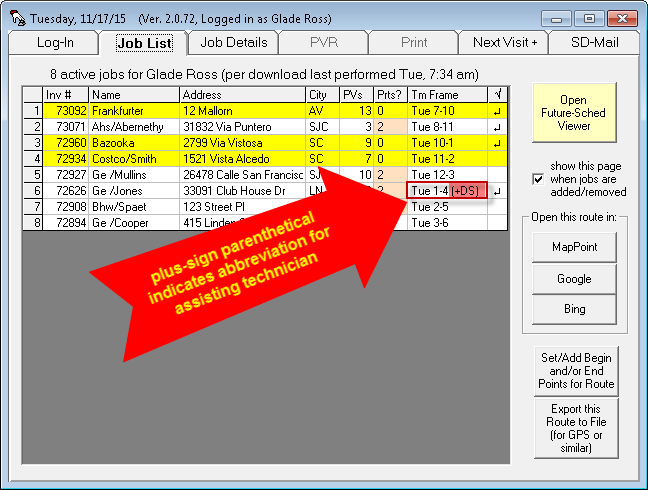
Secondarily, the Job-Details page will show in format similar to this, where applicable:
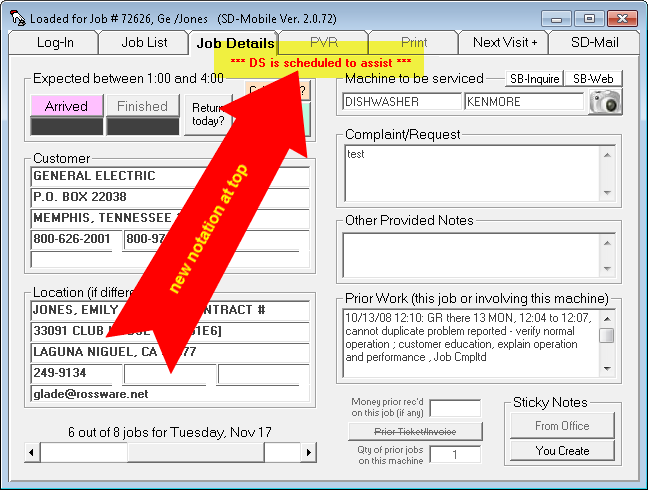
We have not at this time made provision to further inform in cases where you might have scheduled for more than one assisting tech. If you have this situation and need, you'll need to let us know.
Still More Enhancements in the Future-Sched Viewer:
The big one here is we added visibility into PartsPick information (what parts have been ordered for the job and/or spec-tagged from inventory). All may thank Tom at Best Service in Denver for encouraging us to make this addition into a high-level priority. His thinking is, if techs are in any degree involved in triaging their own jobs, this PartsPick information is critical for them to be seeing in advance.
We also added an indication of whether, in regard to any appointment, the customer would like to have it moved sooner (relates to the "Wants-Sooner" checkbox within the underlying JobRecord back in ServiceDesk). The thinking here is if a tech finds himself with some open capacity (perhaps because he was just stood up for an appointment, for example), he can look in the Future-Sched Viewer to see if there is an upcoming appointment which the customer wanted to have moved up. If so (and if the physical location is favorable), he may call to see if "right away" may work for that customer. In result, you may have a thrilled customer, and the technician will have a more productive day.
Finally, for the Future-Sched Viewer, we also added the same "Who-is-helping-me" visibility, for a lead tech that is being assisted, as we added within SD-Mobile itself for a lead tech (there, of course, it applies to any appointment where it's the actual day of the appointment; whereas here it's similar visibility, but for future appointments instead).
Option to Provide Unabbreviated JobHistories:
From the start, an element of information we thought essential for provision to each tech was the prior history on each job. Specifically, we have thought it most important for the tech to know what was done within the context of prior visits. We did not think it essential (or necessarily helpful) for the tech to see all the tedious details as present within the entire underlying JobHistory narrative as present back in ServiceDesk. So, SD-MobileLink has long been coded to extract just the portions from that narrative that describe actual and direct work, in particular as connected with prior PVRs.
A benefit of this strategy (besides giving the tech information in an abbreviated format that easily highlights only the particular information he likely needs) is that it economizes the quantity of data that must be uploaded by the office, then downloaded by each tech. Thus, it reduces your data bill.
Regardless, from time to time there have been users who felt it would benefit their techs to have unabbreviated histories. So, we've now added that option:
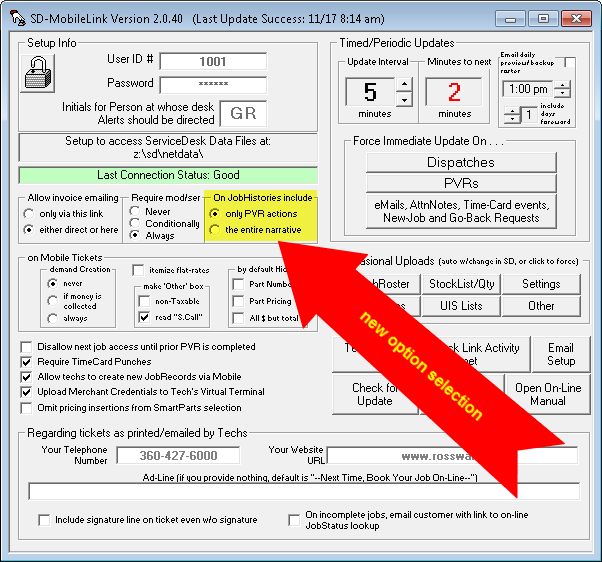
As you can see, it's a simple new radio-button selection
within SD-MobileLink. If you want the full (and tedious) narratives for
your techs, change in this new setting to the second option.
Two Immediate Enhancements for Future-Sched Viewer:
The first is one we'd already planned. In the online viewer, when the tech clicks to see details on a job, there is now a link by which the he may initiate an SD-Mail to an office person, and with text pre-inserted to indicate the applicable job. The general idea is the tech may be pre-screening his appointments, perhaps realize it would be a good idea to order one or more parts, and use this as basis to inform the office of such need. Of course, many similar uses might be made.
The second enhancement flows from the fact a client called and asked if we could make it so his techs can see past appointments, as well as future ones. It seemed reasonable, so we modified our new system to accommodate this. Now the system will maintain a show of appointments stretching from 30 days past to 30 days forward. Two caveats:
One, yes this makes it so the expression "Future-Sched Viewer" is a little inapt (since the facility will now equally provide a view into past appointments). Oh well.
Two, the system only instantiates the online appointments
in real time going forward. That means past appointments only get in there
when they are uploaded first as prospective appointments, and then the calendar
advances past them. In consequence, your techs
will not see past appointments until after you've been running in this release
or forward, and the calendar then advances forward. Thirty days after
your initial running in this release, they should be able to see the full 30
days in arrears.
Finally, a Direct Future-Sched Viewer:
Users have requested this for long time. Occasionally, development of a much-wanted feature is put off until, here at Rossware, we are able to envision a good path by which to efficiently accomplish the desired end result. About a month ago (and after considerable brainstorming in the interim), there was a finally a "eureka" moment here. Finally, we were able to see and formulate the particular vision and path by which to efficiently allow each technician to readily online review his entire upcoming roster of scheduled jobs.
We are calling it the "Future-Sched Viewer", and are delighted to now make it available.
This new and awesome feature may be accessed in either of two ways:
First, the technician may simply click on a button that is newly present within SD-Mobile itself:
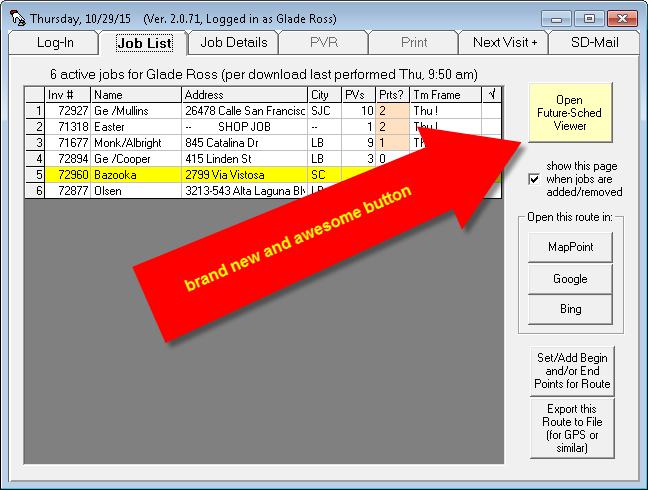
(Please note this new button is presently available only in the latest release of SDM-w; it is expected to be likewise present in the next release of SDM-i, which likely will be posted about mid November as Ver. 1.9.)
Second, the Future-Sched Viewer can be accessed via any web-browser by simply using this url:
(Please note SDM-i users will likely want to use this second method, pending the next release of SDM-i with its own new internal-button link.)
Regardless of which access method is used, the technician will quickly be presented with a web interface that allows complete and detailed review of everything that is presently on his upcoming service schedule.
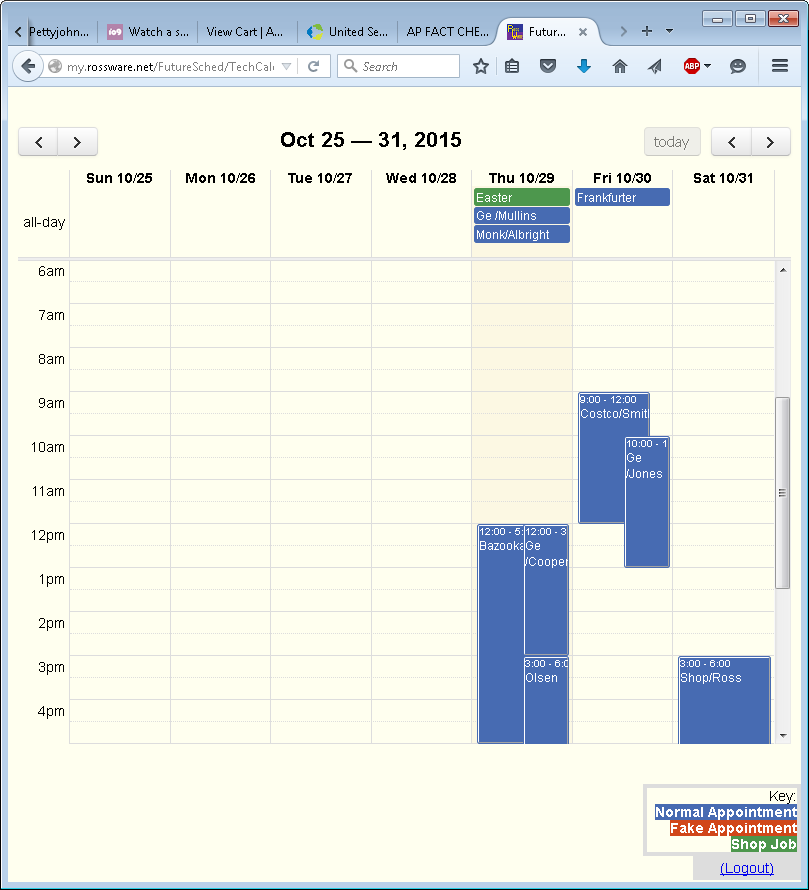
Each calendar week is shown in its entirety. There is color coding to distinguish fake appointments from real ones, and ShopJobs from normal jobs. A simple click on any reference will bring up a full and complete set of job details:
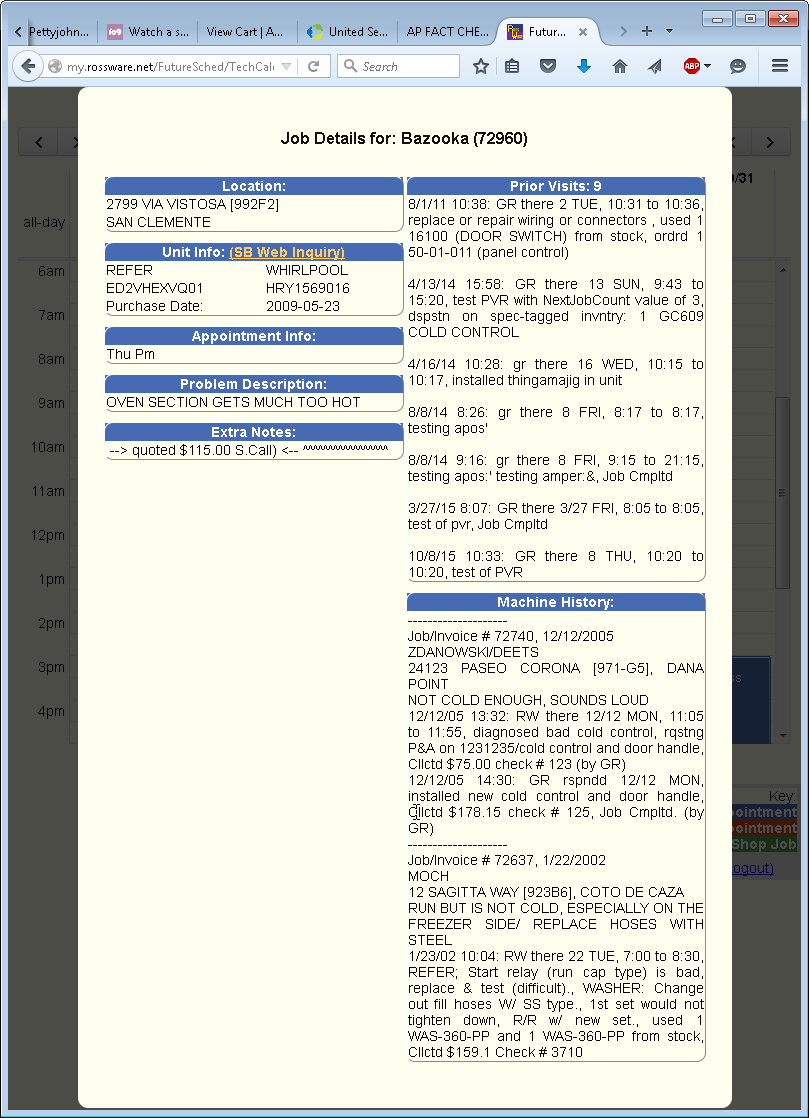
As you can see, there is even a hyperlink within this JobDetails page to initiate a ServiceBench Web Inquiry on the underlying machine. Very soon, we plan to add another link via which the tech may initiate an SD-Mail to any office person, and as connected with the involved job. We believe this will be useful for techs that are participating in pre-screening of their own assigned jobs, and potentially for other purposes.
We hope y'all love this new feature. Please let us
know what you think.
New, Open Route in Bing Maps:
GoogleMaps was a long-loved resource for viewing routes. However, Google changed its route-viewing interface many months back, and most users have been significantly less happy with the new one. For a while, you could pick an option to revert back to the GoogleMaps "Classic" view, but even that option was recently taken away. Many users have been upset, some almost seeming to blame us for the change (honestly, we did not do it; Google is responsible).
Regardless, we discovered Bing Maps has the desired elements that were taken away from GoogleMaps, so, we've made a new link to that resource:
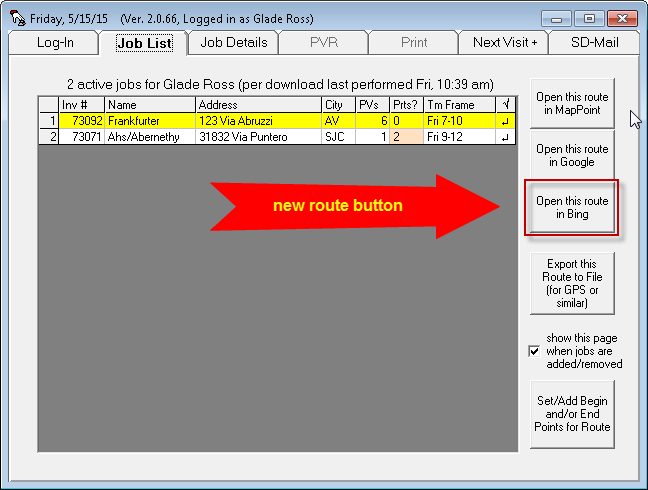
Just click on that button, and you'll see it links you to
Bing much like the older and longstanding button (just above the new one) still
links you to GoogleMaps. We think you will like the Bing link better.
Links to "How to Replace" Videos on appliancevideo.com:
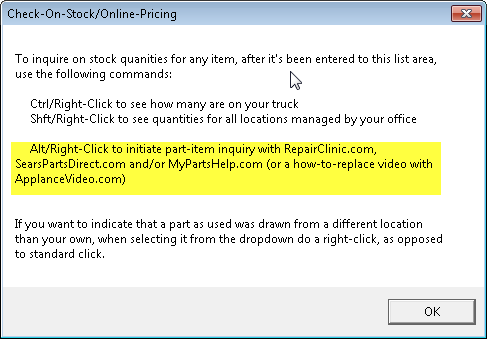
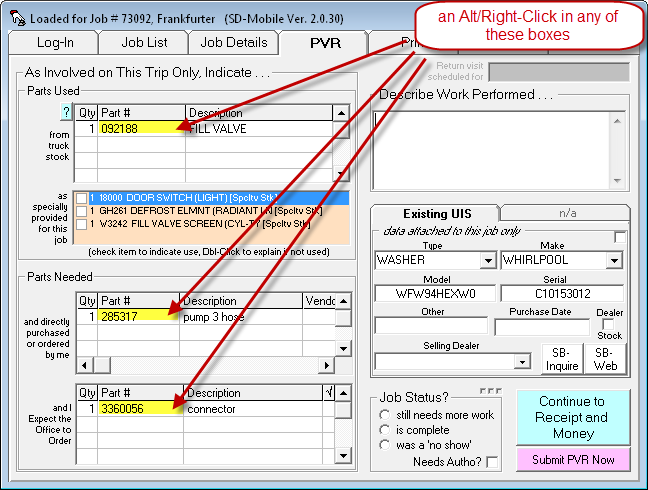
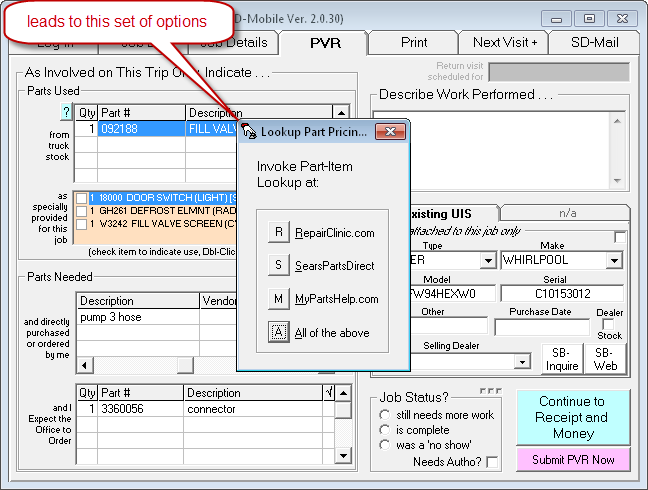
Hopefully you know that, on your PVR page, you can Alt/Rt-Click on a part number to invoke an instant link/search (and as directly associated with that part) to several online resources.
We just added another.
If you did not know, appliancevideo.com has become a rather large site for instructional videos. They have videos that show, step-by-step, how to replace literally thousands of different parts. Though it's true the videos are somewhat consumer oriented, they may nevertheless be of great assistance to a technician who does not have advance understanding of the optimal path by which to attack a procedure. They can save time, and make the tech look more impressive in front of a potentially-watching consumer.
If you forget how to invoke this set of links, there a little button to remind:
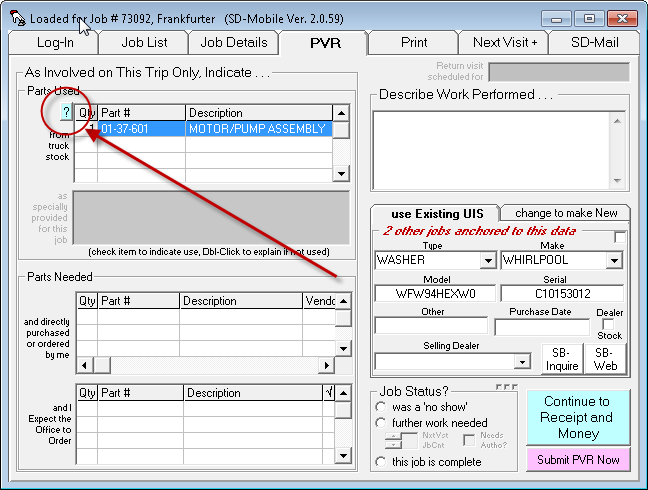
When you click it, you'll get this little instruction (we've yellow-highlighted the portion that's relevant to this new feature):
When you actually do the described action, you'll get this set of options (we've yellow-highlighted the one that's presently new):
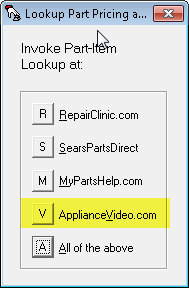
If you choose the new option, it will open the
appliancevideo.com website, with any
videos as relevant to the target part number already selected for you.
Enhanced SD-Mail:
Until now, when a tech wished to create an SD-Mail, there were two limitations:
There was no drop-down or other list to indicate valid recipients. If the two-letter abbreviation/code that he chose to manually type-in was invalid, there was no policing to fix or even inform him of the fault. In other words, he had to get it right, and there was nothing to help assure he got it right.
If the tech wanted to make a single email go to multiple recipients, there no provision to do so. Each email could be addressed to a single recipient only.
Both these issues are addressed in the current set of releases. When the tech is formulating a new mail to send, and clicks in the Send-To box, a dropdown appears that shows all available send-to targets. A simple click inserts the appropriate designator. If he wishes to add others to the send-to list, he simply clicks again.
It is important to update both Mobile and MobileLink to fully and well-harness this improvement. If you update Mobile alone (and a tech addresses to multiple recipients), handling on the within-office side will somewhat suffer.
There is also a nice little side
improvement in this work. SD-Mails from one tech to another no longer have
to filter and be relayed through SD-MobileLink. These means those emails
can move much quicker -- potentially immediately, from one tech to the next.
Improved Handling of Switch from Landscape to Portrait Modes in Tablet Configuration:
When we first built SD-Mobile a few years back, there were no Windows tablets. While the distinctions between a tablet versus a notebook versus a netbook versus a laptop are not always clear, we think one of the elements that clearly defines a tablet as a tablet is if the screen mode can easily be rotated between landscape and portrait.
Since, in particular, there were no Windows platforms that were doing this when SD-Mobile was first made, we did not at the time make it adapt to a rotating configuration. In the meantime, of course, Windows Tablets have become prolific, and we have increasingly encountered reports that SD-Mobile does not always well cope with changes in rotation (it can end up off-screen, or suffer other anomalies).
This release fixes that. Whether you have SD-Mobile
maximized or in standard-size format, the rotation from landscape to portrait
view, and back again, should now work seamlessly.
Default to Maximized Mode:
We have also learned over the years that many techs like the Mobile interface to display as large as possible. However, it defaults at its minimum size, and it's kind of a pain to always have to enlarge it. There is now a new option, to make it always open in max-size mode:
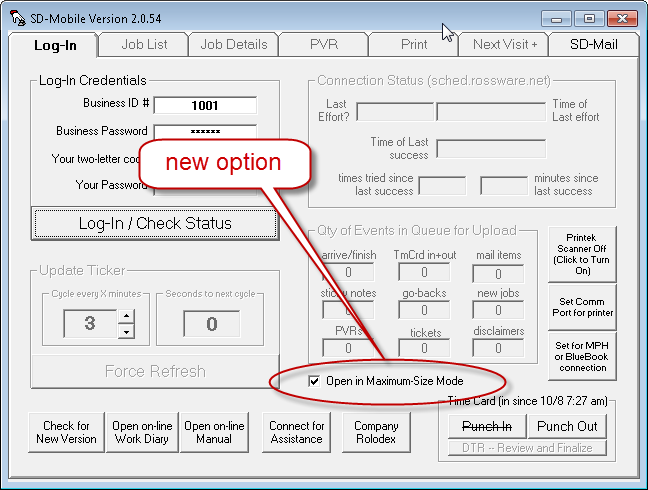
Just pick the option if you want the benefit.
May Now Indicate Usage of Stocking Part from Location Other than You Own:
When we first built SD-Mobile, it was not immediately practical to embrace all potential complications (you have to build simple first, before you are able to later add complications). Since then, we have repeatedly gone back and added in elements of finesse that were initially passed by. In spite of a long progression in this regard, there remained one element where, until now, SD-Mobile remained inferior to the Type-2 PVR as provided directly within ServiceDesk. That is the fact that, from within-ServiceDesk, you are allowed to indicate that an inventory, as used by a tech, was used from a location other than his own stock.
With this release, you can now make the same specification from within SD-Mobile.
Instructions for how (to so differently specify) are contained in the same help/tip document as instructs in how to link for added info on a stocking item:
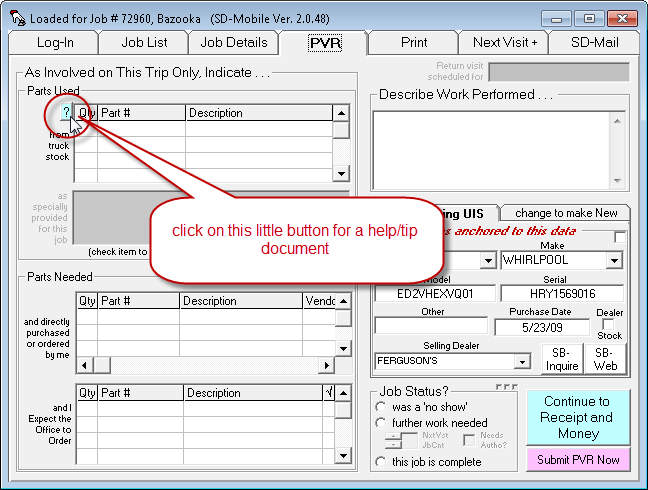
When you click on that little button, these are the instructions you'll see (those of concern to this topic are yellow-highlighted):
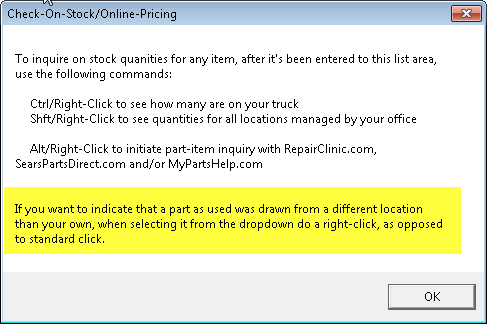
As the instruction states, all you must do for the variation is, when picking a part from the dropdown list to indicate it was used, instead of doing the standard left-click, do a right-click instead.
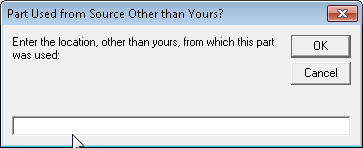
When you in fact do this action, a dialog will ask you to indicate what was the "other" inventory location from which you obtained the part as used:
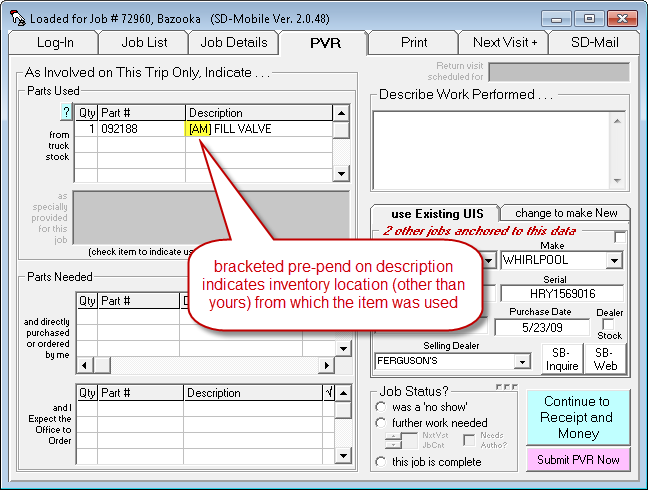
When you complete the dialog, the selected item will fill-in for you much as in the standard case, except the part description will be pre-pended with a bracketed reference, which indicates the "other" location used:
When your PVR uploads to the office, SD-MobileLink will
there see the varied specification, and on that basis will pull inventory from
the "other" location, as opposed to from your own.
Text in Auto-Sent Emails May Now be Customized:
While the SD-CyberOffice system has long offered customization in the text as involved in several auto-sent emails, the Mobile system has not, until now, quite offered the parallel. This release fixes that. There are, in fact, two different emails that SD-MobileLink may (depending on circumstances) auto-send to a customer. Either or both may now be customized, in terms of the text inserted.
The first item that is newly subject to potential customization is the Survey-Invitation. This particular email is something of an oddity in that, though its functionality is indeed part of the CyberOffice suite of services, it's in fact the MobileLink program that does the actual sending. The reason is, mechanically, it simply works out better that way.
The second item that is newly subject to potential customization is the email that sends your customer an e-ticket (at least the customization will apply to all such emails as sent by the office, as opposed if being sent direct by the tech).
Instructions on how to do the work for these newly-customizable items is found in the CyberOffice Handbook
, on its page 24. It may seem odd that we've placed instructions there (for how to do customizations on emails as sent by SD-MobileLink), however, we thought it would be easiest for you if all auto-send email customization instructions were in one place.Your New Appointment Can be Pseudo-Type:
A long while back we created a new kind of appointment. Called a pseudo-appointment, it's where the office schedules for you to complete some task associated with a job, but there is no expectation for you to actually visit the jobsite. Somewhat more recently, we've had techs who wanted the ability, when they schedule their own appointments via Mobile, to be able to self-specify those as pseudo-type. This ability is now added:
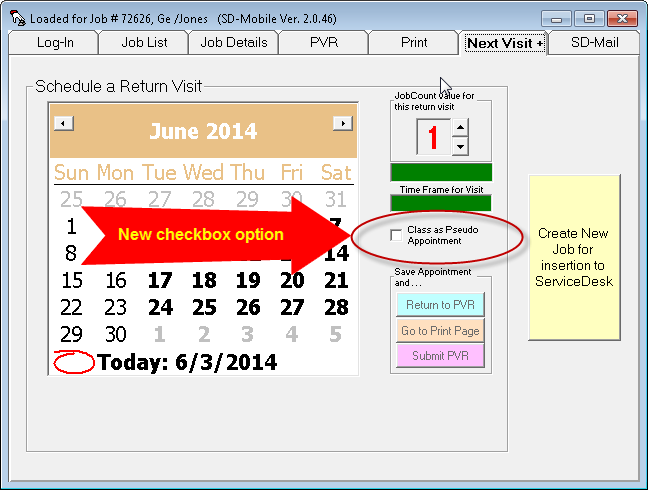
As you can see, it's a simple checkbox. There is no more you need to know regarding operation, than that.
BlueBook Integration Now in Full Release:
Three months back we did a beta-release of BlueBook integration, though then without announcement here. Now, the integration is released in full.
What is the BlueBook?
If you did not know, it is the de-facto "standard"
flat-rate pricing guide for appliance service (if you are in another industry,
we apologize for the fact this improvement will not interest you).
The BlueBook is superbly designed, thorough,
and authoritative.
It is published by Service Company Solutions
(SCS), the same people who bring you MyPartsHelp).
Prior to today's full-release, you could not use the BlueBook integration unless you'd been already-subscribed to the BlueBook, prior to about January 1 of this year. Additionally, the data that you'd be integrating to was not updated for the latest customizations your company might have done in BlueBook rate setup. With today's release, those restrictions are ended. The integration is now full and complete.
It is also powerful, and will help make your company significantly more profitable. Please click here for instructions.
New . . . Direct Method to Inform Office on Above-1 Needed JobCount for Next Visit:
First, a distinction:
If as a technician you use the mechanism in Mobile to create your own return visit, that channel has from its inception had ability by which you may specify that appointment's applicable JobCount value. For that context JobCount specification has been easy, because you are yourself making the appointment.
Where it's been more difficult is where, typically, you are ordering some parts, and have left it up to the office to make an appointment after the parts arrive. In this situation, where you contemplate that the return visit will be unusually long, you have needed some method to communicate that back to the office (so they may there account for it, as they're booking your return). Until now, there has been no programmed method for this (meaning you've had to improvise, perhaps by creating a sticky note to let the office know, for example, or maybe using an SD-Mail, or similar).
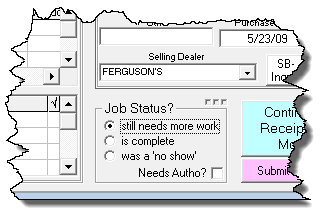
This release provides a dedicated method to accommodate the need. Specifically, we have changed a portion of your PVR page . . .
| From This . . . | To This (new/added function highlighted): |
 |
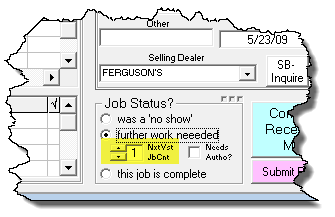 |
As you can see, there is new a control where you may now explicitly indicate the JobCount value as needed for your next visit (in particular, a next-visit you are expecting the office to book for you). When you use this mechanism, it will automatically invoke new and dedicated machinery within ServiceDesk, back at the office, which is designed to automatically assure your return visit has the appropriate JobCount value assigned to it.
New Drop-Downs, for Type and Make Boxes, as Connected with New Job Creation
Sometimes, when we first make a new feature, we think of it as serving a very obscure need, and do not consider it worth the programming investment as would be involved in equipping it with many bells and whistles. Alas, as time goes by, we sometimes find the feature is being used much, and folks are demanding significant bells and whistles after all. Such has been the case with the facility we created, within Mobile's interface, by which you may create a new job.
In particular regard to the present matter, we initially made that interface with simple boxes wherein you were expected to simply type-in the Type and Make of machine involved. Folks have wanted more. With this release, those boxes are changed to dropdowns, from which you may simply pick the Type and Make as needed.
Improved Insertions-From-Existing-Job, for New Job Creation:
Quite a long while back we added a button in the "Create New Job" interface. It allows you to insert customer info from the presently-loaded job. If the new job you want to create is indeed for the same customer, this can make creation much easier. However, it was not a real-smart insertion. It blindly inserted both Paying-Party and Location-Party information, just as they existed in the underlying job. Often, this is not what was wanted. In many cases, for example, the underling job was setup for warranty pay, and you wanted to create a new one as setup for COD. Essentially, this release introduces an improvement that allows you such flexibility. It's part of a dialog that will arise when you do the insertion.
New Calc-Retail-On-Basis-of-Cost-and-Markup-Scheme Feature:
Almost since its beginning, SD-Mobile has had built-in provision to calculate a retail price, on basis of a part's cost, and applying a markup scheme as specifically-applicable the job, as setup from within ServiceDesk. However, it's been a thoroughly behind-the-scenes function. If, for example, you indicate having purchased a part from a local vendor, and indicate the cost, the system will automatically (and behind-the-scenes) apply the appropriate markup formula, to arrive at retail, and will then appropriately-insert that to the correct place within the interface's Print page.
Recently, a user wondered if there was a way he could invoke a deliberate calculation (i.e., direct-provide a cost figure, and directly see what the resulting retail would be on that basis). It seemed like a good idea, so here is a new button:
If you click on it, there is a simple dialog that will ask you what is the cost basis, and, when it's provided, will indicate the particular scheme as applicable on the job, and what is the resulting retail/sell-for figure that is produced.
New Auto-Link-Connected Online Lookups:
For a long time the Mobile interface has had a series of easy-click links to helpful online venues.
Among these, there has long been an Alt/Right-Click function, on any PartNumber box within the PVR page, by which you may link instantly to a MyPartsHelp query on the targeted PartNumber. That function has now been augmented to allow, additionally, direct-linked inquiries to RepairClinic.com and/or SearsPartsDirect.com:
  |
Somewhat similarly (though with the distinction that here our search is based on model, and we're seeking a parts-lookup page for that model), we have for some time had a Ctrl/Right-Click function which, when invoked on the ModelNumber box in the UIS section of the PVR page, takes you to RepairClinic.com for its model lookup. With this release, we augment that function to take you, as an added option, to the SearsPartsDirect.com model lookup:
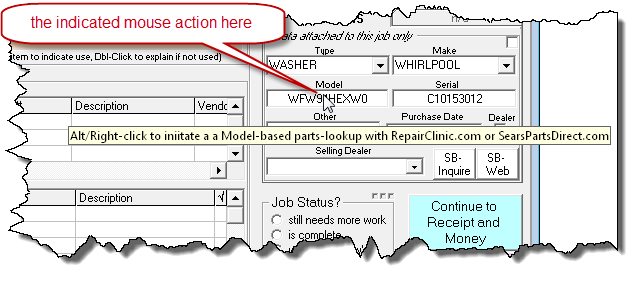 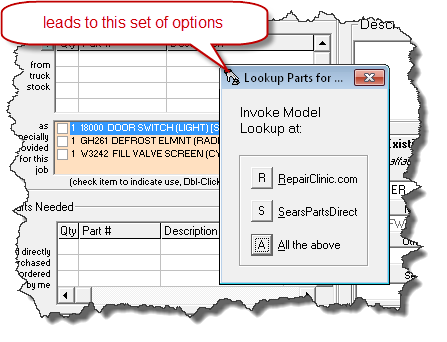 |
Please notice we have changed the command for this context from Ctrl/Right-Click to Alt/Right-Click. The reason is to maintain consistency with its counterpart function (for specific/particular-item parts lookups) as triggered from within the PartNumber boxes.
Miscellaneous Fixes:
Discovered the time-of-last-technician-connect function (which allows folks in the office to see, within the DispatchMap, when you last had a good, data-moving connection) had not been well re-implemented with our conversion to the 2.x series. Totally re-worked and optimized that implementation so that, now, office personnel should see excellent last-connect times.
Discovered the PVR-Enforcer mechanism had been totally broken with our conversion to the 2.x series. Repaired and very much re-worked this system. While so doing, also discovered the original design had a significant loophole through which a scofflaw technician could pass. If he never "checked-in" (clicked on the "I've Arrived" button) on the first of his jobs, the entire enforcement mechanism was never triggered for that day. This loophole has been patched. Additionally, there is a new check (so long the enforcer is generally turned on from within SD-MobileLink). When the tech does his first "check-in" on any job, the system checks to assure it is indeed his first job, and interdicts if not.
Discovered and fixed still another 2.x series created flaw. Turns out PVRs on pseudo appointments were not being correctly coded as pseudo items, with result that MobileLink treated them as standard PVRs.
Finally got to the bottom of an odd symptom where,
occasionally, a tech would connect to show us he had all his appointments from
yesterday combined with the present day's appointments. Turns out, this
resulted when the tech had began but not complete the PVR process on a job from
the prior day. Mechanisms as connected with warning the tech against
closing, in the presence of unsaved PVR work, interfered with the intended
shut-down to allow a total refresh before loading the present day's work --
hence the combined set of appointment references. The symptom is fixed
with this release.
RoboCall Status-Checking Now Asynchronous:
You might say we are continuing the SDM-2 imperative. Ver. 2.0.0 of Mobile offloaded all the regular/behind-the-scenes data updates to a separate invisible application, so as to prevent the interface in Mobile itself from ever again going into lock mode, pending completion of those particular updates. However, we left a few on-demand data movements live, meaning that, for those, interface lockups might still potentially occur.
One of those was the request for a call-ahead RoboCall, which we just barely modernized (see two releases back) to make it asynchronous (i.e., the interface will continue interacting with you, even while the request is pending). At the time, we neglected to consider a companion request, which is the request to check on the status of a prior-issued RoboCall request (this request is initiated by right-clicking on the Call Ahead button).
So, that oversight is what we've now addressed. The Check-On-RoboCall function is now also asynchronous. We also dealt with a situation that had been discovered where the system locked, when a user requested the check while the original request was still in-process.
Fixed Sequence for Exported-To-Google or MapPoint Route:
Recently it was brought to our attention, since SDM-2 began, the sequence of these routes was not always correct. It was an oversight. Based on new ways we are structuring data in SDM-2, the code that does this exporting needed to be changed. We'd overlooked it, and that oversight is addressed in this release.
This release, incidentally, also addressed some other miscellaneous bugs, including one that preceded SDM-2 (for some users, the system would sometimes lock upon accepting a disclaimer signature). It addresses others as well.
Wouldn't You Know It:
In the last-prior entry (see just below) we gleefully announced the new share-Rolodex-with-Techs feature. While so doing, we acknowledged there might be some managers who don't want to share such info, and, if this proved true, we'd need to provide an option to refrain. We hoped the added programming investment would not be required. Well, it was.
Indeed, not only did a certain user (yes, that was you Michael Basich) want to refrain from sharing standard Rolodex info with his techs, he further had the gall to ask us to create a special Rolodex just for techs.
Hmmph. How do you like that?
Okay, so we did it.
Actually, I latched upon a method, for the provision, that made the programming reasonably lightweight.
Here's how it works.
If you don't want your techs getting the full and standard data set from your within-SD Rolodex, you may simply create a document that contains the text you want them to have. It should be a simple text document, and must be saved to the x:\sd\netdata folder (where the "x:" in the reference is stand-in for whatever is your actual server drive). The file must be named Rolodex.txt.
It's as simple as the above. When SD-MobileLink sees that file present, it will upload its contents for your techs, as opposed to contents from your standard within-SD Rolodex. Thus, you may simultaneously avoid sharing your standard Rolodex, plus provide your techs with whatever you may uniquely want for them.
As it happens, the next release of ServiceDesk will have a shortcut to make this file-creation very easy. Specifically, there will be a new button within its Rolodex interface:
The purpose of this button is to facilitate creating a simple text file that's a more-or-less complete textual summary of your within-SD Rolodex contents (in fact, it runs the same process as does SD-MobileLink when pulling from your standard Rolodex to upload to the techs). Anyway, our thinking is perhaps you'd like to share most or your Rolodex data with the techs, while omitting just a few sensitive elements. If so, we suggest you use this button to create a standard/full export, then edit as wanted to remove what you don't want your techs to see.
BTW, we have also created provision within MobileLink itself by which you may direct-verify whether it's going to pull from the standard/full Rolodex within SD, versus pulling from your specially-created Rolodex.txt file. It's done via the ToolTip that will appear when you float your mousepointer over the "Other" upload button:
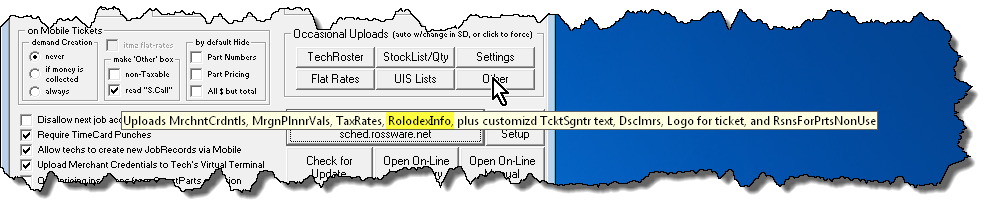
Above is how the ToolTip will look normally, when MobileLink intends to pull Rolodex info direct from your within-SD Rolodex (emphasis here added to guide your eye)
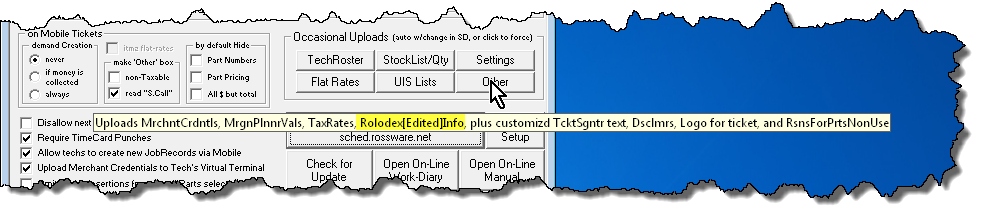
Now above is how it will look when MobileLink sees (and therefore is instead prepped to upload) contents of a specially-created file (again, emphasis added).
SD's Rolodex Info Now Provided to Techs:
The request for this came from Steve Moore of Moore Appliance Service. At first, I did not give him much hope I'd manage to soon work it into my agenda. Then I realized there's no need to give techs anything like the full Rolodex interface as found in SD. They just need the info. It's a much easier nut to crack.
For this feature to be operational, you'll need the presently released versions of both Mobile and MobileLink (or later). There is a new button on Mobile's Login page, as follows:
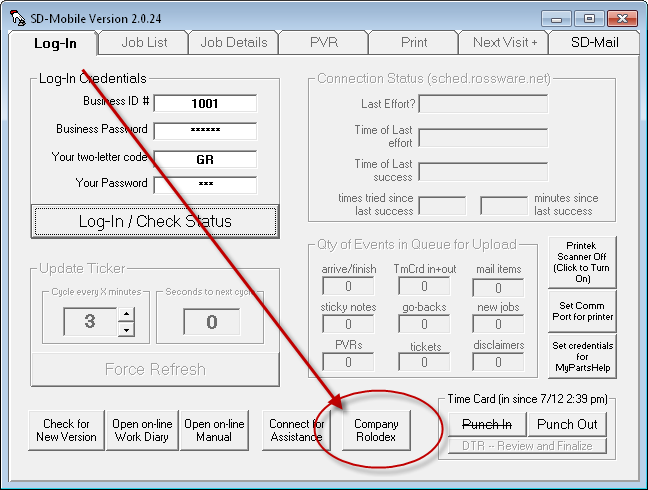
Just click on the button, and your system will open a text document that contains essentially all the info (sans physical addresses) from your company's SD Rolodex. The document is, literally, a file called Rolodex.txt. It's created by MobileLink, uploaded to our server system, and is downloaded by Mobile and saved into your c:\sd\sdmResourceData folder. It will open with whatever application is set in your particular Windows setup for association with the ".txt" extension.
We are uncertain whether some managers might wish to keep
Rolodex information from their techs. However, we have doubted it, and for
such reason have not presently provided an option to prevent it. If you
are a manager that wants to avoid such sharing, let us know, so we can provide
the option.
RoboCall Call-Aheads Now Asynchronous:
What in the heck does "asynchronous" mean?
In the computer world, it means a task is performed in the background while others progress onward in the foreground. Our major accomplishment in Generation-2 of Mobile is to make most of the data movement, between your Mobile interface and online data store, asynchronous (meaning your interface continues to interact while the data movement proceeds, absent interface disturbance, in the background).
There are a few communication functions we left as synchronous. One of these was the communication as involved in requesting the RoboCall-based Call-Ahead. Because we'd so left it, some of you continued getting interface freezes in connection with that particular operation.
This release solves that. Your call-ahead requests should no longer produce any interface freezes at all.
Numerous Fixes:
As the advance in release numbers indicates, we've been busy. There have not been announcements for each release, because generally each has involved a series of small fixes, none of which warrants direct entry here. A number of the fixes, too, have involved addressing faults that already existed prior to the 2.x.x series. A couple of significant fixes in this release are as follows:
Ticket Modifiers (choices to print as estimate, hide all prices but total, hide part numbers, etc.) were functioning correctly for within-Mobile presentation of the ticket, but were having no affect on what was emailed to customer or saved back into SD. This fault was indeed a series-2-Mobile-introduced problem, and is fixed in this release.
If you've first done a "Save-As," the standard ticket as thereafter created ends with the same signature setup as in your "Save-As." This was in fact a pre-series-2-Mobile fault, and is likewise addressed in this release.
The current MobileLink application (i.e., as opposed to Mobile) addresses a fault where, on entering the downloaded PVR entry to a JobRecord's narrative history, the prior Tech-Arrived entry was being removed, but not the prior Tech-Departed entry (if you check your narrative histories, you'll find those have been being left there, and should not have been).
There are many other fixes too, that we'll not bother to
detail here.
2.0.x SERIES IN GENERAL RELEASE ! ! ! ! ! ! ! ! ! ! ! ! ! ! ! ! ! ! !:
Though there was a lot of work tweaking mostly small faults here and there (as our intrepid beta users revealed them), the beta-transition process went well. On this date we have more than 70 techs actively using generation-2 Mobile, and feel ready to make it a general release.
Yahoo!
And thank you to the beta-users.
2.0.x SERIES MOBILE IS HERE ! ! ! ! ! ! ! ! ! ! ! ! ! ! ! ! ! ! !:
Absent any general announcement, we posted 2.0.0 about one week ago. On revolutionary re-designs, we like to have just a few users testing at first -- so, if there are any major bugs, they can be discovered before tons of people are affected. During the week since, we have indeed discovered and corrected a few bugs, which is why we are now up to Ver. 2.0.7.
One bug in particular was nasty (resulted in PartsPick-usage data not going correctly back into SD). It is corrected with this particular release (curiously, no one seemed to have noticed this bug until just yesterday). Other bugs have been comparatively minor.
So, what's so revolutionary about our 2.0.x series?
In a nutshell, we expect it to fully eliminate "in-operation" UI (user-interface) freezes (some folks have called this "hour-glassing"). You'll notice, the UI itself (and interaction with it) is virtually unchanged. What's been radically re-done is behind-the-scenes information-management and communication-movement. In short, we adopted an entirely new strategy for these processes. Our express purpose was to eliminate those freezes that would formerly sometimes plague you.
Why did you formerly get freezes?
To keep information flowing both ways, SDM must somewhat frequently communicate with the online server. When it makes a communication request to Windows, Windows immediately goes to work, seeking to fulfill that request. In the meantime, Windows keeps the application itself in limbo (i.e., while its working to fulfill the request). This in-limbo state (pending Windows fulfillment of a communication request) is what was occurring each time you encountered freezes. Over time, we tried a variety of methods -- seeking to eliminate (or at least reduce) this symptom. None were fully successful.
Our new architecture avoids the problem by "off-loading" the communication task from SDM itself to a little companion/servant app (it's called SDM-DataMover). That little app runs in the background, without you even being aware of it. The genius is, if there is any delay when it requests communication from Windows, it's only it that freezes, and not your SDM interface. Since it's not even visible to you, there's virtually no reason for you to even care.
A secondary (and huge) benefit to this new structure stems from how communication occurs between the unseen companion app and SDM itself. It's simply done via files, stored on your local hard drive. When SDM-DataMover has new data for SDM, it writes to these files (from which SDM then reads), and vice versa.
Since we're now storing all this operating data directly on hard-drive-based files (formerly much was being done via a more intimate connection between SDM and the online data source), it makes possible a new capability that formerly did not exist. Specifically, once you've done your initial login for the day (and corresponding initial download of dispatch data), you can close and re-start SDM with no internet connection whatsoever. Your jobs will be there, just as you left them, and you can proceed with your work, sans any internet connection at all.
Another benefit is these subsequent starts are all-but instant. No delays. SDM just starts, with all your data right there.
You might notice that, several paragraphs back, we placed quotes around the expression "in-operation" to describe the context in which UI freezes are expected to be entirely eliminated. We used those quotes to call attention to a distinction. We are referring specifically to the "in-operation" background operations that used to formerly cause unexpected freezes. All of those kinds of processes have been fully "off-loaded" from SDM, per the above description.
By contrast, there are a few communicative operations that SDM still performs directly, and in connection with which you might still encounter communicative delays. Specifically, these are as follows:
User-authentication, basic user-files and dispatch-download on first-login of the day;
User-initiated stock-inquiry;
Call-ahead requests or call-ahead status-checking (i.e., robo-call work);
Virtual Terminal transactions;
ServiceBench Entitlement inquiries; and
QuickPic requests.
You'll notice, each of these are of a nature that require immediate/direct online communication, and also immediately follow an explicit user request for same. In such context, we think -- for any such delay as you might encounter in their connection -- it will seem normal and proper to the circumstance (in particular, as robustly contrasting against the "hour-glassing" which may have formerly frustrated you).
Quick-Pic Viewer:
Above I indicated that our 2.0.x series changes the UI virtually not at all. Well, it doesn't mean we were not able to do some significant enhancements, here and there.
The first is we created a button on which you can click to view, from within SDM, any QuickPics as connected to either the job itself or any UIS to which it's connected (this means you can see QuickPics as created on past jobs involving the same machine):
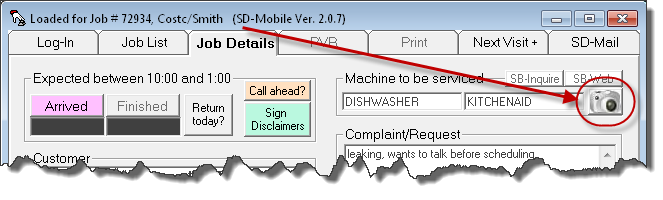
Usage is simple. Click on the camera button. Pick a picture from the list provided (assuming any pics indeed exist), and it will open on whatever viewer is setup, within your system, for opening that file type.
If QuickPics are available to you, it's likely you are using the SD-QuickPic smartphone app, from which you can also access exactly the same set of pics. The benefits of doing it from SDM instead consist of: (a) potential convenience; and (b) likely a much larger screen from which to view the pic.
Real Information Re Call-Ahead Status:
When we introduced the Robo-Call feature a few months back, it was deliberately barebones. Often we can get a feature to you in its minimal state with much less programming effort (and therefore sooner) than what it takes to really enhance the feature set. It is what happened in this case. To give it to you just bare-bones required but a few hours programming. The present expansion took much more time.
The present expansion provides what many asked for: visibility into what happened with your robo-call request. We do this, largely, by changing the colors of the button (and by making ToolTips available when you float your mousepointer over), as follows:
| No call-request made or pending on this item |
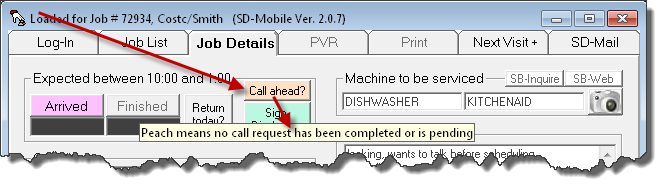 |
| Request made, transmission success not verified |
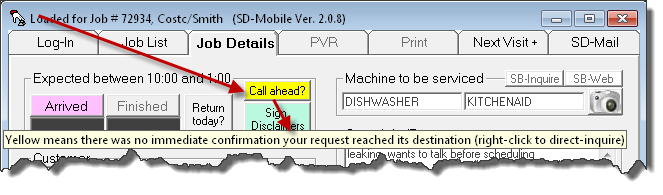 |
| Transmission succeeded, result not-yet-known |
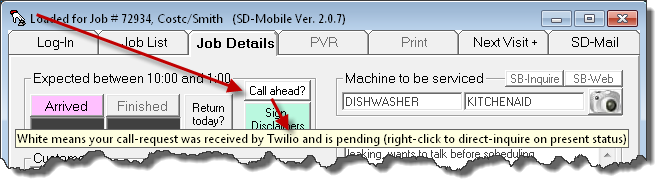 |
| Call completed, and answered at recipient's end |
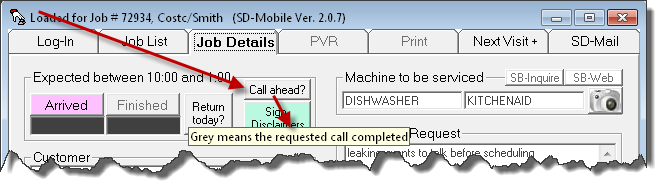 |
Notice some of the ToolTips invite you to right-click on the button to make a current/direct inquiry. It means exactly what it says. You may in some instances want to do this because the automated status-updating mechanisms failed to update, or may be taking longer to update than you prefer. The inquiry can even tell such things as if the line called was "Busy."
Specifically regarding confirmation that your call completed, this will not occur via automated means any sooner than 65 seconds following your call request. This delay is purposely invoked to allow the call to complete prior to an automated behind-the-scenes check occurring on your behalf.
Visibility Re Disclaimers Signed:
This is a bit like the last one, but regarding a feature that's far older than Robo-based Call-Aheads. In a nutshell, there has been no visual indicator to confirm for you which (of potentially multiple) disclaimers you have had the customer sign on a particular job. It's easy to imagine you might reach a point, on the job, where you find yourself asking: "Did I get that disclaimer, or did I not."
Until now, the only way to determine was by clicking on the Sign-Disclaimers button, picking the disclaimer of interest, then looking to see if there was already a signature there, or not. Now we make it visually apparent up-front.
Specifically, the button starts as all-green, to signify no disclaimers have been signed:
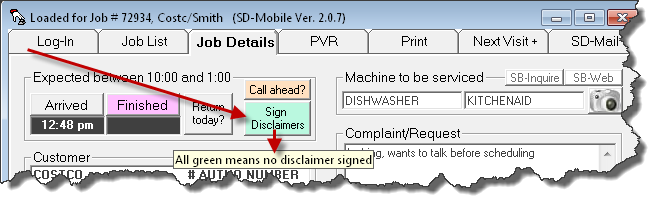
Instead of switching to all-grey as it did before when any disclaimer is signed, the "Sign Disclaimers" button instead switches to grey in particular segments, corresponding with which (if any) particular disclaimers have been signed. There is also an explanatory ToolTip that will display as you float your MousePointer over:
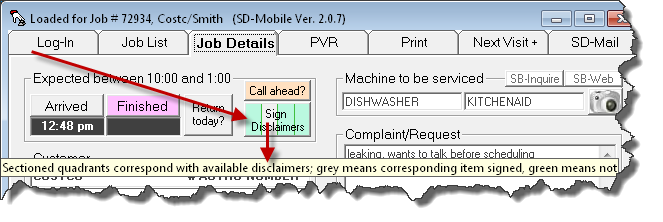
As shown above, SDM is setup with four different disclaimers, so, once any of the four is signed, the button appears with four segments (your button will uniquely segment for whatever quantity of disclaimers you have). For this example, the particular grey-segment as shown indicates Disclaimer 2 has been signed, but not 1, 3 and 4. All-grey, of course, would mean all disclaimers had been signed.
Incidentally, the segments are solely indicators of what's signed versus not. They are not request-designators (i.e., clicking within a particular segment does not tell the system it's the particular-position-corresponding disclaimer you want to sign or see).
Incidentally, as of the date of this posting, this is still a
beta-release. You must scroll to the bottom of the downloads page to get
it (i.e., the standard update is still, essentially, old).
SD-QuickPic ! ! ! ! ! ! ! ! ! ! ! ! ! ! ! ! ! ! !:
Yeah, this one is pretty big.
We've introduced our first smartphone app.
It's designed to harness something smartphones do particularly well: taking pictures, and forwarding them elsewhere via the internet.
For background, for sometime there has been a large and growing movement among servicers to have their techs photo-document an array of matters connected with each job. First among such elements is the model/serial plate on the machine being serviced. We have heard of numerous instances where a manufacturer claims a provided mod/ser combination is not valid, and rejects the claim. A picture is then provided, and the argument ends. Another photo purpose is to document that a machine and/or the floor on which it stands were already subject to damage, before the tech began working. There are other purposes as well.
Until now, companies that extensively use photos have implemented somewhat clumsy methods to get the photos, as taken by each tech, from the techs and into ServiceDesk. One method, for example, is to have the techs upload their pics to photobucket (an online sharing site). To make this work, the techs have to manually flag each pic to indicate which job it's involved with, and someone in the office has to go online, find all the new pics, download each, then manually attach to their applicable jobs. It's a significant amount of work. We figured we could eliminate all such extra effort -- and facilitate more pictures as well, by making the underlying processes much easier.
Enter SD-QuickPic, our new smartphone app.
For now, it's exclusive to the Android platform. We plan, ASAP, to add for the IOS platform (Apple) as well.
Here's how it works:
The tech first needs to download the app from Google's play store (same as downloading any other app into one's smartphone). He can search on the phrase "sd-quickpic" and find the app-download easily, or here's a link. Then he needs to run it. Initially, there's a place for him to put in his and your company's SD-Mobile credentials (same as within SD-Mobile itself).
The app runs, and shows him a list of his jobs as applicable to the present day. It also shows if there are prior pictures associated with the underlying machine to be serviced (i.e., the connected UIS). If so, he can click on the reference to view such prior pics.
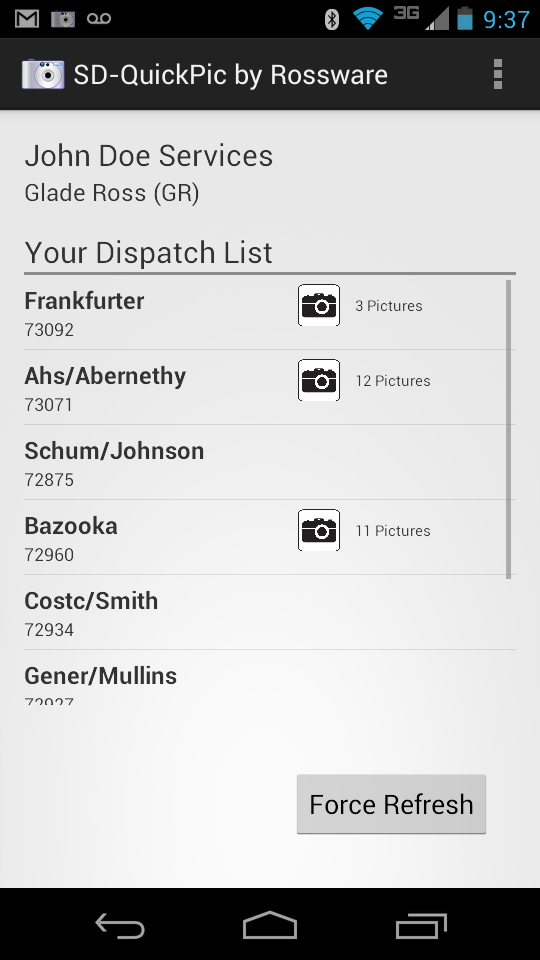
If he wants to snap a new picture as connected to any job, he simply taps that job's reference, then snaps the picture. He can then type in a description, if wanted, and save/upload the picture.
The pics are uploaded and maintained for you on our array of servers. We've provided buttons in two places, within ServiceDesk, via which you can access these pics. The first is within the current-JobRecords form, which will provide a list of such pics as connected with that particular job:
The second is in the UnitInfo form, and will provide a list of pictures as applicable to this particular machine as represented in the loaded UIS:
There is also a new release of SD-MobileLink now available for download (Ver. 1.4.127). When creating the narrative entry in the JobHistory that results from a tech's SD-Mobile-based PVR, it will include a notation indicating if he added pictures during that visit, and this will act as a hyperlink (if double-clicked upon) to the particular pics he took on that visit.
(Small caveat: this notation will arise only where pics are snapped and uploaded before the PVR is downloaded by SD-MobileLink).
We have been working toward this offering for sometime, and are very excited to finally offer it. Naturally, there is a fee. It is only 4 cents per pic uploaded. The app itself is free.
One note: There is a bug in the latest Android release that, on first, post-install run, fouls-up the step from picture-snap to upload. If your tech encounters this, he should simply close and re-open the app. It should solve the problem.
ADDENDUM: Since release earlier today, we've discovered
some instances of Android are encountering significant operational faults.
If your techs encounter this, please ask them to click on the "Report" button.
This sends information to our Android developer that will assist him in
troubleshooting.
Better SmartParts Pricing -- Especially for Canadians:
Our SmartParts lookup system (as present within ServiceDesk and as a stand-alone program) has long had a feature where you can load in pricing that's particular to a specific participating parts vendor. We've invited virtually all the vendors to participate, but to date only Reliable Appliance Parts has done so. Thus (and, in present effect) you can load in pricing specific to Reliable (this is opposed to the more generic pricing that is otherwise offered).
This Reliable-pricing feature was enhanced more than a year ago when we added an option to add in Reliable-specific pricing for Canada, as opposed to the U.S.
Within SD-Mobile, we offer a selected portion of the SmartParts lookup database. It's applicable when you're typing a partnumber in either of the special-order boxes on the PVR page. It has lacked the Reliable-specific option that exists in ServiceDesk and in the stand-alone version of SmartParts. In other words, it offers the generic underlying price-points only (to be very clear, these are foundational prices; your own applicable markup scheme has always been allowed, regardless, to vary therefrom).
A number of Canadian users, in particular, have wanted to have Reliable/Canada-specific pricing in the Mobile context. That (along with Reliable-US pricing, if optionally desired) is what is now offered.
To make it effective, all you must do is, from within ServiceDesk and via the same user window that's running the SD-MobileLink program, go to the SmartParts lookup screen (Alt-F10). Open it's About form by clicking on the little information symbol in the toolbar:
| clicking on this | opens this |
 |
 |
In that About form, open the dropdown to select your desired source for distributor-specific pricing:
That's all you must do. The SD-MobileLink program will
see the setting you've just created (again, it must be as applicable to the same
user window where that SD-MobileLink is running), and will upload it to the
server where your techs' instances of SD-Mobile will see it, and thereby be
informed as to which version of pricing they should be using. We've done
all the other, behind-the-scenes work.
Further Improved Automated Email of Appointment Rosters to Techs:
Did I say it sometimes seems we can never satisfy?
Yes, I did! It was in the last prior entry.
No sooner did we add the augmentation (for a just-released and brand-new feature) as last-requested than we were asked (nea, demands were made for) another augmentation still.
Specifically, a number of folks noted that, while the new automated email function produced contents modeled roughly on what's obtained when in ServiceDesk you pick: F5-->click on tech's name at top of his list-->E, there were some features, present in the latter/established email-formulation, that are missing in the new one. Specifically, PartsPick data and prior history (involving earlier jobs on the same machine) had not been included in our new-context email.
Dang! We'd only intended this particular variety of email as a backup/preview. It's not even applicable unless your tech's are using Mobile, in which case they're getting all those details (and more) on the day of the actual appointment. Regardless, this was an augmentation folks really wanted. So, we've obliged.
With this release, such added elements are added to MobileLink's optional preview/backup emails.
Coincidentally, this involved a major structural upgrade in
how some of the underlying data is handled (please read this as prox 60 hours
work). The old method was sufficiently efficient when pulling PartsPick
data only for the particular set of jobs as involved in a particular day's set
of dispatches. It was not sufficiently efficient when pulling such data
for dispatches as applicable to up to five additional days. For such
reason, the underlying basis has been totally recreated, with much more
elaborate infrastructure as needed for greater efficiency.
Improved Automated Email of Appointment Rosters to Techs:
Sometimes it seems we can never satisfy. No sooner did we release the new feature that allows you to setup MobileLink to auto-email appointment rosters to your techs (for backup or preview purposes), than Jeremy, at ARH, said it wasn't good enough (and, yes, that release was just four days ago; please see entry accompanying the last release).
Okay, I'll admit I'm feigning mock annoyance here (well, mostly feigning). Anyway, what Jeremy asked for is the ability to set the time-of-day these auto-emails go out (instead of being stuck with 8:00 pm, which was the pre-programmed time), and be able to specify more days stretching into the future, than just the next. So, almost no sooner was the new feature added, than I've also added these augmentations. Side by side, here was the old (okay, four-days-old) simple checkbox (to simply turn on the feature), versus what is now a new controls area, designed to allow setting of the elements Jeremy requested:
| Four-days-old | The now New, New |
 |
 |
As it happens, there was a tiny flaw in the prior work
regardless, which this release also incidentally fixes. It means I
needed to do some added work anyway.
On-Demand Next-Visit Robo-Calling:
Many months back (see notes accompanying Rel. 1.4.86) we introduced Next-Visit Robo-Calling. The simple concept: as you clock-out of one job, SD-Mobile asks if you'd like an automated call placed to your next customer, to announce you are on your way (to enable this, your office must turn-on the feature within the SD-CyberOffice program). When the call-invitation is triggered, you see an interface like this:
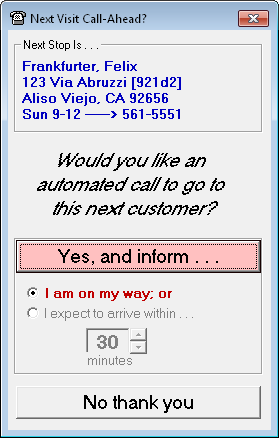
It's been a great feature, and folks have loved it (in fact, it's been even better because it's been free; we had a fault in our billing systems and for most of a year have not been charging for the service). Anyway, it was recently pointed out our trigger strategy (clocking-out from a job triggers an invitation to call the next) provided no mechanism to trigger a call to your first appointment of the day. And there were other circumstances where the trigger did not help, such as at the end of a lunch period, for example (where, on concluding the prior-preceding job, you likely would have declined the auto-call request). For such reason, we've now added a mechanism whereby you can trigger the automated call without clocking out from the prior job:
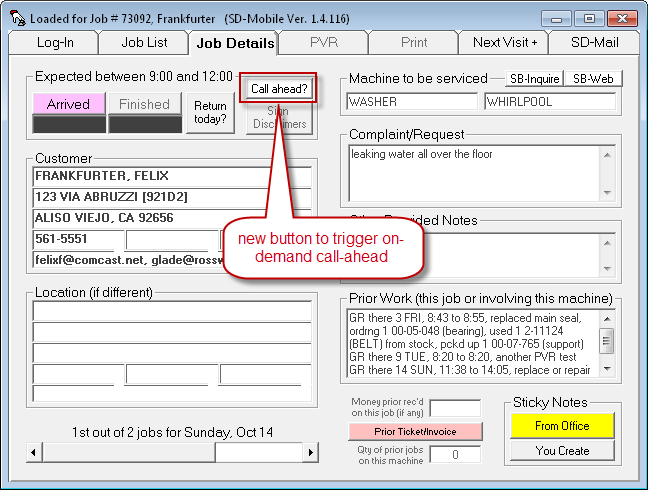
As the image suggests, you just need to have the particular job (on which you wish to send the call) loaded into SD-Mobile's JobDetails page, then click on the button.
Option to Auto-Email Techs a Preview/Backup of their Dispatches:
With this one, we killed two birds (well, maybe a bird and a half) with one stone.
The first bird of concern (and this one we killed wholly) is putting a backup provision in place so the tech will have at least minimal information if something goes awry, preventing him from receiving his dispatch data through normal/real-time SD-Mobile channels (e.g., he loses his laptop or it fails, SD-MobileLink is not running that morning from the office; or the Rossware server is down). We'd heard from some users that, to provide an advance backup protecting against such eventualities, they were making it a practice to email each tech his next-day's route information, the day before. This seemed like an excellent idea, but it also struck us as not a good thing that a bit of manual labor was needed, every day, and day after day, to accomplish this.
The second bird of concern is the longstanding request, from many users, for a facility whereby techs can preview work for at least the next day, if not stretching even further into the future. This is the bird we half-kill.
Our solution is via this new control in the SD-MobileLink interface:
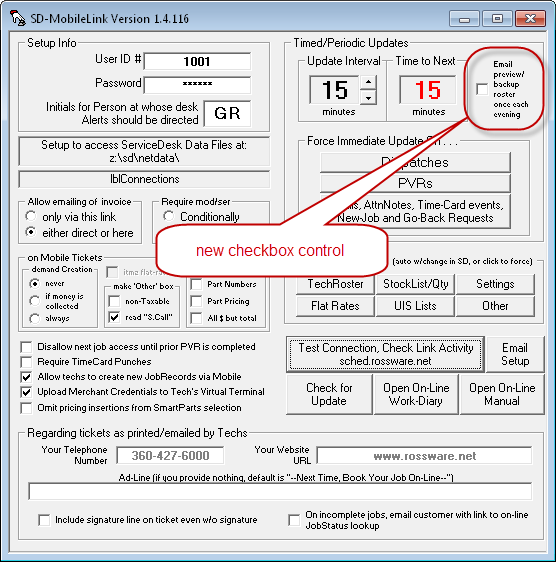
As the labeling on that control suggests, if you simply check it, SD-MobileLink will automatically email each tech, each evening, with a summary of his appointments roster for the next day. The summary that's sent closely resembles the same email as can be sent from ServiceDesk via this option (this is the options list that comes up when you click on a tech's name at the top of his list from within the DispatchMap):
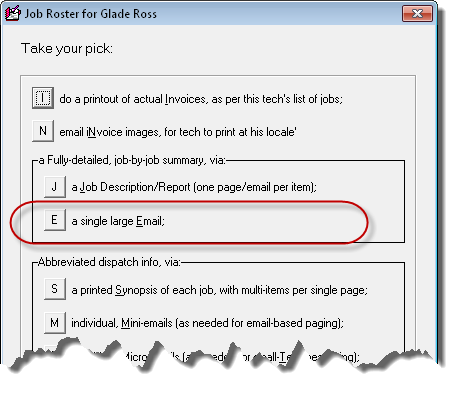
When SD-MobileLink's new option is checked, these emails will be auto-sent to each applicable tech (all that are designated within the ServiceDesk Settings form as using SD-Mobile) with the first MobileLink update following 8:00 pm, and as applicable to the next day. If for any reason it does not happen before midnight (perhaps you did not have MobileLink running) the window of potential sending continues until 8:00 am on the next day (only difference is the emails as sent will now apply to the current day). If you forget this detail of applicable time-frame for auto-sending, and desire a reminder, you can float your mouse over the new control and a ToolTip will appear explaining these details.
Omit-PartNumbers Option now Available when Formulating Tickets:
Gradually, we continue to increase customizability of the final output as presented to the customer on a Mobile invoice (aka "ticket"). Our latest responds to reports from servicers who found themselves in hot water with a customer. Basically, the customer saw part numbers on the invoice, and went online to compare prices there. Naturally, online prices showed less, and the customer felt cheated. Based on this , several servicers requested an option that would formulate the ticket in a manner that refrains from showing part numbers at all. So, that is what we've added. Appropriately, there's a new checkbox to indicate the purpose:
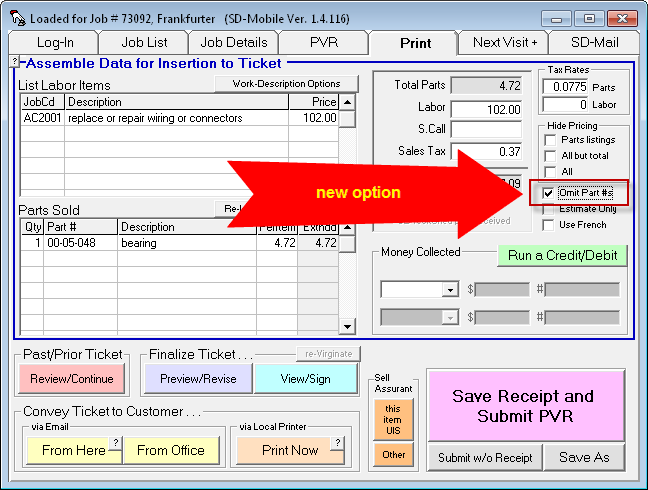
We've also made the result look rather good. Instead of just leaving what is otherwise a partnumber space blank (where an empty/designated space would stick out like sore thumb), we instead remove that space entirely, which leaves the ticket looking quite innocent:
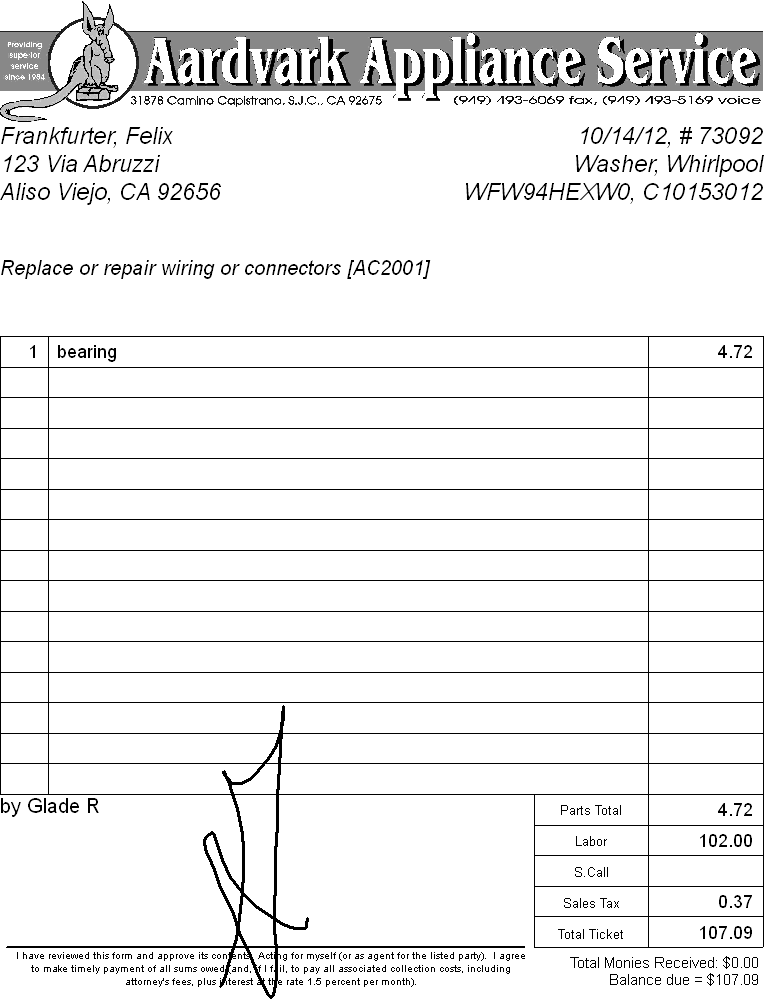
In other words, what would otherwise be the partnumber column is simply taken away. We suspect most people are going to want to use this option.
New Default-Option Controls within MobileLink:
Suppose, as a manager, you decide this new "Omit-PartNUmbers" option is a really good thing, and you want your techs to be sure to "check" that option whenever they create tickets. But, well, techs are techs. You know they're not going to consistently do that. So (and whether you like it or not) some of your customers are going to continue getting invoices with included part numbers.
Yes, we knew that would be a problem, for a parallel already had been observed with some prior-existing ticket-formatting options (in particular, omitting pricing on parts). So, we've done some added engineering to make it so, as the manager, you may control which of these checkboxes are automatically checked for the tech when he opens his SD-Mobile Print page (e.g., what will be the default):
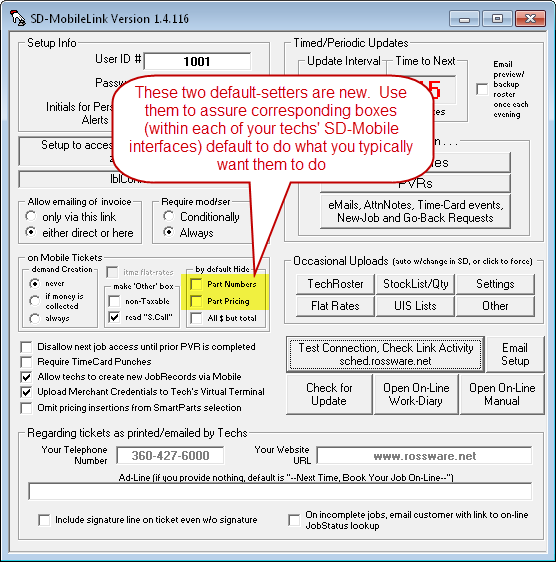
You'll notice one of the default setting checkboxes (as shown
above) is not new (the one indicating an intent to hide "All $ but total").
Though labeled more simply now, that's essentially the same checkbox as was
added with Ver. 1.4.92 (see notes with that release), though it was then labeled
"default to 'Hide Constituent Amounts'." As we've added
more (and finer) "hide" options, that old/original terminology became too long
and vague, so it's been replaced as per present design.
Accommodation for "Pseudo-Appointments":
The SD-WorkDiary discusses this in more detail. In brief, the simple concept is the office can assign you to follow-through on a job (via a "pseudo-appointment") in circumstances where you are not really meeting a customer. SD-Mobile will denote this distinction as follows:
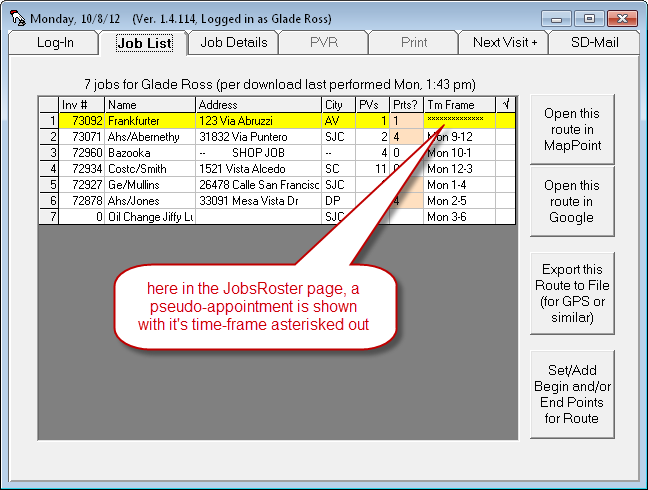
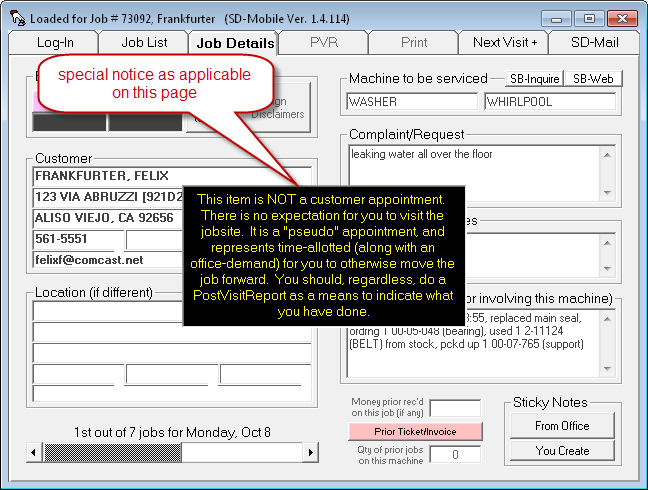
This office is equipped to employ this new kind of
"appointment" via ServiceDesk Ver. 4.7.0 and above. It's important to
understand that elements of Mobile need corresponding updates (to the versions
here announced), else Mobile will end up treating a pseudo-appointment as if it
was a real/standard one.
New, Single-click Link to "RepairClinic.com":
This idea came from Ken at Shaughnessy Appliance in Saskatoon. He suggested it would be handy to be able to click on a model number and have it link instantly to a search -- on that model -- on the RepairClinic.com website. I had to agree. Very handy, plus rather easy for me to program the feature (a combination I like).
So, here's how you do it. When you have a model in the appropriate UIS-info box, just do a Ctrl/Right-Click on it:
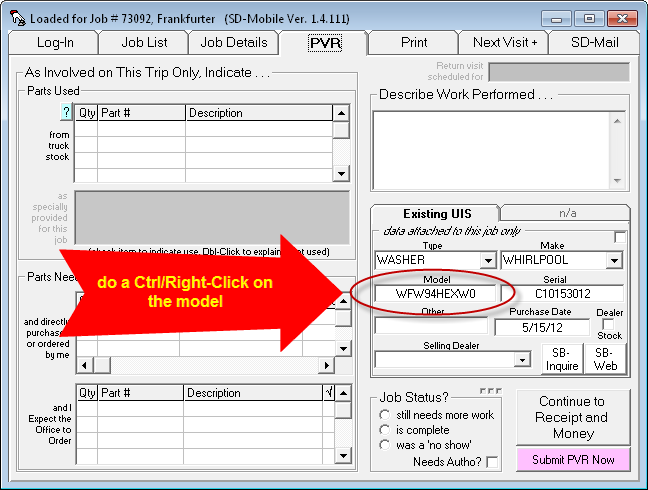
In consequence, you should immediately see the appropriate page from RepairClinic.com, loaded for that model.
New, Single-click Link to"MyPartsHelp.com":
Almost three years ago, we added a feature in ServiceDesk to direct-link to MyPartsHelp.com, which is another very handy online service. When I went to add the feature described above, I was assuming that the same MyPartsHelp-link (as has now long existed in ServiceDesk) had also been added to SD-Mobile. Turns out (and I was very surprised to discover this), I'd never done that. So, that is likewise addressed with this release.
In a nutshell, when you're in the PVR page and have a partnumber entered in any of its purpose-provided boxes, do an Alt/Right-click on the partnumber.
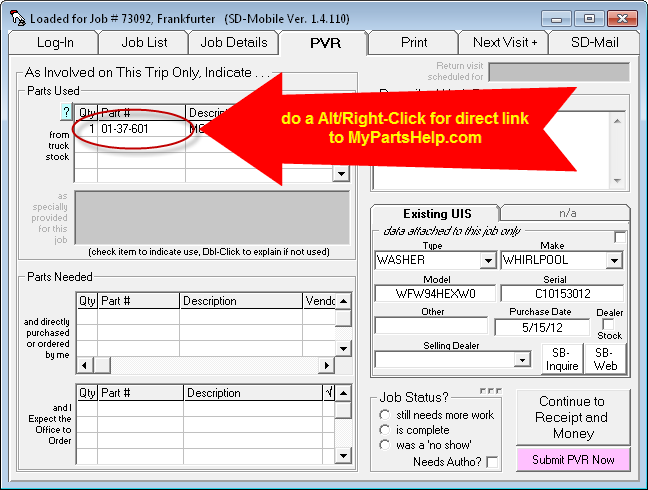
This will generate the desired online request. If you
forget the command, that little blue-question-mark button (just above and to the
left of what's circled above) will provide a reminder.
Built-in Auto-Warning if Tech Attempts to Special-Order a Stocking Part:
ServiceDesk itself has long configured so that, if the tech requests special-ordering on an in-stock part, the system notes the fact, warns that the item is actually in stock, and suggests the tech should use the in-stock item instead.
To date, an equivalent warning has not existed within the Mobile interface. Now it does.
Now when the tech requests special-ordering (or indicates that he is himself special-ordering) an in-stock item, he'll get a message like this (along with a succession of beeps):
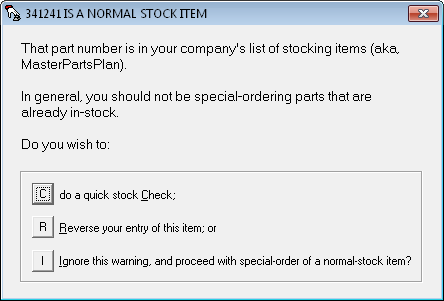
If he chooses the first of the indicated options, he gets a further nice report, such as this:
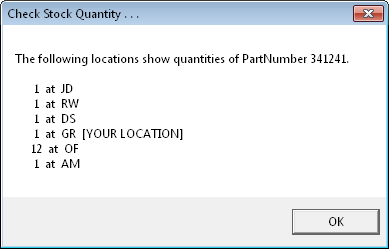
Among other things, this should enhance first-time completions, by assuring the tech knows when he actually has the part on his truck that he should be using to complete the repair.
Check with Atomic-Clock TimeServer:
From the beginning, we've sometimes had instances where techs get the wrong system date on their computer. SD-Mobile checks for dispatches from the office, and finds none, because it's looking for the wrong date. We've now added the same mechanisms that SD itself uses, reaching out to an internet-based Time-Server to verify if the computer's system date is off. If so, it directly informs the tech this is the reason he's seeing no jobs from the office, and offers to correct the system date for him.
Customized Email Signatures:
In the last-prior entry here (from 5/1/12, below) we announced that Rossware's Direct-Mail-Agent can now be used within Mobile. Turns out folks wanted another element to go with it: the ability (such as is available from within SD) to create and use customized signatures, for attachment with each email. This release provides that.
In general, the setup for such signature use should be the same as if doing so for the in-office ServiceDesk context, and as outline in the Rossware User's Email Integration Handbook, though with the following caveats:
It's only the MySignature_CompanyGeneral.htm and EmailDirectSignature.htm filespec options SD-Mobile will look for. It will use either, if found, with preference for the second (intended for more personal application) if both are present. Another difference is that it will look for either (or both) within \sd\EmailCustomElements subfolder (at the drive where SD-Mobile is running from), and that subfolder is one you must manually create.
It's possible we will in the future make provision for MobileLink to automatically upload any within-SD-provided MySignature_CompanyGeneral.htm file, for automatic download into each tech's Mobile install. Given this possibility, it would be wisest to pick this filespec if you're configuring a signature for general use (i.e., same signature for all techs). Use the other if you're doing a different signature as specifically particular to each tech.
Better Chilkat Components Management
Our Direct-Mail-Agent uses a couple of Windows components from
Chilkat. Turns out we'd not configured SD-Mobile to to a good job of
directly installing (and creating licenses for) these components. That
should be addressed in this release.
Direct-Mail-Agent Now Available from Within SD-Mobile:
A long while back we added the ability in several other RosssWare applications (including within SD-MobileLink) to bypass the Windows Mail Client when wanting to perform mail operations, employing instead what we call our Direct-Mail-Agent. Prior to this release, if you wanted the tech to email tickets to customer direct form his own mobile computer, there was no such option. In other words, it had to be done via the Windows Mail Client.
For the vast majority of operations, direct-mailing of tickets by the tech-directly is not the optimum method. For those that are the exception, though, use of the Direct-Mail-Agent (as opposed to the Windows Mail Client) can be an attractive option.
To setup for use of the Direct-Mail-Agent from within SD-Mobile, click on the tiny button as shown here:
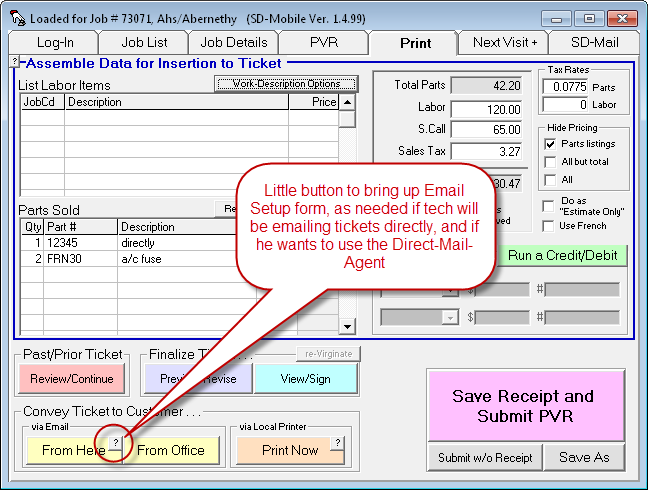
Now Up to Six Disclaimers:
A long while back, we added the ability to have your tech present any of three different customizable disclaimers to the customer, for their review and electronic signature. We provided three samples as might be desired for use, including: (1) a disclaimer from damages when moving an appliance; (2) a disclaimer water damage when working with a plumbing-connected appliance; and (3) a disclaimer from food spoilage when working with refrigeration.
These were only examples, leaving you free to create whatever set of disclaimers you might wish. We did not guess most companies would desire a set greater than three.
Recently, though, a client desired more. Turns out he's
using our three samples pretty much as provided, and he wanted an added/fourth
disclaimer, declaiming responsibility when a tech must separate a glass cooktop
from its chassis. Seemed sensible. So, our
disclaimer-accommodating mechanisms have now been revised to allow your use of
up to six different Disclaimers, should you desire to create that many.
Major Overhaul in the SD-Mobile "Print" Page, with Added Documentation:
In the four-plus years since SD-Mobile was introduced, there's been an almost constant ingress of new features. In some cases, it's resulted in a somewhat disorganized result. This has been particularly true of capabilities in Mobile's Print page. We started there with a very basic function, then threw-in one added capability, then another, and so on, all without knowing the full package of capabilities we'd ultimately end up with. In result, this growing development lacked the guidance of a coherently logical and overriding structure. It also suffered from an annoying prevalence of popups, interdicted by the system to clarify the user's intent as he navigated among functions.
When development progresses in this fashion, occasionally there's a point where as a developer you must stand back and confess: "Dang, I've created a hodge-podge that's tough to understand and navigate."
I reached that point recently in regard to Mobile's Print page (it was impressed upon me by a new user); hence, the present overhaul.
This overhaul is designed to inject into already-existing capabilities a coherent and implicit logic that was previously lacking. At the same time, many prior deficiencies and imperfections have been corrected. A glance at the current setup (as compared to prior, an image of which is conveniently shown in the entry just preceding this one) provides an immediate visual indication of how extensive are the changes:
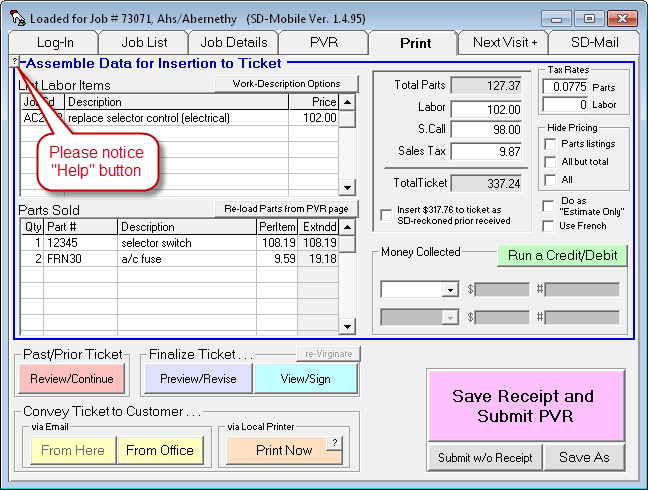
Additionally, this structure eliminates many of the navigational popups that were prior built into user-sequences (their need is now served via better logic and setup), making for a far smoother and quicker user experience.
Since the changes are so extensive, we've created a new guiding document to
acquaint you with all pertinent details regarding the now implicit and coherent
logic, along with details on how each specific element fits into that greater
whole. We've also placed a "Help" button within the Print page that will
display this document for the user (please see illustration above). There
are many particular changes we could otherwise describe here, but will instead
refer you to that document (click
here to open).
Default "Hide Constituent Amounts" Option for Producing Tickets:
A long while back we added a tech-selectable option in Mobile's Print page (for when the tech is configuring to produce a ticket) that hides the amounts that go into the total, so the only amount that's shown is the total:
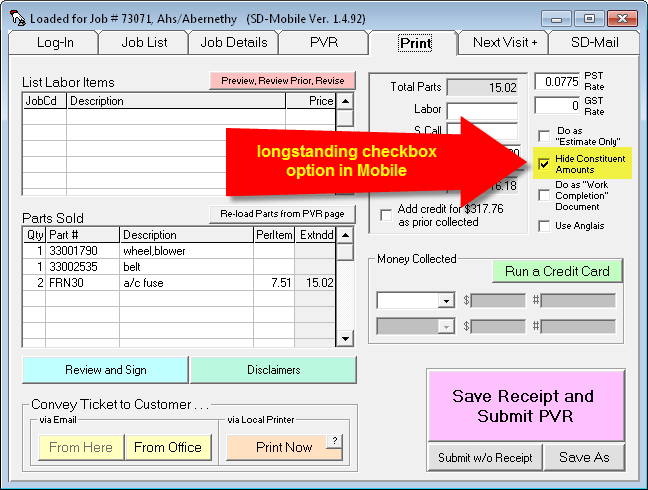
Recently an owner pointed out that he wanted to assure tickets for his company were always done this way, and that he did not want to rely on his techs picking the option. Thus, we have added this in MobileLink:
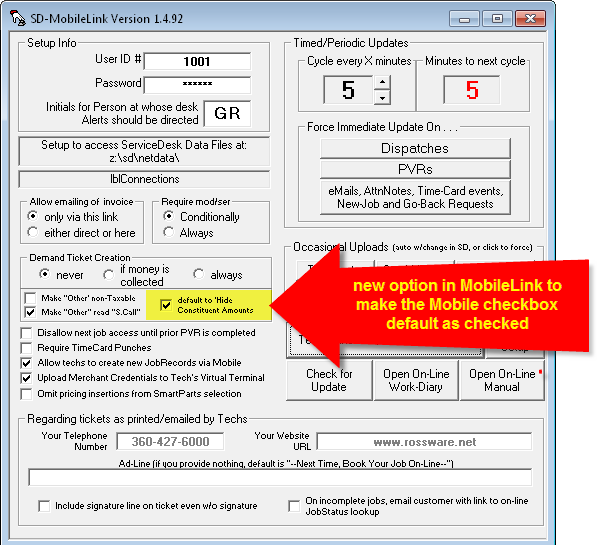
When this new option is selected, each tech's "Hide
constituent amounts" checkbox will automatically check, in each instance.
He will have to volitionally uncheck it to get any different result, and even
then that volitional result will endure only for the particular item he is then
on.
Automated "Call-to-Next-Customer" Function:
You can read in detail about this new feature in the relevant entry (bearing today's same date) in the SD-WorkDiary. In a nutshell, so long as the office configures for you to do so, you'll be prompted when finishing one job with a query as to whether you'd like an automated call to go your next, informing that you'll soon be on your way.
Enhanced Discrimination on Post-Visit/Follow-Up/CyberOffice-Related Emails:
Upon adding into our CyberOffice suite of functions mechanisms for the consumer to check the status on his or her job (plus the ability to solicit your customers for survey completion), certain integrations were required in the MobileLink program. Specifically, if the tech has completed a visit but the job is not done, this program needs to send an email to the customer that first apologizes for the incomplete, then secondarily invites the customer to track the status of the job's progression by clicking on a provided link. If the job is done, it needs to send an email that invites the customer to complete the quick, 30-second survey.
Here's where we needed to enhance the discrimination.
Prior to this release, the system was set to send these emails (whichever was applicable in a given instance) to whatever email address as was specified when the tech set to email the underlying ticket. If the underlying job was setup with a third-party payer (property manager, dealer, TPA, etc.), and if in connection with the setup on that third-party payer an email address was included, the technician's interface would as a default matter offer that third-party payer's email. If the tech then went ahead (in regard to requesting an emailed ticket send) with that default-offered email address, those follow-up emails (which we above-described) would likewise go to that same, third-party-payer's email.
We learned recently that some third-party payers were being annoyed by all the extra emails they were receiving. We also realized it makes sense for this particular class of emails to go to the consumer, rather than payer, wherever a third-party payer is involved. For such reason, we have changed the underlying scheme, as follows:
1. Before sending these follow up emails, MobileLink will first look to see if the tech-specified (email-ticket-to) email address exists in the underlying JobRecord's email box as associated with a non-consumer, third-party payer (i.e., top party-info section, where the second party-info section specifies the actual go-to party). If so, it will refrain from sending any such follow-up email to that email address.
2. If the above circumstances is in fact encountered (or if there was no ticket-sent at all, meaning there's no email address provided -- period -- so far as the prior strategy was concerned), the system will look to see if the underlying JobRecord has an email address for the consumer (whether in the underlying JobRecord's top section with the consumer as a COD party, or in the second section with the consumer as a mere go-to party). If so, it will send to that email address.
Bottom line is, in most instances, the new strategy should avoid sending these follow-up emails to third-parties (the exception of such avoidance would be if: (a) the tech chooses to request emailing of a ticket; (b) he specifies an email address that in fact belongs to the third-party payer; and (c) that email address was not formerly in the underlying JobRecord's email box as setup for that third-party payer). Simultaneously, it will succeed in sending such follow-ups even when the tech does not choose to do an emailed-ticket send, so long as an address is suitably provided (for the consumer) in the underlying JobRecord (whereas formerly it would have sent nothing in this circumstance).
Fix on Oversight for Handling Not-Transferred-To-Tech and Not-Used Spec-Tagged Parts:
We recently learned of a coding oversight. For the situation situation described in this item's heading, MobileLink would erroneously create an SD-Mail stating that the item could not be pulled from stock. Corrected with this release.
Changed Sticky-Note Alert Color from Red to Yellow:
Several people complained that the red background, added to indicate when a job has Sticky-Notes attached, made if difficult to read the actual text. We've changed that background to yellow -- which, it turns out, makes better sense anyway, since the yellow corresponds with the underlying Sticky-Note color.
Inventory Quantities Now Exposed to the Mobile Tech!!!!!!!!!!!!!
Yes, indeed, this is a big one.
Early-on in Mobile development, we programmed the MobileLink program to upload what is essentially your stocking-items Index, with included pricing. This equipped the tech with a dropdown from such index, when indicating he used items from stock. It facilitated fill-in of what was used, and assured accurate matching by MobileLink to thereafter decrement SD's tally of stock, as needed. It did nothing, however, to inform the tech as to whether he should be able to actually find such an item on his truck. Nor did it tell him if the office had any, or perhaps other trucks.
This is now addressed.
From the Mobile side itself (and here I'm speaking to the tech), for any line-items as already inserted within the first listing section on Mobile's PVR page (i.e., the section for stocking parts), a simple Ctrl/Right-Click will initiate a live query on that item. Assuming your internet connection is good, you'll get a near immediate response:
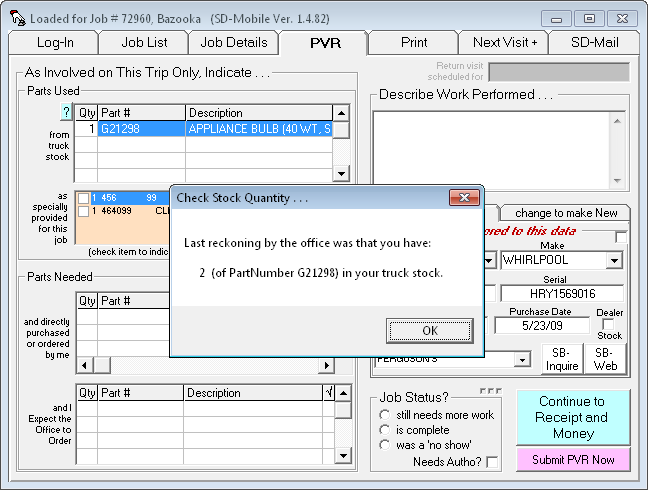
If you want to know the quantities that might be found in other of your company's locations (i.e., in the office storeroom itself, on other trucks, etc.), do a Shift/Right-Click instead. In such a case, the information as provided will look more like this:
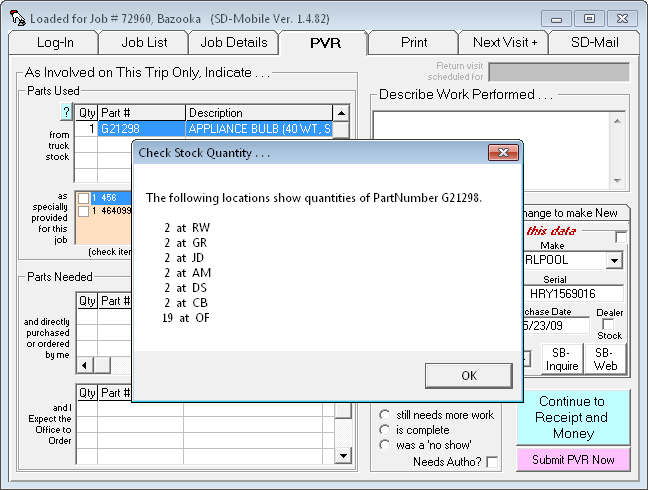
To assist you in remembering these commands, we've provided a contextual helper. Just look at the teal-colored "?" button at the top-left corner of the used-from-stock section, and click on it:
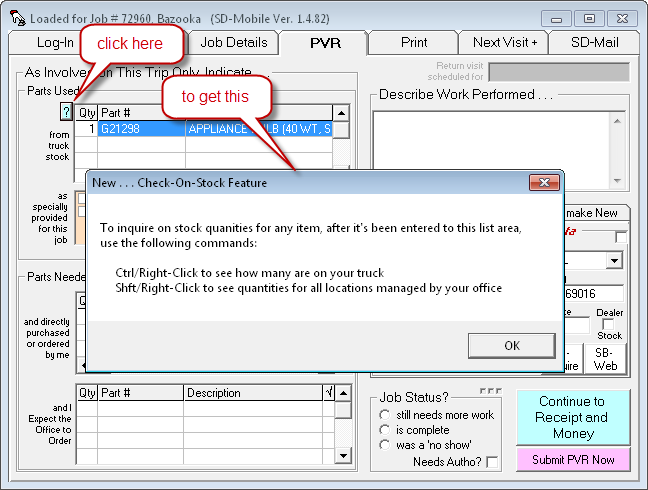
Please realize this functionality depends on updates by both tech (of SD-Mobile) and office (of SD-MobileLink). If you're a tech and the feature is not working, please assure your office had updated (in both programs its Ver. 1.4.82 or above that's required).
The above describes what you must know to use this feature; more background (especially for those in the office)follows:
SD-Mobile has been deployed for some four years. Why has this seemingly-basic capability been so long in coming?
Mobile is engineered to minimize the quantity of data that must be piped through each tech's wireless connection. This: (1) keeps your data bill low; and (2) allows the tech's interface to open and change fast.
In regard to the stocking-items index that's long been moved to the tech's interface, the logic was it's a data element that's relatively static. Thus (and though it might be somewhat large), it only must be downloaded into the tech's system occasionally. It's copied locally when downloaded, moreover, which means there's never a need to re-download unless core data back at the office has changed.
In contrast, updated stock quantities are changing on a near constant basis, throughout each and every day. If a mobile interface were to regularly download an entire update on those (so as to keep internally abreast of the entire stock-quantities picture), there'd be far too much data movement. This was the conundrum that delayed us.
Our solution is to place a complete listing of in-stock quantities (i.e., a complete tally showing how many of each item are at each location) on the Rossware mobile-server only. This is the one, in-use copy for your entire mobile-network. Each mobile computer positively refrains from any attempt to download this full picture. Instead, with any inquiry the tech makes, his Mobile program makes a live query to the mobile-server. So long as there is a live internet connection, he quickly receives the specific answer to his query.
The obvious downside that if there's no connection, quantity information will not be forthcoming. The benefit, though, is we add almost nothing to the data flow equation.
At least on the tech side. On the office side, by contrast, we do add some. That's because it's now the job of your in-office MobileLink program (this release and forward) to upload and maintain this complete listing of stock quantities. It's an addition, in other words, to its repertoire of performances.
In regard to such tasks, this release also vastly improves the
methodology MobileLink uses to upload and maintain the stocking-items-index (a
task that's long been in its reperoire).
When working on the present new feature, we discovered the methodology as
employed for that old purpose was very inefficient. If within SD you had a
very large MasterPartsPlan, and especially if you changed that large plan
frequently, it resulted in having many slow and long updates. With this release
and forward, you should have very quick MobileLink updates regardless.
The ServiceDesk Vendors List Now Ports into the Mobile Context:
Quite a long while back, we added a parts-handling option to the Mobile context which allows the tech to indicate he ordered the part himself, and/or picked it up at a local supplier. When such is the case, there's an obvious need to collect more info from the tech regarding the order -- as opposed to where he's simply asking the office to order the part for him. Among other things, he needs to indicate the particular vendor he ordered and/or purchased from. This information then needs to automatically feed back into SD's PartsProcess system.
Enter a problem . . .
If the tech doesn't happen to use the same abbreviation for the vendor as is standard in SD, the PartsProces item as created within SD won't be tied directly to that vendor, when filtering on that vendor for various analysis and processing purposes.
Enter a solution . . .
The Vendors list as it exists in ServiceDesk will now be uploaded just as is other data as available to the tech (by SD-MobileLink Ver. 1.4.80 and forward), and downloaded into Mobile itself (by SD-Mobile Ver. 1.4.81 and forward). Thus, when the tech is indicating a part as ordered or direct-purchased by him, and as he moves his Windows focus into the Vendors box, a Vendors list will appear from which he may pick:
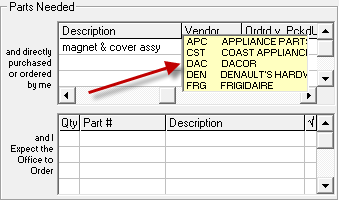
A simple pick, obviously, makes the insertion for him -- and
assures a correct/matching abbreviation for use within ServiceDesk.
DeferToPublishedPricing Option Now Potentially Applicable in Mobile:
ServiceDesk has long had an option, in its auto-pricing system, to favor MSRP in preference to any scheme that's based on applying a markup formula to cost. Until now, that option has not extended into the mechanisms as used in Mobile where it sets pricing. It's available now. It must be turned on from within ServiceDesk (see notes accompanying SD release 4.5.51 in the SD-WorkDiary). If it is turned on, you're likely to see some significantly different pricing. For example, turned off (and with auto-pricing formulas as set in my local test system), I'd get the following popup (with indicated retail pricing) when clicking in a "Parts Needed" partnumber box:
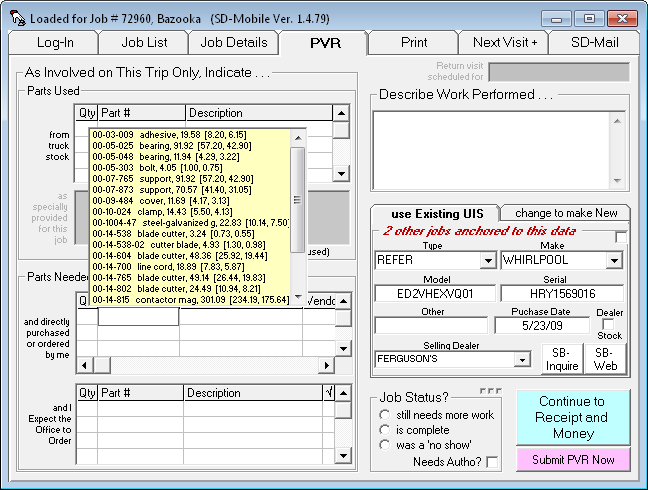
After turning-on the new option in ServiceDesk and allowing time for full updating back into Mobile (actually, I turned it on and set it to have Mobile figure MSRP plus 10 percent), the same popup instead produces as follows:
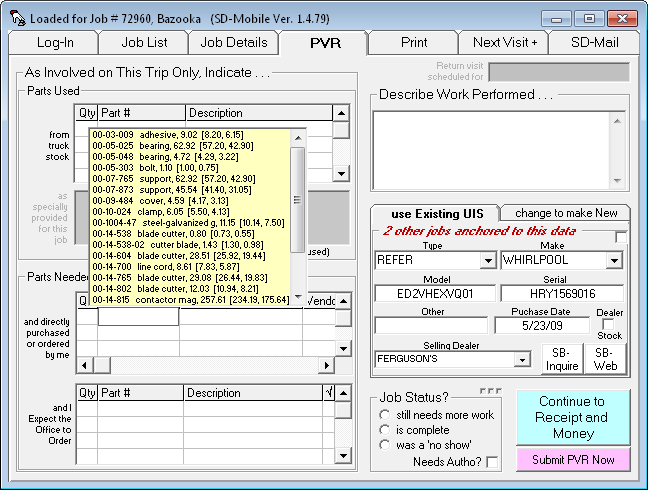
Examine and compare the retail pricing as shown for each
line-item. You'll see the numbers are quite different.
Increased Intelligence in UIS Handling -- for Better Information Flow and Fewer RHAs:
Aside from those that communicate with outside entities such as ServiceBench and ServicePower, Rossware provides two other information shuttle agents: SD-MobileLink moves information between your office and techs, while SD-CyberLink moves information between your office and Rossware plugins on your website. Both are programmed to create an SD-Mail, for the attention of a designated office person, when and if they encounter an issue that needs human intelligence to resolve. For reduced verbiage in discussing this variety of SD-Mail, we'll henceforth refer to them as "Requests-for-Human-Assistance" (or RHAs).
In general, our RHA scheme has been successful. A downside, though, has been the burden imposed on the RHA recipient, who's required to manually handle such matters as machine intelligence could not. Another has been that some users ignore their RHAs, so the needed information flow never occurs. Given such downsides, we were asked to improve the involved machine intelligence (particularly as involved in Mobile), with an eye toward reducing (if not perhaps eliminating) RHA volume. That's what this release improvement is all about.
RHAs as connected with Mobile have been generated in four contexts:
The tech in Mobile provides UIS (UnitInfoSheet) information. For the Type, Make and/or Dealer description, he fails to pick from the dropdown as provided, and instead provides a typed-in description that does not fit anything in the corresponding dropdown. In this situation MobileLink refrains from creating a matching UIS in ServiceDesk (or modifying an existing one to match) -- because, to do so would mean adding the tech's typed-in description to the applicable dropdown. It's an addition that, very likely, you may not want to have made. Hence, MobileLink generates an RHA describing the particulars, and asking a human to use judgment in resolving.
The tech goes out on a job that had no prior UIS attached, and dutifully provides such data for the machine he's worked on. MobileLink downloads this data, and is about to create a new UIS in ServiceDesk for it. First, though, it discovers there is already an existing UIS with exactly the same serial. At this point it checks to see if other critical elements match (specifically, Type and Make descriptions and Model). If matches are good, it creates a new attachment (of the present job) to that prior UIS. If not, however, it's in a quandary. Is the other UIS authentically for a different machine (albeit with an identical serial), or is it the same machine, and any non-matching elements being only incidental? It's tough for a machine to resolve such questions, so again an RHA (explaining all relevant details) is generated. There is every expectation, incidentally, that the recipient in all RHA situations will properly respond: examining, evaluating -- and, in fact, manually performing the action (such as creating a new UIS for attachment to the job, or attaching to the existing UIS) that machine intelligence was inadequate to resolve.
This situation is similar to #2, except here the job already has an attached UIS when the tech goes out. The tech edits data as present in that prior-attached UIS. In particular (and perhaps among other elements) he edits the serial number. Much as in Scenario 2, MobileLink discovers this tech-provided serial (in this case one that was tech-edited rather than provided new) fits to another/different UIS. MobileLink's reaction? Essentially, it says to itself: "I don't know whether to edit the presently attached UIS to make it fit the tech's edits (which would make its serial match that of another), or if I should instead change this job's attachment to that other UIS? I don't know, so I'm asking a human for assistance (i.e., an RHA is created).
In this scenario, too, the tech goes out on job with a pre-attached UIS, and likewise he edits the serial. MobileLink downloads this info, but (unlike in Scenario 3) does not find a match between his changed-to serial and another/different UIS. Until about a year ago, MobileLink thus considered itself free to update the existing UIS to match the tech's work. However, we were informed of another issue. Turns out an office will sometimes mistakenly attach a UIS to job for a machine other than what's actually to be serviced. This may result from clerical carelessness or innocent confusion. In some instances, for example, a household may have multiple Sub Zero refrigerators. The company has worked on one or more before. The consumer calls for work on a different unit, but there is no mention of it being a different one. The call-taker logically assumes it's the same, and so attaches the prior UIS. The tech then goes out and edits the info to match the different unit he's actually working on. In consequence, when MobileLink changes this UIS to match that new/different machine, it messes up that same UIS for purposes of its continuing attachment to those other/prior jobs. In short, they now show erroneous UIS information (for a different machine than was actually involved in their work). This was a very bad thing. To prevent its continued occurrence (at least once we were aware), we re-programmed MobileLink to be more cautious. Before allowing itself to make changes in an existing UIS that involves an altered serial number (different serial may mean different machine), it first checks to see if the applicable UIS is already attached to prior jobs. If so, it says to itself: "I'd better be cautious and ask a human to intervene." An RHA again results.
For our current round of improvements, Scenario 1 remains precisely as is. A long while back, we tweaked the interaction in Mobile itself to very strongly discourage techs from submitting a PVR with any Type, Make or Dealer description that does not match to contents already in the dropdown lists. If you have any continuing frequency of such incidents (i.e., RHAs) involving this scenario, a likely solution is to scold the involved tech. Tell him to heed the interface's plea that he select from the dropdowns. Even the slowest tech should be able to succeed in this.
Scenario 2 likewise remains unchanged.
Scenario 3 has been changed by simply adding/adapting the element of basic IQ that's brought to bear in the near parallel Scenario 2. In other words, the system will now look to see if the "found-serial-match" UIS fits in other particulars. If so, MobileLink will create a new attachment to it (i.e., from the job in question), while severing that job's link to the prior-attached UIS. This is a rather simple and obvious tweak, but should mostly eliminate this class of RHAs.
Our really big work involves Scenario 4, which is also where we believe most RHAs have been generated. Our breakthrough concept here is to solicit information directly from the tech. After all, if he's looking at a different machine than is described in the UIS he's been provided, it will likely be evident to him. Prior to now, he's been given no option to say: "Hey, this is a different machine, and I want to provide information on this different machine, while leaving the prior-provided UIS data as is." Now, we are giving him that option.
Specifically, the UIS edit section (as located on the PVR page of the tech's Mobile interface) has been revised for the specific purpose of allowing such tech interaction. Prior to now, it looked simply like this:
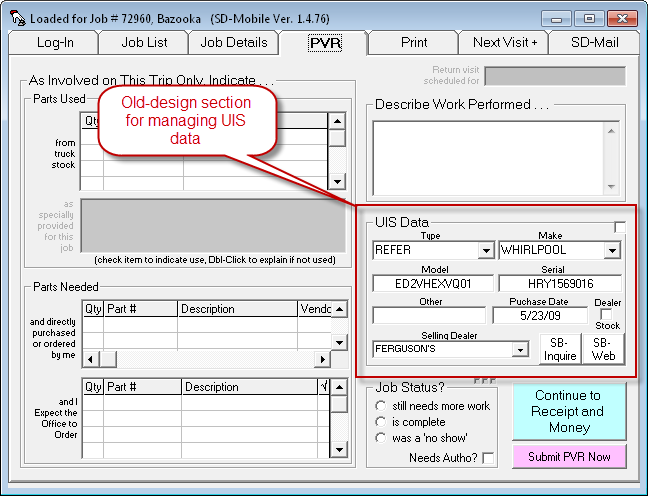
Now, it will appear somewhat differently, depending on the circumstance. If the applicable job has no prior-attached UIS, it will look like this:
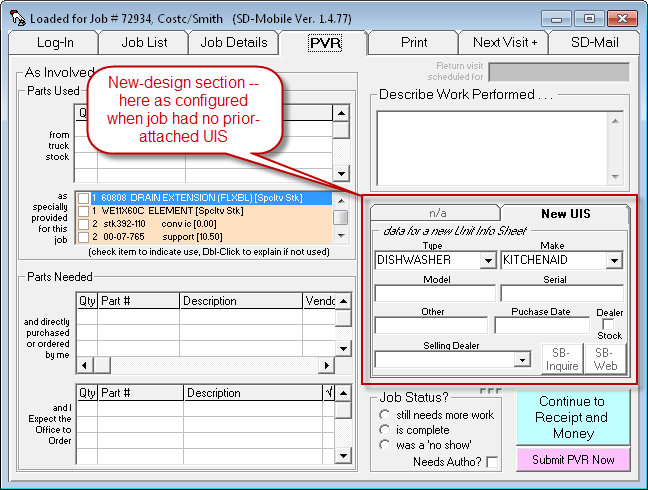
If there is an-already attached UIS, but one that's attached solely and exclusively to the job in question, it will look like this:
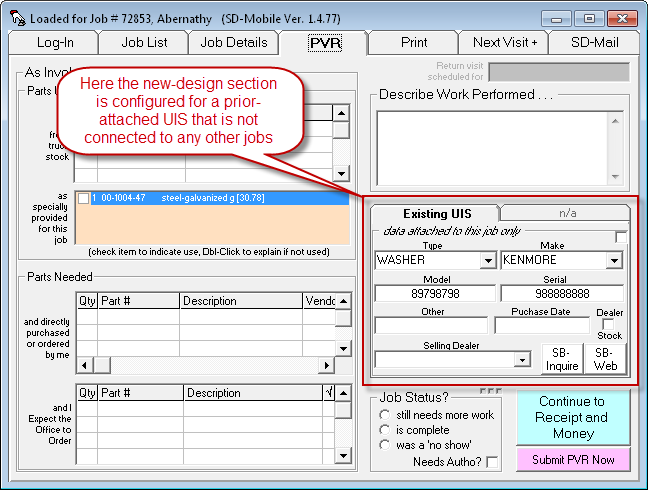
Finally, if there's an already-attached UIS, and if that UIS also involves attachments to other jobs, the tech's UIS interface will look like this:
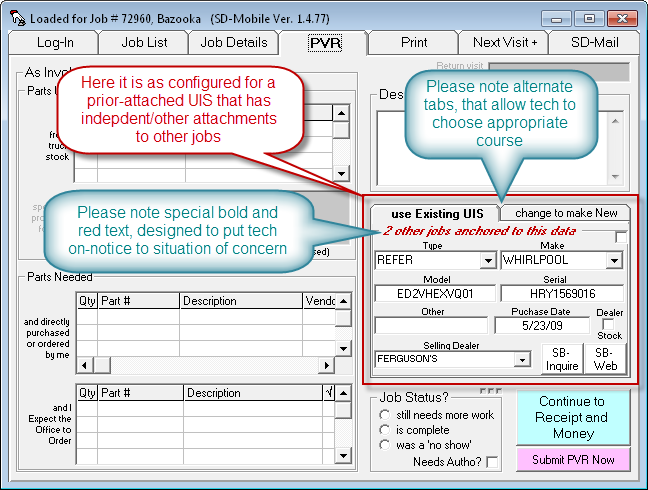
As you can see, this interface provides ability for the tech to explicitly indicate (via which small tab he chooses to work under) whether his intent is to edit (correct) the provided UIS, versus choosing instead to create a new/different UIS.
We have also built-in a pre-caution that will, hopefully, guard against tech carelessness when managing the interface. If in this scenario he chooses to edit the existing UIS, he'll immediately be confronted with the following message (along with a series of precautionary chimes):
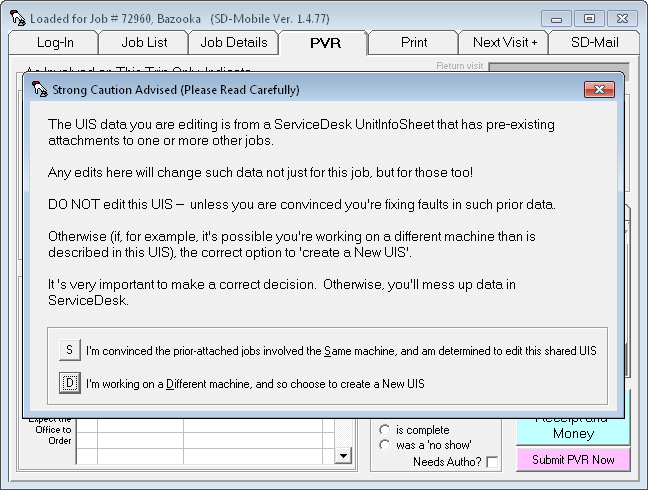
It's only by explicitly choosing the first option (please note it's NOT the default) that he'll then be allowed to actually proceed with his edits (if he chooses the second/default option, by contrast, the system will auto-open the "Create New" tab for him). We figure, when the tech jumps through these hoops and still chooses to edit the UIS in such circumstances, it's reasonable for MobileLink (when a few minutes later downloading his work) to go ahead and place the same edits into the actual/underlying UIS within ServiceDesk.
If he chooses on the other hand to "create New," the system will follow the same procedures (in terms of creating a new UIS) as if he'd gone out with no prior-attached UIS at all -- with one distinction. It will replace the prior attachment with new. This means, essentially, the old attachment is eliminated in favor of the new.
Based on the above logic, we are eliminating all RHAs as formerly associated with Scenario 4.
However, there is one, temporary caveat. MobileLink will continue with its old
and cautious behavior, in respect to Scenario 4, unless the downloaded PVR
indicates the tech did his work when updated to a version of Mobile
(1.4.78 or above) that has the new interface. Thus, until your techs are updated (and, of
course, you too in MobileLink), you may still get Scenario 4 RHAs.
Parts Pricing on Special-Order Parts, as Quoted by Tech in Mobile Ticket, Now Transfer into ServiceDesk PartsProcess System:
Confession: It was a dumb oversight.
I'm referring to the fact that, while there is robust provision via the Mobile ticket for the tech to direct-quote the customer specific pricing on parts he'll be asking the office to special-order, there has been no provision for those specific prices to auto-transfer (along with the special-order request itself) into ServiceDesk's PartsProcess system. This omission has sometimes resulted in the office placing in its own differently-calculated pricing, which inserts upon the technician returning to complete the repair, and with resulting embarrassment as he seeks to charge an amount different than prior quoted.
It was not quite as dumb as might on first blush appear, for there were structural and historical reasons leading to the omission. It also did not exist (the omission, that is) in regard to parts which the tech indicates he's ordered or picked up himself (these also feed into the ServiceDesk PartsProcess system, but have done so with quoted pricing all along). Regardless, the omission is now fixed. If the tech in Mobile creates and saves a ticket with pricing on s/o parts that's he's inserted in such fashion as to ask the office to order, that precise ticket pricing will insert to the underlying PartsProcess item in ServiceDesk.
Numerous Small Fixes and Improvements:
Seems like we're constantly finding things to tweak and improve. This release, in particular, involves fixes in three categories:
1. Functionality in the "Print" page's "Preview, Review Prior, Revise" function received a series of fixes. We'd been alerted by users of a series of faults in this venue's functionality (including most particularly a major fault if you choose to print with the "Preview, Review Prior, Revise" form as the print source), and discovered a few ourselves, too. We have now fixed all known issues there.
2. The recent overhaul to accommodate PST/GST separation in Canada, sadly, did not quite go without a hitch. We unintentionally introduced some faults into normal tax handling, which have now been fixed.
3. We'd known for a long time that in some
instances job status on the JobRoster page fails to correctly display. It
had been very difficult to find the cause, but finally we nailed and fixed it
(at least we did in respect to one, and what we hope was the only cause).
Full Accommodation for PST/GST Separation -- as Needed in Some Canadian Provinces:
For any among our more prevalent U.S. clients who did not know, yes, Rossware Computing Inc. is an international operation, with clients spanning up and down the western hemisphere. In particular, we now have a significant cadre of clients in Canada. In Canada, they have a national sales tax, known as GST ("general sales tax"). Pretty much every province also has its own tax, known as PST ("provincial sales tax"). In most of the provinces, invoices are supposed to show the two taxes separately. In general, though, Rossware-configured invoice/ticket formats have been configured with a single tax field, which doesn't fit that need.
Of course, when needs arise, Rossware seeks to answer. A long while back on the ServiceDesk side, we offered an alternate version of the Generic FinishedForm, which correctly provides separate PST and GST fields. This answers the need for creating a completed ticket from ServiceDesk, with such separation. However, many of our Canadian clients have taken to using SD-Mobile, and there has been no similar separation offer there.
Enter the current releases of SD-Mobile, SD-MobileLink and ServiceDesk itself. All are designed to coordinate in accommodating a "transforming" Mobile ticket.
What I mean by "transforming" is that it will auto-change itself, from single-tax-field format to separated PST and GST, on-the-fly, and according to circumstance.
| Standard Totaling Section from Mobile Ticket | Transformed Totaling Section from Mobile Ticket |
 |
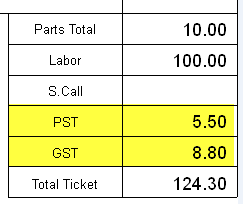 |
Similarly, the Print page in the SD-Mobile interface will transform itself, according to need.
| Standard Totals Section in Mobile's Print Page | Transformed Totals Section in Mobile's Print Page |
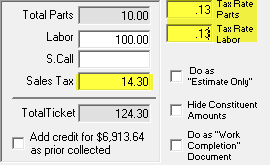 |
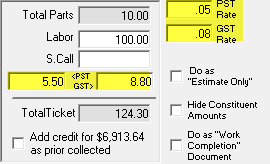 |
So, knowing these new transformations are now designed into the system, the next question is how is the "need" for transformation communicated?
In a nutshell, both ServiceDesk and SD-MobileLink look in your servdesk.ini file to determine if you are a user requiring PST/GST separation (when initially building your package we will have endeavored to setup that file correctly for the province you're in; if we failed, you may ask us to correct this for you). If ServiceDesk finds the need, among other things it transforms the tax-rates area in its Settings form:
| Tax-Rate Section in Standard SD-Settings | Tax-Rate Section in Transformed SD-Settings |
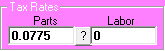 |
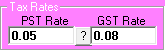 |
This particular (within-SD) transformation has existed for a long time. What's new is that SD-MobileLink will now look in that same file, and if it sees that you require PST/GST separation will upload signification, regarding same, to your account setup in the SD-Mobile server. Based on this signification, SD-Mobile itself (as running for each of your techs) will note the fact and do the Print page transformation as shown two graphics above. It will further transform any ticket images and/or ticket-preview layouts that it newly creates in such mode (see three graphics above). Within ServiceDesk, in the meantime, any Mobile FinishedForm that is opened, which was saved with PST/GST separation, will open transformed to a matching mode (conversely, if opened to a ticket saved in non-transformed mode, it will adapt accordingly).
Please note that for these transformation effects to succeed
in all places as appropriate, you'll need to be updated to today's release (or
later) of all three programs (SD-Mobile, SD-MobileLink and ServiceDesk).
Two Large Improvements with AttnNotes (aka "Sticky Notes"):
A long while back, we added a feature that allows the tech in Mobile to see AttnNotes as attached to the JobRecord within SD. Augmentations followed shortly, such as making the button within the JobDetails page (that announces AttnNotes are available) flash red, until the tech has clicked on the button to see the notes. Plus, we made it so the tech can create his own AttnNotes, to then be visible within the JobRecord back at the office. Now we've added two more augmentations:
1. Whereas until now any applicable AttnNotes were viewed in a simple message box, we've moved them into an actual text box (with a yellow background so they look more like "Sticky" notes), and with the added/target benefit that any hyper-linkable text within the notes will, in fact, function as a hyperlink if the tech simply double-clicks on the same. Thus, you can put a reference to, say, any web-based technical notes in an AttnNote of a JobRecord, and the tech will be able to open by simply double-clicking thereon.
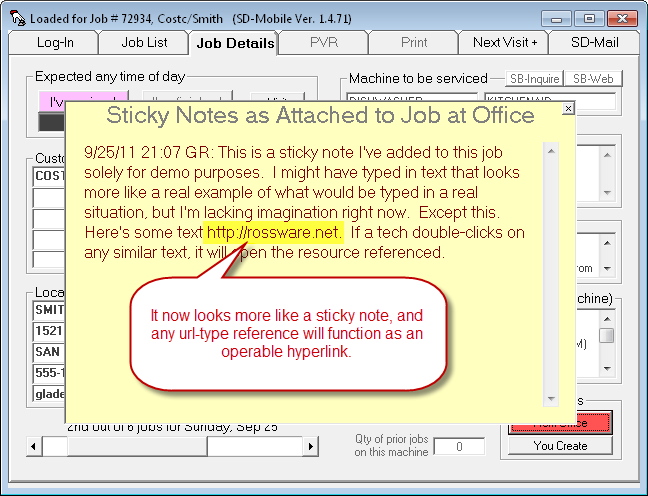
2. We had a couple of users mention that it was important for their techs to be made aware of (and have opportunity to read) AttnNotes as they were advance-reviewing their jobs in the JobRoster page, and prior to going on each its respective JobDetails page. Until now, there was no notice there if AttnNotes existed. That is now addressed. Specifically, if any line item reference within the JobRoster page is to a job with AttnNotes (and assuming there is as yet no reason why that line-item's background color should be other than white), it will color in red -- thereby giving the tech notice that AttnNotes exist for the item (he'll still need to go to its JobDetails page to see the actual Notes).
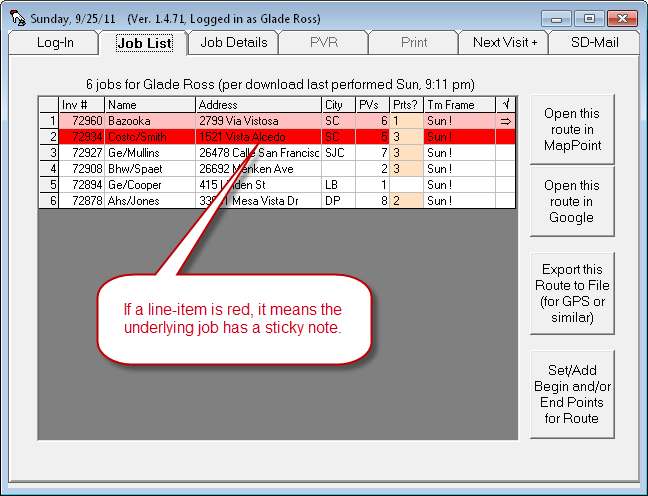
New "Refrain-From-Pricing" Option:
Another user reported having a problem wherein his techs are bidding for jobs on which special-order parts are involved. They pick the needed parts from the SmartParts-integrated drop-down, and markup-formula-based pricing then properly inserts. They then give the customer a quote on such basis. All this is per design. The problem in some exceptional instances, though, is that the formula-based pricing produces totals so high as to price the job above customer acceptance, resulting in loss of the job. In some cases, that's also as it should be, but in some circumstances it happened where a little intervening human judgment would have happily accepted a skinnier markup, and avoided job loss.
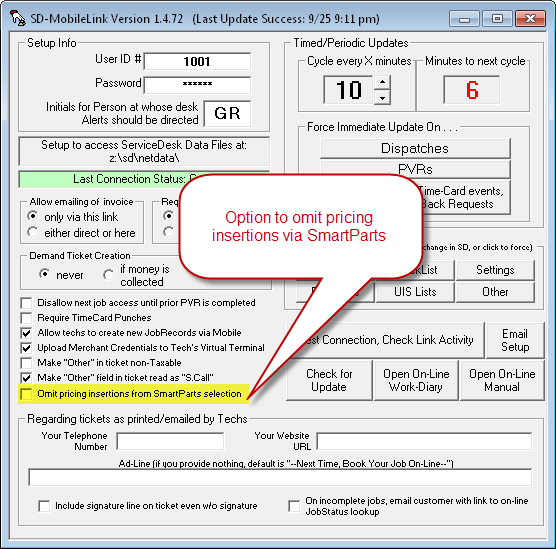
This particular client judged that it would be better to lose the convenience of auto-inserted pricing in such circumstances, in favor of forcing his techs to consult with the office for judgment-ameliorated (and direct-research-based) pricing. For such reason, he asked for an option to "turn-off" SmartParts-data inserted retail pricing. That option is now present in the MobileLink program, and will be operative (when set there) within the latest release of Mobile.
New "S.Call-in-place-of-Other" Option:
In the "totaling" section of the Mobile ticket are boxes for totaled Parts, Labor and Other. There is not a position for a Service Call amount, as it was anticipated in the design that the basic trip-charge/base-fee would be included within a listing of flat-rate items (which are totaled in the Labor box). As it happens, however, not all businesses are using it this way, and one user in particular asked if the Other box could instead be labeled S.Call. That is now also added as a user-settable option within MobileLink, and will be operational (when set there) within the current Mobile.
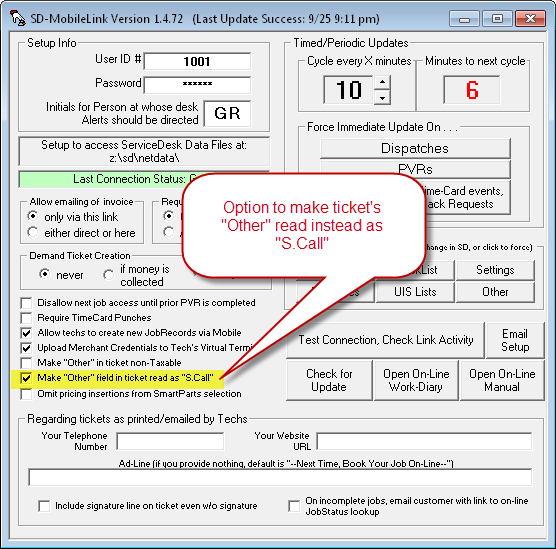
Full Tax-Rate Setup Now Shared with SD-Mobile:
Prior to this release, SD-Mobile has had a very basic method for dealing with sales tax. Simply, on it's Print page there are two boxes, which the tech was expected to fill-in. One is for the materials-tax rate; the other for the labor-tax rate. Mobile calculates that actual tax based on the rates as found in these boxes. If the rates vary across your territory, the tech is expected to change what's within the boxes, to match whatever locality he is at. Of course, techs don't tend to do a real good job of this, and in consequence the amount of taxes collected may end up being less precise than you'd like.
On the ServiceDesk side, in the meantime, we've had a place for the manager to set the tax rate as applicable to the particular the company is located, and facility by which different rates may be specified for each/any zipcode, if in fact the territory is subject to different rates.
With such sophisticated ability to setup tax structure within ServiceDesk, why has the resulting data not been shared with the tech using SD-Mobile?
The answer is development. It's not practical to do all at once. When we first introduced Mobile two-and-a-half years ago, the initial assembly included only the essential, bare-bones structure -- just enough to provide basic functionality. Gradually, we've been embellishing, adding more bells and whistles. Adding this tax-rate integration is simply another step -- and it's done. Yahoo!
There's nothing you have to do to implement this new improvement, except update both Mobile and MobileLink. Whatever tax-rate parameters you have setup in ServiceDesk, whether consisting just of a basic pair of rates as specified in your setting form or if augmented via a zipcode-specific TaxRates.txt file, will automatically transfer into the tech's Mobile interface.
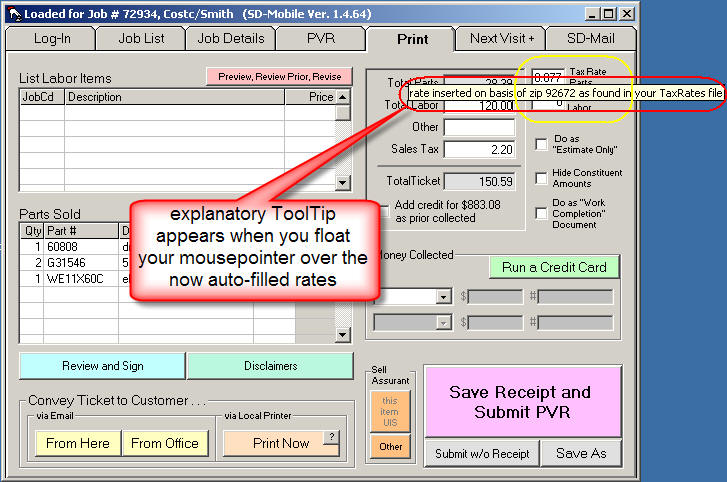
To state it another way those two boxes on his Print
page will now auto-populate based on the tax-rate setup structure you've
provided at the office. What's more (and as you can see above), if the
tech floats his mousepointer over either tax-rate box, a ToolTip will appear,
telling him of the precise basis as used by the system to populate his box.
Given the dearth of announcements as made here over the last
five months (if you check, you'll see the last/preceding announcement was in
January), you might think we have not been active in development in this sector
of the software. It's hardly the case. In fact, if you check
the change in Version numbers, you'll see there have been no fewer than 25 new
releases in Mobile, and 14 in MobileLink. Some of the improvements have,
in fact, been announced in the ServiceDesk WorkDiary, because they were
also significantly relevant to operations there. But much of our work has
been in improving basic operations. Here are some other highpoints:
Improved Access and Performance in New Job Creation:
About a year back we added a feature where a tech can create a new job, via his Mobile interface, which inserts back in the office. It even dispatches itself back out to him. The button for invoking the that job-creation feature, however, was embedded within Mobile's "Next Visit" tab, which was programmed to remain inaccessible except in conjunction with a currently-loaded/active job.
To address this, we changed the programming to make that tab accessible regardless. This helped, but then it was noted that if the currently-loaded job had been PVRd, though you could "in general" access the tab, its contents (including the job-creation button) were now covered over by the "PVR-Already-Submitted" blanket. So, the next improvement was to make the job-creation button remain layered over that blanket. This makes the button now always accessible, in all instances where you are at least logged in.
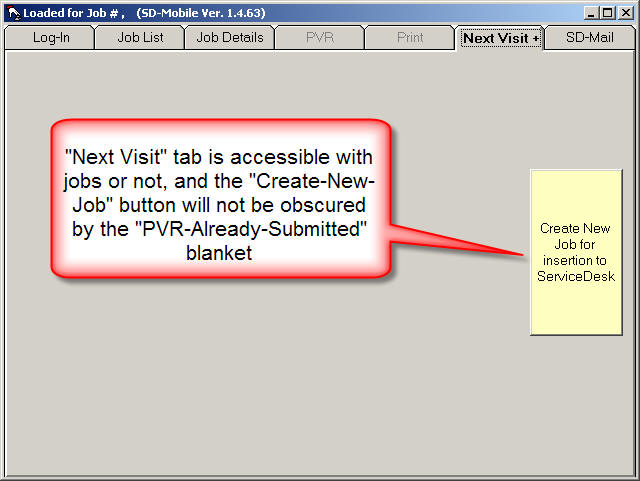
A final improvement was to make it so jobs as created for the
same/current day dispatch back to the tech more quickly. This improvement
is on the MobileLink side. Formerly, it would create the job and
appointment within ServiceDesk (i.e., reacting to the upload as done by the
tech) in one update cycle, and only in the next would it now see what it had
prior created, and upload the same for the tech to grab back. Now, if it
sees a new job-creation to download and does so, it will re/back-upload the
resulting dispatch immediately.
Optional Beginning and End Nodes for Add-In to Route Creation:
For a long time, SD-Mobile has had a feature where the tech can load his route (i.e., sequence of job addresses) directly into MapPoint, if so equipped. Optionally, he may also export his route to a file, which may in turn be loaded into a wide variety of routing mechanisms, including GPS software or related systems. Just yesterday, someone pointed out that it would be nice if he could have his home or office address (whichever happens to be applicable) included as the first "node" in the route as so managed, and again as the end node. This made so much sense, it was something we had to do right away.
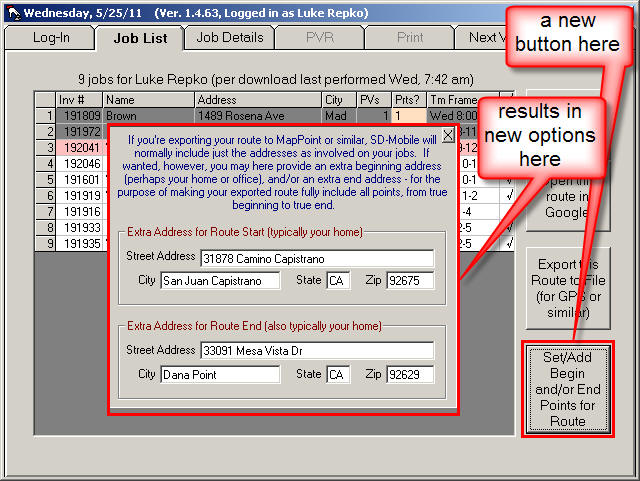
As you can see, application is quite straightforward.
Once the tech provides begin and or end addresses, those will automatically be
added to any route he loads into MapPoint, Google Maps (see next) and/or exports
to a file.
Route Integration with Google Maps:
As it happens, the same person that asked for the ability to add end nodes on routes also asked, many months back, for integration with Google Maps (we were not so quick on that request). As above mentioned, we've long had integration with Microsoft's MapPoint. It works great, except that MapPoint is a prox $300 program. Worse than that, while it used to be you could buy it once and install on as many computers as wanted, Microsoft tightened security, making it so you actually have to buy separate licenses.
Enter competition, youthful innovation, and Google. Quite a while back, that company came out with an online mapping system that in many respects surpasses MapPoint, and for a remarkable price:
FREE!
We simply had to learn how to programmatically "talk" to Google Maps for the purpose of loading in a route (i.e., full sequence of multiple addresses). That's done with this release.
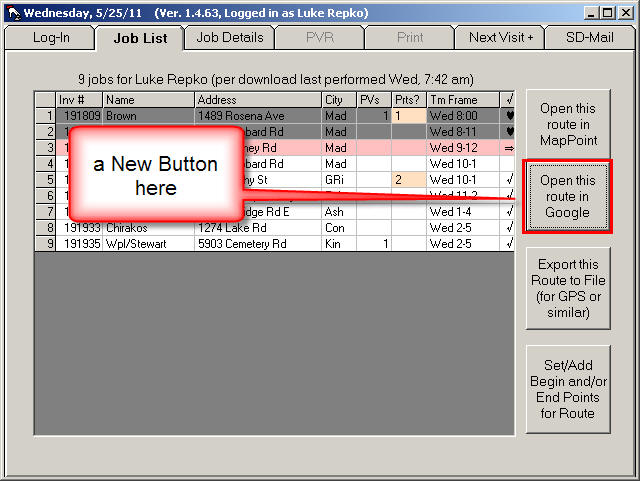
It's like magic. Click on the button, and your route appears beautifully, in Google.
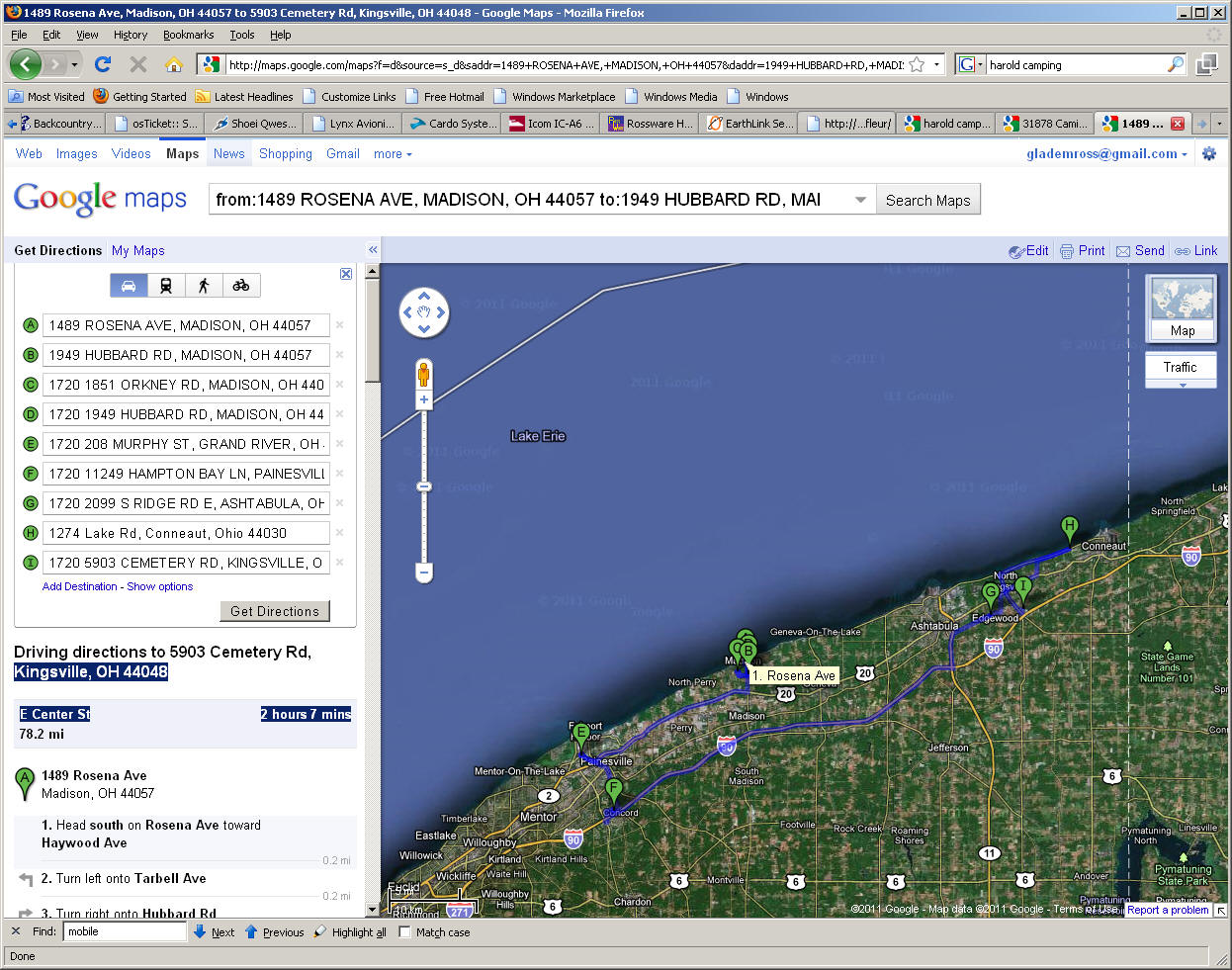
As you can once again see, implementation is simplicity
itself.
Full Integration with ShopJobs Feature in ServiceDesk:
Over the course of the last year, we've made a series of improvements within ServiceDesk dealing with treatment of ShopJobs. More recently with Mobile, we've made corresponding improvements to fully correlate. Just two releases back, for example, we made it so, for any job that's designated within ServiceDesk as a ShopJob, that fact will be very visible to the tech within Mobile.
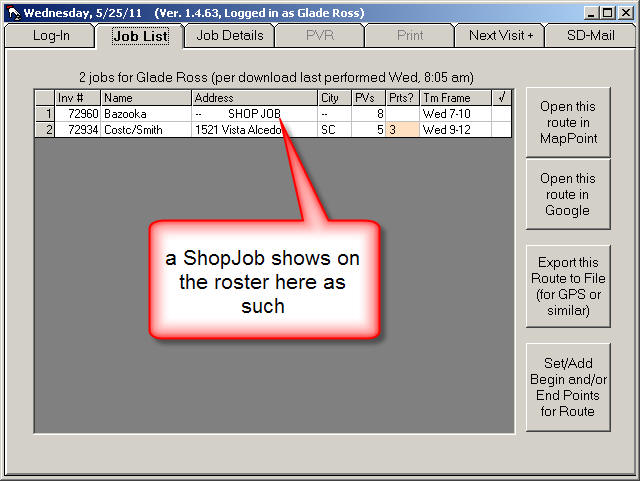
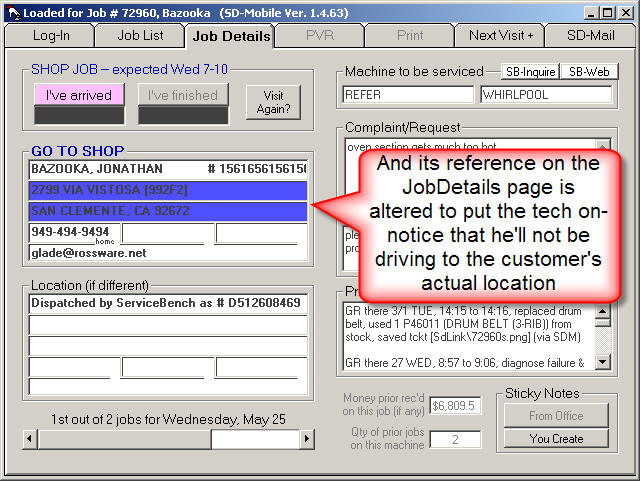
A further change (made only in the most recent release) relates, again, to automated routing. Any ShopJob-designated appointment, as inserted to a route, will now insert with the office's address, rather than with the underlying customer's (this feature requires an update in MobileLink, as well, as formerly we had no mechanism to inform the tech's system of what the office's address is).
Integration with SD-CyberOffice:
About four months back we completed the lineup of features (filling-in two remaining items) in our SD-CyberOffice project. The remaining items (this is for your customers) were online Job Status Checking and online Technician Tracking.
In connection with the first of those, SD-MobileLink received added programming that is invoked if it detects you are using the feature. Specifically, if it downloads a PVR on which the jobs was not completed, it sends the customer an email similar to the following:
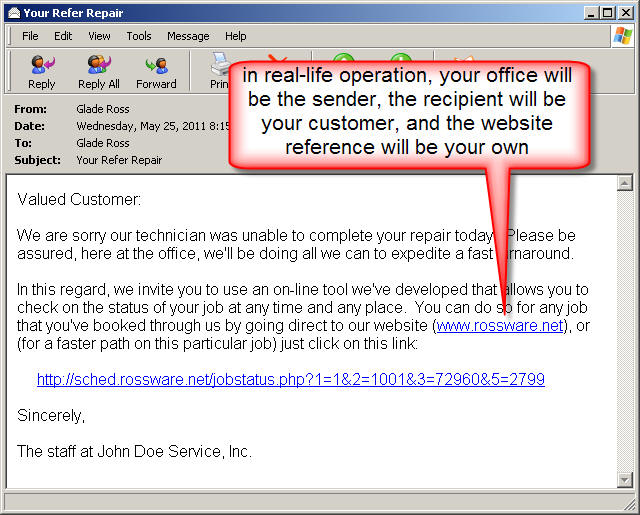
If your office is not using CyberOffice and its
Job-Status-Checking feature, imagine how much your customers would like it.
We strongly encourage you to implement it.
Improved Handling for Special-Order Parts as Not Yet Checked in by Office:
It recently came to our attention that some servicers have situations where their techs are being provided with parts, as prior special-ordered, prior to the items being officially checked in at the office. This raises potential havoc with our "to-the-grave" parts control system, since MobileLink has not been programmed, prior to this release, to upload to the Mobile PartsPickList items that are not yet checked in, at the office, as having been received. Since they're not uploaded to the PartsPickList, they don't appear in the tech's Mobile interface, for him to be able to check off usage.
This pair of releases changes that. Now MobileLink will upload any special-order part item so long as it shows confirmation of having been ordered. If, however, there is no date indicating it's actually been received, it will upload with a notation so indicating. On the Mobile side, the tech will see the item within the applicable job's PartsPickList with a corresponding notation. With such notation present, he will not be required to indicate disposition on the part. If he does click to indicate usage, however (because, for example, he actually did receive and use the part), the system will so register it.
Many Small Advances:
You might notice that, since the last-preceding entry
immediately below, there've been 22 full new releases in SD-Mobile, and 3 in
SD-MobileLink. Yes, we've been busy. There have been countless
incremental improvements in function, each too small by itself to mention here.
Most particularly, we have navigated through something of a rough period.
When we did that major infrastructure change back with release of SD-Mobile Ver.
1.4.0, it was with a determination to get past some inconsistencies that had
plagued us with the old infrastructure. It seemed we'd milked the old
structure for just about all the reliability and consistency, as could be wrung
from it, in an environment where the internet-based data connection comes and
goes, as it does in a mobile environment. The new infrastructure promised
something ultimately better, but there has been a bit of a learning curve, for
us, in learning to handle potential kinks as arise when the connection fails at
various and unpredictable points within any/all of the myriad involved
operations. To put it in a nutshell: consistency is easy when there's a
reliable connection. Coping otherwise has been difficult, but we believe
the system is now/finally configured to be pretty darned good, in such regard.
To any extent we find otherwise, we will (of course) continue to improve.
Fix for Some Elements of Mishandling as Connected to PartsPick Items:
In regard to special-order parts that appear in the Tech's
list of parts to check-off (as to whether used, or not, and to provide not
explanation of why not used, if not), we found the system was presenting the
techs with items already prior indicated either as used, or as misdiagnosed,
etc. -- when it should not have been re-presenting such items. Also we
found that when the system went back into ServiceDesk to report on the
disposition of process items already in the archive, it was deleting an
prior-inserted PO Number. Both issues are resolved with this release.
Coordination with Core-Return Management in ServiceDesk:
Back in August (and within ServiceDesk) we added features to accommodate explicit management of core-returns. We intended to immediately add corresponding functions here, such as: When a part has been setup within ServiceDesk as requiring a core return, and when a tech indicates having used that part via Mobile's PartsPickList, the tech should immediately be presented with a message explaining that it's imperative he retrieve the old part and return it to the office. As it happened, we did not get immediately to those corresponding, Mobile-related elements. However, the added work is finally done, with the current set of Mobile releases.
Miscellaneous Improvements:
These, of course, exist in any release. A notable one here relates to a deficiency we discovered in regard to parts that are speculatively tagged, within ServiceDesk, for a particular job. These show up in the Mobile environment in the tech's PartsPickList, and he indicates whether he used them, or not. On the ServiceDesk side, we made an improvement, a couple of months back, where items can be tagged for a job, without simultaneously transferring to any particular tech (whereas prior the design was that simultaneous transfer to the intended tech was an inherent part of process). Turns out there was a downside to this. The machinery in MobileLink that would remove a tagged item from inventory looked exclusively for items as indicated within the applicable tech's inventory. This prevented items from being pulled if the item had been tagged in the office, but not transferred to that tech's inventory. This release fixes that. It will find and remove the tagged item, whether it shows for the particular tech's inventory, or not.
In an almost-related improvement, we discovered that
MobileLink's system for maintaining an accurate PartsPickList in the face of
multiple uploads had some weak spots (in some instances PartsPickList items
could multiply like rabbits). This has also been corrected.
One-Button-Insertion of Text for New-Job-Creation:
Some while back we added a feature that allows a tech to create an actual new job, via the Mobile interface. At the time, this added capability was spurred by a user who provides service 24/7, and during the off hours particular technicians are on call, taking calls, and they need the ability to create new jobs (to appear within ServiceDesk) via the Mobile interface. In that particular usage context (and since we're talking new jobs), the tech simply types in the customer's info (i.e., name, address, etc.).
It turns out, however, there is a potentially more powerful use for this feature. If your company does warranty work, there is a robust opportunity to enhance revenue at every stop via the simple expedient of the tech asking the customer if he/she has any other appliances that have even a minor issue. Such minor issues can often be addressed in five minutes or less, and with benefit of justifying a whole new/separate service fee to the applicable manufacturer. But if that's done, the tech needs to create a new ServiceDesk JobRecord to accommodate the added item. In this context, the customer's info already exists, and it would be silly to make the tech re-type it. Hence, the following:
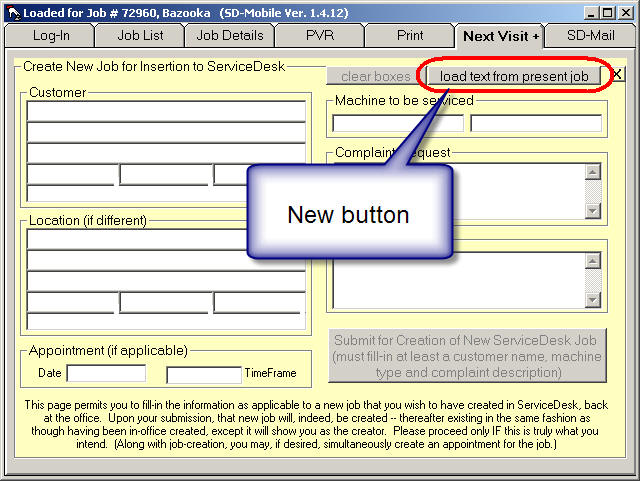
As you'd expect, this new button does precisely what it's
labeling suggests.
Direct Mail Method Now Offered:
Several Rossware applications use email (we're talking real, internet mail, as distinguished form the internal SD-Mail system, which of course is also used). We've always had a simple method to accomplish email access. Rossware applications simply make a request to Windows (such as: "Hey, Windows, send this email for me."). When such a simple request is made, Windows relays the request to whatever program is setup as it's default program for email purposes (often called the "Mail Client"). While in general this method works well, it has nevertheless been subject to some challenges. With this release, we offer a direct circumvention to any such challenges.
Specifically, you may now configure SD-MobileLink to send its emails directly, without using either Windows or its mail client. For full instructions, please consult the Rossware User's Email Handbook (specifically, please review Chapter 5 which begins on the bottom of page 5).
It is, incidentally, our intent to add this flexibility to all
Rossware applications that use email. SD-MobileLink is simply the first to
have the addition.
Multiple Instances Now Permitted:
Occasionally we've had techs tell us they need to be working on PVRs for two different jobs at the same time (particularly where they have multiple jobs at the same location). Since it's the inherent design, within the Mobile interface, to accommodate one PVR at a time, this has been a problem.
Now we have a solution. Formerly, if you tried to run
multiple instances of Mobile at the same time, it did not work well. We've
now worked out the kinks (at least all those of which we are aware), and you
should be able to just open another instance of Mobile (or two or three or
four), as the need dictates. You'll still get a little warning upon
opening all but the first instance, but the system permits you to proceed
regardless.
Proper Recognition of "Hlpng" -Only Status for Jobs Assigned to a Tech as Such:
If you are sending more than one tech out on a job (many jobs require a second pair of arms to help move a machine, for example), you do not logically need the system telling both techs that they need to bring applicable parts with them. Nor do you need it pestering both to perform a PostVisitReport. Typically, you'll have a lead tech on the job who is expected to perform these fundamentals, and the helper guy . . . well . . . he just helps.
Within ServiceDesk itself, we have long had a feature for dealing with this. Specifically, the expectation is that you make an appointment (i.e., a ScheduleList entry) for each tech that needs to show up for the appointment. But, for any techs whose role is merely to help the primary guy, you replace the customer's name (i.e., within the appointment) with a particular abbreviation of the word "Helping." The abbreviation, specifically, is simply the word with its vowels removed (i.e., "Hlpng"). Typically (and for the tech's personal convenience), you'd follow that key string of characters with an abbreviation for the lead tech tech who's being helped. Thus, your full entry might read "Hlpng DS" -- where "DS" is the two-letter code for a tech named Dave Somers.

When ServiceDesk itself sees such an entry, it knows (among other things) that no demand should be made -- in connection with that particular appointment entry -- for the "Hlpng" tech to submit a PVR.
In contrast, SD-Mobile has not formerly possessed such IQ.
It does now.
Specifically, in the JobsRoster page, any job that's setup for "Hlpng" -Only will display with a green background -- to more obviously convey to the tech that he lacks a primary role. That tech's PartsPickList will also always show zero on such a job. And, if he tries to open the PVR, Print or NextVisit pages (as applicable to such a job), he'll be reminded that he has not such role in its connection.
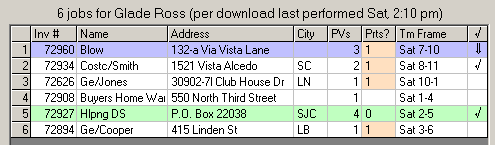
Besides the above, of course, the system will refrain from
pestering him to do a PVR on such a job. Instead, when he's simply punched
in both his arrival and departure on that job, its reference on the JobsRoster
page will turn to a dark-grey background -- same color as when a normal job is
completed with a PVR.
Tech Can Now Include Time-Frames When Scheduling a Return Visit:
For a long time, Mobile has given the tech the ability to direct-schedule a return visit. However, any appointment as made in that context was one, simply, as open to the entire for the date scheduled.
Among other improvements, this release addresses that.
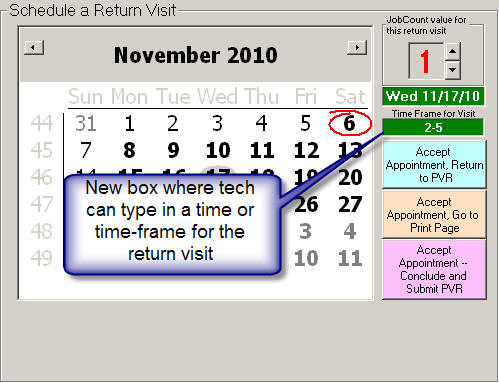
As you can see, it's simple. If the tech wants to
include a time or time-frame, he'll simply need to type into the new provided
box.
!!!!!!! Massive Infrastructure Overhaul !!!!!!!:
As any user from the Mobile-side of our SD-Mobile system has likely gathered, it is (from a technological standpoint) very challenging to engineer an application to be smooth-running and fault-free -- when it needs to be constantly connecting with remote data in an environment that's subject to a communicative link that frequently comes and goes in unpredictable fits and starts (i.e., the very nature of an air-card connection as a tech traverses across his territory).
We have employed a series of technologies in the effort to achieve the ultimate goal in this regard (that is, an SD-Mobile interface that never locks or pauses for the tech no matter the communicative state, and which always takes proper advantage of a communicative connection when one is available). We've progressively grown closer to that ultimate goal, but perfection has proven stubbornly resistant. Clear through the latest release preceding this one, we've continued to have reports of occasional hiccups. We don't like hiccups.
Some nine months ago, we did an overhaul on the MobileLink side, abandoning what had been our original communicative technology there in favor of what's called direct ODBC. It took us a while to work out all the kinks, in that context, but overall we became convinced that direct ODBC is a significantly better way to go.
This release of Mobile introduces a parallel overhaul on the Mobile side. You'll notice, in such regard, there is presently a version-level change (same as Mobile-Link went through nine months ago). Instead of being in the 1.3.x series now, with this release Mobile has is now in the 1.4.x series (so that now the series levels in Mobile and MobileLink match once again). This is, in particular, to fully signify that Mobile now is based in that new, direct ODBC technology too.
As part of this change, Mobile no longer has any reliance on either SD-Agent, or the VbMySqlDirect.dll utility. Those are part of what's now being abandoned, as old technology. They are part of what we could never quite get to perform with consistent perfection, and are now thoroughly in the past.
At time of this writing, the 1.4.x series has already been in
beta use for a week, and reports are good. So far as we can tell, it's
hopeful that indeed we have finally eliminated the occasional communicative
hiccups that formerly plagued us. If as a tech you happen to encounter
otherwise, be warned. We are somewhat emotional here, and sometimes
messengers do get shot. :)
Improved Flow and Formatting in Mobile Interface:
This improvement is thanks to Jeremiah Merriam, who worked through some of the underlying logic and graphic re-arrangements (in fact, more is still coming, based on his work). The present changes are mainly in Mobile's PVR and Print pages.
Most dramatically, the "Money Collected" section (formerly titled "Funds Collected") has been moved from the PVR page to the Print page, where it will fit better with typical workflow.
| Old Pair of Pages | |
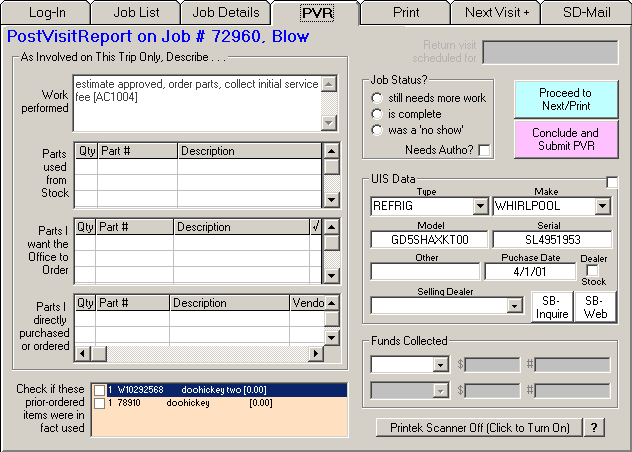 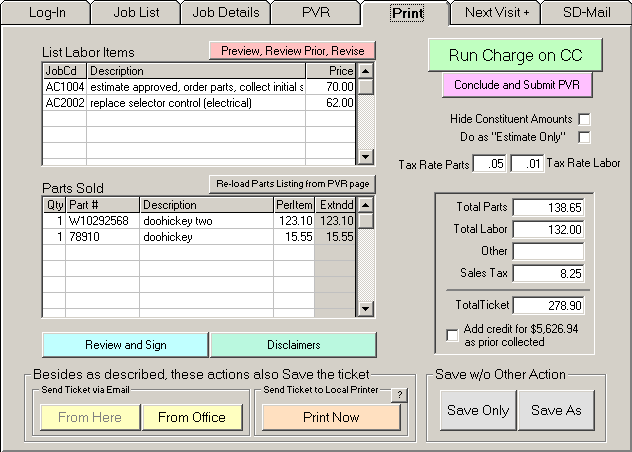 |
|
| New and Improved Pair of Pages | |
 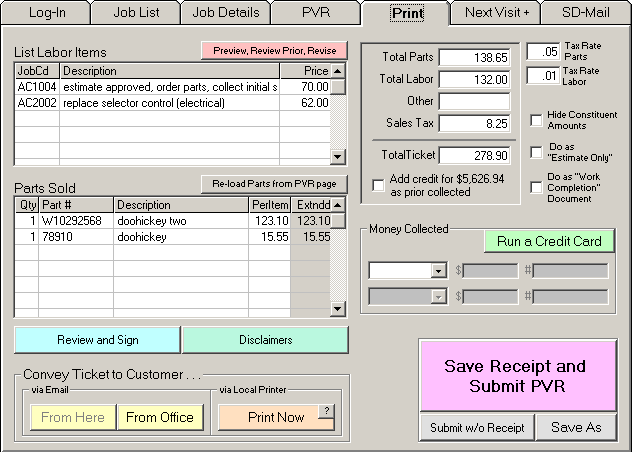 |
|
Besides having moved the "Money Collected" section, on the PVR page you should notice that the boxes for indicating parts as involved on the job have been re-arranged for increased logic and simplicity. Buttons and other boxes, too, have been rearranged for increased logic and clarity as connected with typical workflow.
On the Print page as well, you'll see a number of elements have been re-arranged, and functions tweaked, for increased clarity and simplicity.
New Provision To Indicate Why PartsPick Items Not Used:
Until now, the little peach-colored box in the PVR page (see illustration above) was used solely for the tech to check-off whether he'd used a part, as prior ordered for the job or speculatively assigned to it. There was no provision, if the tech did not use the part, to indicate why not. Now such provision has been added.
Specifically, the tech will be required to either to left-click on any items in this peach-colored box to indicate that in fact he used the item, or to right-click for the sake of indicating why he did not. In response to this latter action, a dialog like the following will appear:
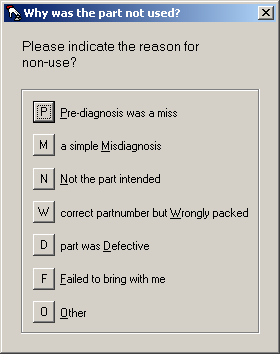
In response to user choice, the system will modify text in the listing to reflect the reason why the part was not used, and this will (in turn) be downloaded to ServiceDesk back at the office (where the reason for non-use will appear in the PartsProcess item's Notes section). BTW, the list of offered reasons may by client-customized, if wanted (for instructions, see this document).
New Ticket-Print Mode:
Until now, there has been no mode specifically designed for printing a ticket for the resident at a location, where the resident has no business knowing what's being charged, because the resident is not paying. We call this a "Work Completion Document." It's not an invoice or ticket per se, because you're not showing charges. But it does show the resident/consumer what's been done, provides them documentation of the fact, and a basis to contact you thereafter if needed.
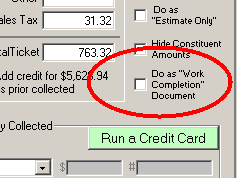
If the tech desires to print (or email) a document in that mode, there is now provision for it, as shown above.
Caveat:
When a tech in Mobile uses version 1.3.48 or higher, and if he uses the new feature to indicate why he did not use a prior-ordered part, it will write data to the on-line server in a format that older versions of SD-MobileLink (pre 1.4.28) cannot properly handle. When and if an older version of SD-MobileLink attempts to run with data in such format, it will err. Because of this, it is imperative that your office update it's copy of SD-MobileLink prior to any of your techs updating to SD-Mobile Ver. 1.3.48!
Given the above imperative, it is our intent to post the
current release of Mobile one day later than the current release of MobileLink.
MobileLink is being released early morning on the date for this blog entry (the
12th). Mobile itself will be released tomorrow morning (the 13th).
Miscellaneous Improvements and tweaks.
Most particularly (in regard to fixes) some users had inexplicably been getting an occasional duplicated PVR. This release includes robust code designed to prevent any possibility of that.
Also of note, some other users had experience multiplications
(as seen from the Mobile side) of speculatively tagged parts. That should
also be addressed with this release.
More tweaks.
On the Mobile side, found that with certain sequences of entry it was possible for a tech to enter a part (that happens to be on the WP mandatory parts return list), without prompting of need to return. Fixed.
On the MobileLink side, further work on the intermittent
failure-to-create-UIS problem.
Just tweaks this time.
Notably on the Mobile side, a recent past release had fully disabled functionality within the Print page as connected to a job that's been PVR'd. It was mentioned by at least one tech that it would be nice to be able to still print a ticket, if it was realized after the fact, say, that the customer wanted another copy. This release re-enables that capability. However, there's a slight trick to it. The Print button as found on that page (Email buttons too) still appear disabled. We wanted this, to maintain a consistent assertion by the interface that, in general, the time to do printing and related actions is before submitting the PVR. However, in spite of the fact the buttons appear disabled, they will in fact still work.
On the MobileLink side, we recently became aware that in some
instances UISs were not being saved into ServiceDesk, as they should be.
We believe this release will fix that.
Tickets Now Saved in .png Rather than .jpg Format:
You are likely aware there many different file formats into
which a graphic image may be saved . For a long while, one of the most
popular and prevalent of these has been one called jpeg ("jpeg" is quasi word
made from the extension, .jpg, that's tacked onto the end of any such file's
name). Because the file is so accepted (and easily opened in virtually any
computer), we programmed MobileLink to save ticket images in that format.
It's worked well, but it turns out there is a more modern format that, at least
for our purposes, works better. On average, if makes files that are a
third as large, but with much better clarity (like getting more horsepower in a
car and three times better mpg). It's the .png format, and from henceforth
that's the format Mobile-created ticket images will be saved in.
Retrieve Stray Tickets Function:
First, some background as to ticket-creation strategy, by MobileLink, when it downloads tickets (as created by the tech in the field), to ServiceDesk. In a nutshell, this download is performed solely in conjunction with downloading any particular ticket's connected PVR. Because of this, if anything goes wrong when MobileLink processes a PVR, and if this particular thing going wrong results in a corresponding ticket image not being created and connected to the job (i.e., the familiar reference/hyperlink within the historical notes), it results in the ticket becoming -- essentially -- orphaned on the MySql server that contains your Mobile data. The tickets are still there, but MobileLink no longer has practical access -- at least via standard mechanisms -- to grab 'em and put them into ServiceDesk.
This release addresses that. Specifically, there is a new, semi-hidden button labeled "Grab Stray Tickets."
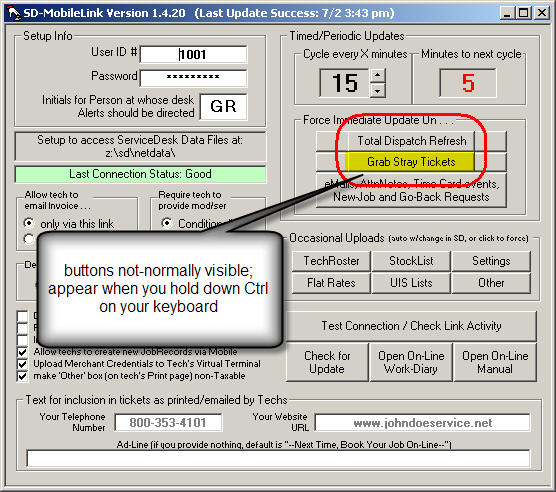
This button (and another one that's normally hidden) will appear if you hold down your keyboard's Ctrl key.
If you click on it, a process will invoke that looks for all
tickets not otherwise downloaded, grabs 'em, creates and saves the image, and
places a note/hyperlink in the applicable JobRecord. As long as all
functions work per design, this is not a function you'll ever need. But,
in the event any past tickets have ever failed to create/attach in conjunction
with PVR-download -- as they should have -- the function can be your salvation.
If you suspect this might even possibly have happened in the past, you may want
to try it.
Overhaul of Signature Save and Attachment to Ticket:
For some time, we've had intermittent issues with
electronically-captured signatures. In some circumstances, the signature
as captured for one ticket (and particular customer) has shown up on another
(very embarrassing). Sometimes, signatures, though captured by the tech,
have failed to show up on the ticket at all (also embarrassing). It's been
hard to pin down the cause. With the release, we've simply done a virtual
re-writing of the involved/underlying program code, simplifying and rectifying
it -- in a manner that we believe will, in the future, make expected results
dramatically more reliable.
Improved Dunning for Ticket Creation:
In the face of continuing reports that technicians were sometimes failing to create tickets, we've enhanced Mobile's internal reminder system.
For context, we have long had an option where, from the MobileLink's interface in the office, you can pick particular circumstances in which the tech is absolutely required to create a ticket (see description accompanying release 1.3.14).
Independent of that, the system has automatically prompted the tech to create a ticket (either via emailing, printing or plain saving) if either he has collected money, or indicated job completion.
However, there has been no reminder/prompt in circumstances where: (1) the office has not set to require tickets; (2) no money has been collected on the visit in question; and (3) the job is not indicated as being complete. Where that combination of circumstances exist, the tech has been permitted to submit his PVR without any prompt -- reminding him to create a ticket, if in fact he's not already done so.
With this release, the system now looks additionally to see if the tech has done any manual editing on the applicable Print page. If so, it will prompt when he goes to submit the PVR (assuming he's not otherwise emailed, printed or saved), regardless of whether other criteria apply.
As an incidental/related improvement, we also reflected on the
fact that simple reminders (albeit not office-created demands) can be optionally
turned off by the technician. We realized a tech might have turned these
off in the past, but now be in situation where they should not be turned on.
Because of this, we now have the turn-off limited to a three month duration
(i.e., prompts automatically turn back on three months after a turn-off, and
must be turned off again if that's the user preference).
Enforcement of TimeCard Usage:
Over time, an increasing number of clients have been using the TimeCard function as built-in to Mobile. As more clients have depended on this, there's been increasing demand to add mechanisms that guard against techs failing to "punch-In" and "Out" when they should. This pair of releases addresses that concern.
Specifically, in the MobileLink program (and upon updating to current), you'll see a new checkbox, as follows:
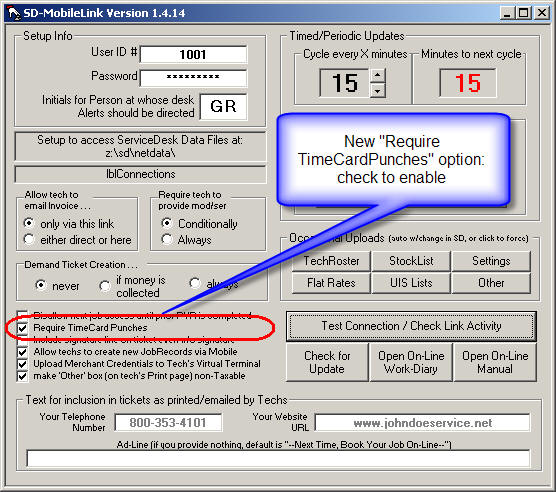
You'll need to check this box to invoke the new enforcement mechanisms on technicians' end (it's an option, because not all users want their techs to be using the TimeCard function). Once it's checked, the enforcement mechanisms on the technicians' end should become operational. Specific elements are as follows:
1. If a tech tries to log-in to a job (i.e., click's on the "I've Arrived" button), and has not yet "Punch-In" on the TimeCard, he'll be greeted with the following popup:
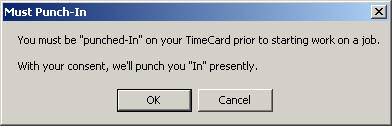
2. When a tech goes to log-out on a job (i.e., clicks on the "I've Finished" button), the system will check to see if all other jobs in the roster already show a completed visit (which, logically, would mean the tech is completing his last/final job for the day). If so, he'll be greeted with this popup:

3. When a tech goes to close the SD-Mobile program, the system looks to see if he's already punched out or not. If not, it presents the following:
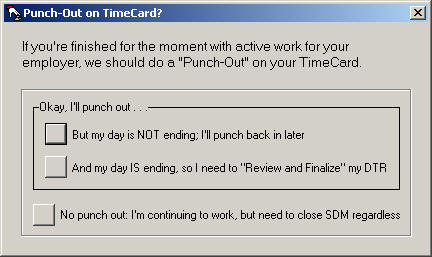
(One twist in the above, if it's at or after 3:00 PM on any given day, the default answer will be the second rather than the first, of the offered options.)
4. If the tech has already punched out upon closing SD-Mobile (and also it's at or after 3:00 PM), the system checks to see if he's done the "Review and Finalize" task on his DTR. If not, it presents this final popup.
Likely, users will prompt us to do a number of tweaks on this
scheme (which we'll welcome, of course), but (and in general) we think it should
help you help your techs in maintaining a much more reliable rate of compliance
with TimeCard usage.
New Connection Methodology:
There are several methods that can be used for connecting to a remote (i.e., across-the-internet-connected) database. From it's inception, both sides of the Mobile system (Mobile and MobileLink) have used a Windows ActiveX component called VbMySqlDirect.DLL to manage their connection. Recently, we encountered some issues in that component's performance. They were on the MobileLink end, and were irresolvable (i.e., fault was in the component itself). Given this, I determined that I'd have to rebuild all of the uploading and downloading code to use a different connection method. That is what's done with this release (and explains why I've changed from the 1.3.x series to now 1.4.x series, because the underlying infrastructure is so different).
You'll find, upon doing this update in MobileLink, the program will prompt you to permit installation of a MySql Connector tool. Please consent, and follow the prompts. That MySql Connector tool is at the heart of the new method, now being used for connection.
We believe this new method will prove superior overall, and
plan to migrate the tech-side functions to its use soon.
Extended Machine History:
From early-on, the Mobile interface has provided the tech with a synopsis of prior work as involved on the current job. A few months back, we added an SB-Inquiry button that, for any WP-Corp-related product, will provide claim history as associated with a particular machine (even if claims were filed by another company). The one element that's been lacking is extended machine history as pulled from data within ServiceDesk (i.e., from prior jobs, on that machine, as managed via ServiceDesk, and even if involving other addresses and/or owners).
With this release, that extended machine history is now provided.
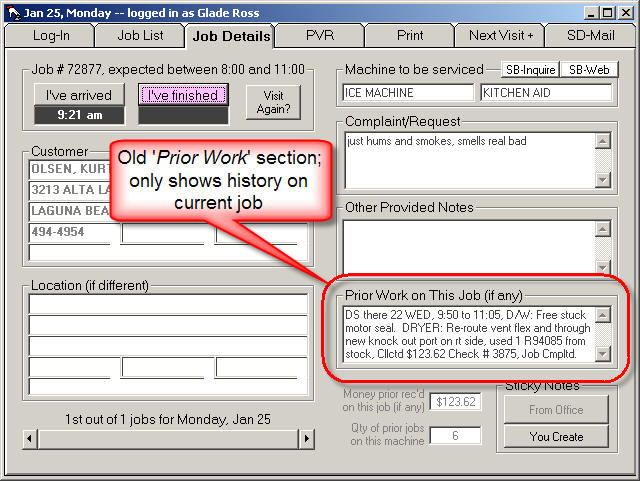
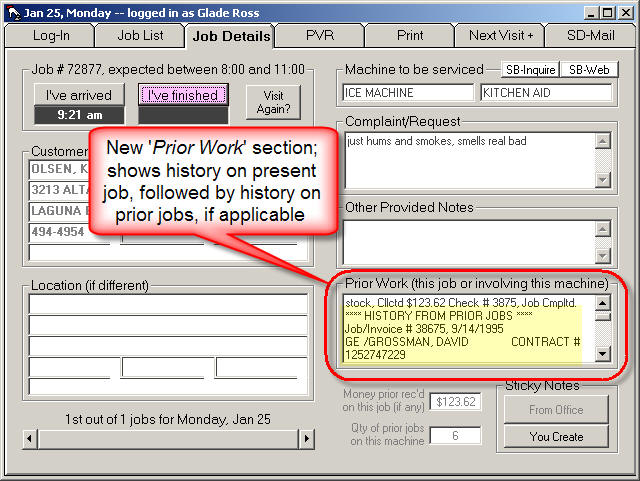
Please note, for this improvement to be effective, both Mobile (for the tech) and MobileLink (in the office) must be updated. A new MobileLink is required for uploading this new data element. A new Mobile is required to grab and use it.
Technician Identifier Added to the Mobile Ticket:
It seems like a crazy oversight -- and it's even more amazing none of the many users out there complained of it until just recently. However, until this time our Mobile ticket design did not include any text to identify who was the applicable technician.
| Old (without Tech identifier) | New (with Tech identifer) |
 |
 |
As per above, please assure both Mobile and MobileLink are
updated to enjoy this improvement.
General Operational Improvements:
As you can see by the large change in Release numbers (between this entry and the last-prior one), we've done a whole series of releases in the interim. They simply have not involved new features that needed announcing (hence, the absence of specific announcements here). However (and as you might imagine), we did not make the new releases for no purpose. They involved addressing a whole series of operational issues, seeking to make the system more perfect and reliable in every manner possible.
In particular, we have long been struggling to make each tech's Mobile app continue to purr smoothly even when he enters a "Dead Zone" with no internet connection. This is no easy task (try to think of any other application that even attempts it; we bet you cannot think of even one). Our early solution (in place up to about a year ago) worked moderately well, but still resulted in an occasional system freeze when no internet connection was available. We then switched to using the SD-Agent program as a separate, behind-the-scenes utility to do the internet-connected talking -- based on the theory that if it's a different app that freezes while trying (but failing) to talk, it leaves the actual Mobile app (with which the tech is directly interacting) always supple.
For the most part this scheme has worked, except for some occasional hiccups in regard to functioning of the actual SD-Agent. They've been hard hiccups to diagnose and cure. However, we're pretty sure we've finally cured them fully. If we encounter any news otherwise, you'll hear a loud scream coming from Shelton, Washington.
Improved Variable Sizing:
Several releases back (Ver. 1.3.23), we made the SD-Mobile interface user-sizable -- so that, essentially, the entire interface could be enlarged to preference. This was met with much gratitude, and on connecting to users to assist them we've found everyone seems to enjoy a larger interface.
However, a slight defect was noted. The SD-Mobile interface was designed for a height-to-width ratio of .75 (i.e., 3 to 4, same as any standard, non-widescreen computer screen). Our programming for the resizing worked quite perfectly so long as this ratio was maintained. However, when users with widescreen monitors maximized the image, we noticed the changed ratio resulted in imperfect re-sizing for some of the objects within the form.
To address this, the Mobile interface will now react a bit
differently when a user chooses to maximize. It will maximize height,
while keeping width constant, in comparison, to maintain the expected .75 ratio.
Because of this, if you have a widescreen monitor, a maximized Mobile interface
will consume all of the vertical space, but not all the horizontal. We
think this is beneficial. It ends up leaving some space to the left of the
interface (where the user can still click on desktop icons), while nevertheless
enlarging the view to the maximum beneficial magnification.
TimeCard Punches Can Now be Directly Input:
Suppose as a tech you've been working for an hour one day, then realize you forgot to "punch-in." Prior to now, there's been no good way for dealing with this (i.e., if you click the PunchIn button right now, it's going to click you in for for the present time). Now there's a solution. Just do a right-click (instead of standard left-click) on the PunchIn button (same thing in regard to punching-out). If you forget this method, don't worry. If you simply float your mouse pointer over either "Punch" button, a tooltip will display to remind you of the method.
'Other' Category Can Now be Made Non-Taxable:
In the Mobile 'Print' page there are four boxes section where totals are summarized: Parts, Labor, Other and Tax. Some folks have wanted to use the 'Other' box for insertion of non-taxable ingredients, such as shipping, and the fact the system automatically adds taxes -- to whatever is in the box -- has frustrated the effort. There is now an option to avoid this. In the current release of SD-MobileLink, there's a new checkbox toward the bottom-left corner, as follows:

If you don't want the contents of your tech's 'Other' box to be taxed, simply check this new option.
Mobile Now Informs Tech if Customer has SDRB-Managed Service Contract:
If your company is using our SD-RevenueBuilder program ("SDRB" for short, it's for managing your own service contracts or maintenance agreements), it's likely a good thing for the tech to know when he's at a location that has a connected SDRB account. We've just added a new flag for the purpose. Literally, it is a flag (a U.S. flag, to be exact), and is designed to display on Mobile's JobDetails, PVR and Print pages (and in a manner the tech is likely to notice), whenever one of those pages is opened, and if the underlying address is connected to an account in the SDRB program.
| New flag s shown on 'Job Details' page | as shown on 'PVR' page | as shown on 'Print' page |
 |
 |
 |
Notice the notation on the little flag indicator reads nothing more than "SDRB connected." At this point, we are not yet conveying further information about what are the underlying contract rights. The flag simply puts the tech on notice that the address in question is connected to an SDRB account. Until further developments are added, it will be up to the tech to inquire what rights, if any, inhere in the contract at issue.
Many System/Operational Improvements:
There are some 45 hours programming time that into this set of releases (Mobile, MobileLink and SD-Agent), only a portion of which went into the described new features. Most of the work went into improving the underlying infrastructure and mechanics. We think you'll notice improvements in reliability, accuracy and speed.
New Electronic DTR (Daily Time Report):
I conceived of this new tool after hearing, from a particular client, that his office had encountered some difficulty with the Department of Labor -- resulting when a disgruntled former tech (fired because of misfeasance) falsely claimed he'd not been paid for all hours worked. I decided we should have a better means by which tech's can deliberately review each day's TimeCard, and explicitly certify its accuracy, thereby ending any potential for argument.
As you should know, we've had a TimeClock function in Mobile since almost the beginning. But it's been rather passive. The system has relied, totally, on the tech clicking a button to punch-In, another punch-Out, and with no built-in certification or review potential.
Now, if you look in the bottom-right corner of SD-Mobile's Log-In page, you'll see the following difference:
| Prior to New Button | With New Button |
 |
 |
That new button opens a new electronic form. It's called the DTR Review Form.
The initial concept, in this form, is it provides a vertical time-band that visually lays out the tech's day -- from initial timeCard-punchIn to final timeCard-punchOut. It includes graphic depictions, along its vertical time-line band, of breaks for lunch or other periods off, and shows in contrasting color (green) all time segments that were spent clocked-in at any particular job. Thus, in a powerful visual fashion, it allows the tech to quickly see how much (and which portions of) his on-the-clock time were at jobs, and how much (and which portions) were in-transit between (or in other prep-related work). It also provides a very nice set of analytical figures:
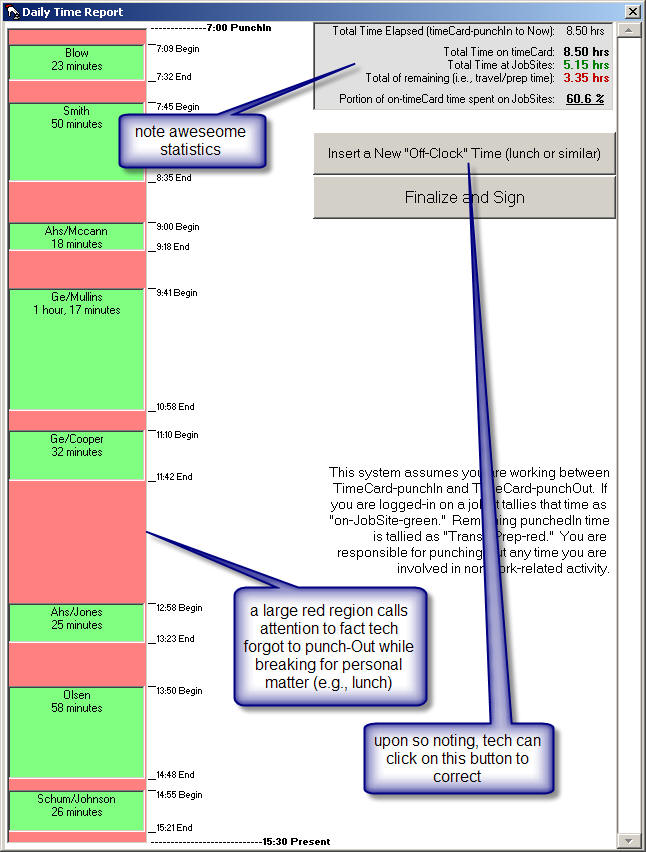
One of the benefits in this kind of display, we think, is the larger red sections (on-the-clock but not on-a-jobsite) sort of call themselves out for attention. They beg the question: Did it really take this long to drive between the two jobs; was the tech doing something else that justified being on-the-clock, or should he, in fact, have gone "off-clock" while he attended to some non-work activity (a break for donuts, lunch, taking the daughter to school, etc.). Our thinking is that with such gaps (big red spaces) made obviously apparent, the tech may be reminded that he should have inserted an off-clock segment (i.e., temporarily punched-Out while attending to something personal, then punched-back-In afterward).
Thus, another element in this new form is a big button (see above) on which the tech can click for precisely that kind of insertion. In the case of the above DTR illustration, we simulated a tech's day where it was assumed he broke for lunch, while in fact forgetting to punch-Out for the purpose. Thus, on review he sees the large area (again, see above), realizes his error, and clicks on the large provided button to insert his "off-for-lunch" time). This takes him through a simple dialog where he indicates when he began and ended his break. Then, the system re-displays, to show the time band with break inserted:
The final function in this new form is certification. Specifically, of the two buttons in the form, the second should be clicked when, after reviewing the form and concluding that his times are all correctly entered, the tech will click on this button. In result, he's presented with the following:

If the tech chooses 'Yes', the system then records that -- at that date and time -- the tech certified that the indicated times were, in fact and deed, correct for his workday. Again, we believe this should end any arguments, after the fact, as to whether such times were correct or not. We believe it should satisfy any inquiry from government officials -- at least so long as you require your techs to perform this ritual at the end of each workday.
That last matter involves use of the new data within your office. It was my hope to have a new interface in ServiceDesk already available for this purpose, but I'm afraid I've not yet made it that far (getting the above-described functionality into Mobile consumed some 50 hours of direct programming time, and usurped the remainder of time I'd hoped to spend within SD). For the time being, you can use the same TimeClock.XX.TXT file (loaded, typically, into Excel) that's been in use all along, for review and use of Mobile-created TimeClock data. You'll find that each entry includes two new fields, labeled "Certified" and "HrsWhnCrtd." The first field is actually a date and time. If a date and time is provided there (as opposed to the field being left blank), it means the tech did, indeed, go through the certification process, and it's the precise date and time he did it.
The second field is kind of a cross-check. For each and every time-segment entry as was involved in a particular day's certification, this field will indicate the precise total of hours that were on the TimeCard, for the day, at time of certification. The amount should equal what's obtained when adding the time-segments, regardless, and that's why this field provides a cross-check. To take care, however, not to use this field when tabulating total hours.
If you're ever likewise find yourself facing inquiries from
the Department of Labor, we think these mechanisms (at least if you make sure
you techs do the daily certification) will stand you in very good stead.
We hope to have a new interface in SD, soon, that will make monitoring and
control from there far easier -- as compared to now, where you need to go to
that TimeClock.XX.TXT document.
BIG NEWS:
There's a reason I made that "BIG NEWS" header bigger than normal. It's to reflect what it's actually announcing, which is that the the SD-Mobile interface, in itself, is now adjustable in size. Many have asked for this, and now you've got it. You can make the interface as big as you want. Either use your mouse on the border to "drag" larger, or use the maximize button in the top-right corner. It's up to you.
| Normal | Big | Bigger |
 |
 |
 |
You may wonder why it was not made this way from the start? Few realize this, but making an interface resizable -- in the way that SD-Mobile's is now resizable -- is no simple task. Certainly, you are familiar with many re-sizable interfaces. If you think closely, however, you'll realize most (if not all) simply make more space or less space, for objects that are within the interface, as its size is changed. They do not, in other words, change the size of the interior objects proportional to your resizing of the border. Those interior objects remain the same size, and making it otherwise is a much tougher nut to crack. Yet, that's precisely what was wanted in SD-Mobile. You don't see it done elsewhere, generally, because it's tough to do.
However, we did it!
ServiceBench Web-Inquiry Now Added:
A few weeks back, we added into Mobile the same ServiceBench Warranty Entitlement and Product History Inquiry, as had been added into ServiceDesk a while earlier (see entry, below, accompanying release of Ver 1.3.16). In the meantime (and back in ServiceDesk) we added an alternate ServiceBench inquiry. The original makes a direct inquiry to ServiceBench, computer-to-computer, asking for specific information, and directly displays the result. The new one opens a web page inquiry. Turns out the web-page report has some information that's not available in the direct query -- and vice versa. Because of this, the two queries are complimentary. With this release, the web-based query is in Mobile too.
| Two buttons now on JobDetails page | Same two buttons mirrored on PVR page |
 |
 |
As you can see from the above, much as was done in
ServiceDesk, we've placed two buttons where there was formerly one: a
button for each inquiry type.
The Mobile-Ticket: Previewing and Editing, Separate Saves, Re-Loading Prior (and Appending with Present), Save-Same or Save-New -- And (Drum-Roll Please) Two-Way Sharing (in Editable Context) with Office!
This is a very big one. Some users have wanted it, badly, and for a long time. It's been a long time in coming because it was very difficult. You don't even want to know the hours and sweat that went into it.
From the beginning, the general ticket-creation concept in Mobile was quite simple. The 'Print' Setup page provides a location to assemble various variables, and on their basis the system can email, print or merely save a simple ticket image. This image (in jpeg format) was always provided back to the office, and attached to the job via hyperlink.
However, there was no ability at the office to use the ticket contents within an editable (i.e., FinishedForm) context. Nor was there an ability, if someone at the office worked up a formal ticket/estimate for the customer (i.e., within a ServiceDesk FinishedForm), to directly translate that work into a Mobile ticket (even, indeed, for the tech in Mobile to directly see what had been worked out at the office). Nor was there the ability for a tech in Mobile to work up an estimate, and save that as a document separate from his main ticket for the immediate work. Nor, finally, could he even directly review his ticket, from a prior visit, when doing a second visit on the same job.
All those deficiencies are addressed in the current release.
On the ServiceDesk side, there's a new Mobile form, as one of the options within the FinishedForms (Alt-F4) context. It can be used to review any/all tickets as created within the Mobile context, to revise them for re-use by Mobile, and even to create new tickets, in house, for use by the tech when he goes out later on the job. Perhaps most usefully, the new FinishedForms Mobile ticket can be used to facilitate making a SaleJournal entry -- eliminating any and all need for an operator to re-type figures as already created by the tech in the field.
On the Mobile side, we think you're going to find it mostly self-explanatory, but we'll provide a few pointers here, regardless.
To start with, any time you open the 'Print' Setup page, the system does a quick check to see if the on-line database has any saved tickets, as applicable to the job in question. If so, it changes the button (as shown below) to a kind of hot-pink color. Please think of that color as indicating: There are prior tickets you might want to look at.
If the system does not find any prior saved tickets, it simply leaves that button as grey.
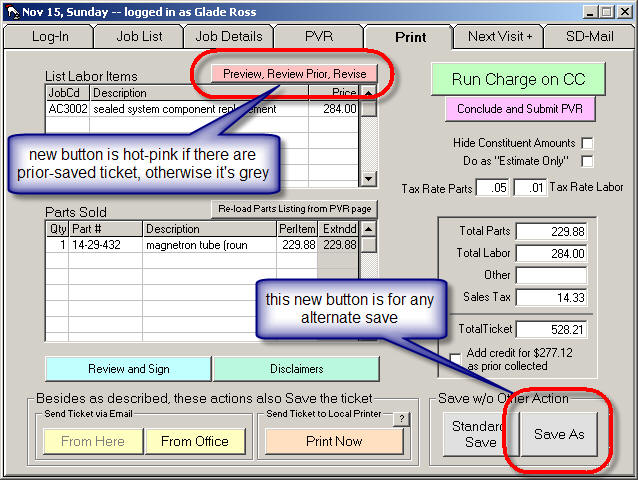
Either way, you are free to click on the button. If there are any saved prior tickets, you'll have an option between viewing the particular item of your choice (this will occur within a new form, called the Preview/Revise form), or loading (into that same new form) a preview of what your printed ticket will look like, if assembled on the basis of data as presently residing within your 'Print' Setup page. In fact, when ticket data is loaded into this new Preview/Revise form, you can edit the text -- thereby giving yourself an opportunity to tweak the final product in a manner that was never before possible.
In addition to that, if you opt to load a prior ticket, you can then choose to add to it from what's in your 'Print' Setup page (thus making a perfect marriage between the ticket as done on the prior visit, and new info that now needs added in result of a second visit). There's a large button toward the bottom-left of this new Preview/Revise form for the purpose.
A final new capability is one that allows you to save
alternate tickets -- such as, for example, if you want save an estimate separate
from the primary ticket. The new button, as provided this type of purpose,
is highlighted in the illustration above.
Dramatically Improved Multi-Threaded Structure for Transferring Data To and From Server:
Way back with release of Ver. 1.3.0 (June 8), we added a
separate little utility called SD-Agent. It's function: to be a
separate entity that moves data to and from the remote server, so that in the
event of connection problems or delays, it's not Mobile itself that ends up
freezing, while waiting for a communication to complete (very annoying for the
user). SD-Agent worked somewhat from the get-go, but not all that
superbly. As a precaution, we'd limited it's functions to just a few of
the data-movement tasks, pending proof of the methodology. We've been
working since to make it better, gradually moving more functions to it as we
gained in confidence and experience. In the process, we've discovered and
addressed a series of issues (which is why we're now on SD-Agent Ver. 1.0.4).
This most recent version of SD-Agent (as included with the present release of
Mobile) has some dramatic improvements over prior instances. We expect it
to be much more immediate in fulfilling tasks (assuming, of course, that a
decent internet connection is available), coping with absences of a connection,
keeping the user informed of status, etc. We anticipate that, if it
proves as good, from this point forward -- as we think it will -- we'll likely
soon be moving the balance of communication functions to its care. We look
forward to that, because it should spell the end to those freezing delays that
so annoy.
Thorough and Complete Repair for the File Transfer Problem
A few months back we added the option where you can provide
your graphic logo/header, for inclusion at top of the Mobile ticket. This
involved creating mechanisms via which MobileLink uploads your graphic file to
the remote server, from whence it's downloaded (and used) by each mobile unit.
It turned out the upload/download mechanisms, that we created for this, were not
always successful. More recently we added another file upload/download (of
your Margin Planner file), and that proved to be inconsistently reliable, as
well. We had a really, really difficult time getting to the root of the
problem -- but today we finally nailed it. Updates on both Mobile and
MobileLink solve the problem.
Connect to Rossware Now Added to the Mobile Interface
Users in ServiceDesk have long enjoyed the ability to click on a simple button, and quickly have their computers connect to Rossware for easy and quick technical assistance. Mobile techs have not had the same capability, until now:

As you can see, it's a simple button on Mobile's main/Login page. A simple click initiates the easy connection process, just as in ServiceDesk. We figure this will make it much easier for us, at Rossware, to provide any needed direct assistance to the techs, rather than having them first pester you, in the office.
Upgraded Window for Upload Que
Since SD-Mobile is designed to continue with successful operation even if the user lacks an immediate internet connection, there is an obvious need to occasionally store data locally, describing events that need to be uploaded, pending the next connection and successful handoff to the remote server. From almost the first release, we provided the user with a window that informs of how many items are "in que" awaiting upload.
However, since creating that original window (exposing just three upload ques), we've added many more functions, for which data upload is also occasionally needed. As we did so, we did not keep up, in regard to adding new windows for each new function. This release addresses that, adding six new que windows. This makes it child's play for a tech to determine if his application is "sitting" on items that have not yet been uploaded to the server. If there is ever an issue about items getting to the office, this can dramatically aid in diagnostics.
| Old Que Window | New Que Window |
 |
 |
In general (and assuming the tech has a concurrently good internet connection), none of these que values should be seen above zero for more than a few seconds at a time (that is, essentially, how fast uploads should typically be accomplished, and the ques zeroed out). If the tech goes for any period without a good connection, however, he'll see the values in each window (as applicable to the work that he's performed) notch upward, until the next connection clears the values back out.
Auto-Prompting to Read This Blog
We've long encouraged people to regularly read this blog (how can you benefit from new features if you're not aware of them?), but many don't. In the effort to redress that, both Mobile and MobileLink will now detect if a new version is installed, and auto-prompt the user for permission to open this window. In fact, they'll continue pestering until the user consents. We're "leading the horse to water," and simply ask you, please, "to drink."
Dramatically Improved Downloading of SmartParts Data
As you likely know, the Mobile interface is configured to make
automatic use of SmartParts data -- for auto-filling of as-you-type dropdowns,
pricing, etc. The one caveat to this nice functionality (aside from it's
not so great if you're not in appliance repair) has been that the very huge data
set (approximately a half-million records) must be downloaded into the mobile
computer, before being available for use. Until now, the download process
has been extremely time-consuming (often taking many hours to complete).
We've now totally re-done the download basis, and it's dramatically faster.
New Whirlpool Warranty-Entitlement and Product-History Feature Now in Mobile!
It's possible you noticed: for some weeks, my attention has been on the ServiceDesk side of improved programming. But, on turning my attention back to Mobile, I've done so with a BIG SPLASH!
As indicated by the heading, that terrific new feature (as added a couple of weeks ago in ServiceDesk), is now in Mobile. Only, it's even flashier in Mobile, and is likely more useful here, too. It can be accessed either from the JobDetails or PVR page, via buttons within each, as follows:
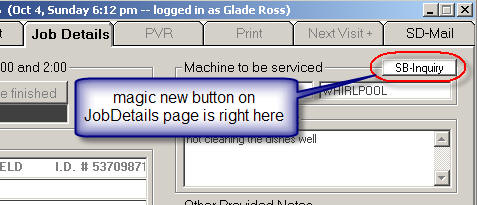
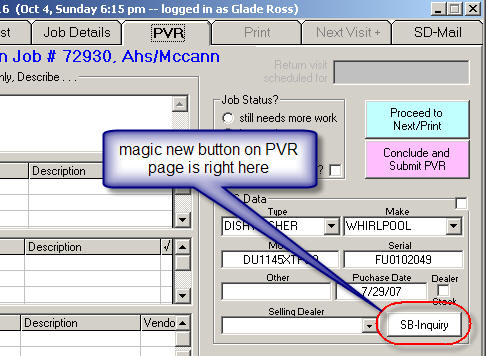
Neither button will be activated unless a Model/Serial combination exists (i.e., for the presently selected job). Assuming that combo does exist, all it takes is a simple click. In immediate response, Mobile sends a query to ServiceBench asking for Warranty-Entitlement and Product-History on the Mod/Ser in question. Typically, the response comes within a second:

If you don't think that's awesome, either you're not a Whirlpool warranty servicer, or you simply haven't tried it.
Speaking of "being a Whirlpool warranty servicer," that is, in fact, needed for this feature to work. More specifically, you need to have ServiceBench login credentials, and as connected to a Whirlpool servicer account. Even more particularly, SD-Mobile must be equipped with those credentials -- as it's necessary for it to present them as part of the underlying query.
To make providing the credentials to each Mobile unit
easy, the MobileLink program has been updated with a new, underlying function:
unseen by any tech, it uploads
your confidential credentials to the remote server (don't worry, security is
safeguarded), where they're available to each Mobile unit, as needed (again,
unseen by any tech). Aside from making sure you've updated the MobileLink
program to Ver. 1.3.16 or above, there is one other pre-requisite to making sure
that happens. The office station where MobileLink is running must,
itself, be equipped with valid ServiceBench credentials. To assure this is
so, simply test the Warranty-Entitlement feature, within ServiceDesk, from that
station (go to the UnitInfo form [Shift-F12], and click on the ServiceBench
Inquiry button). If credentials are not already properly setup at
that station, it will prompt you to do so.
Uploading of Merchant Credentials Now Functional:
Some time back we added a new a checkbox, in the MobileLink program, designed to enable the uploading (to your techs) of Merchant Credentials. However, it was like one of those "dummy plugs" in the dashboard of your car -- a placeholder for a feature not yet truly present. With this release, that checkbox is now operational.
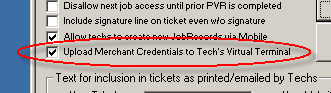
With the box checked (and assuming you have the computer where, MobileLink is running, appropriately setup with Merchant Credentials, those credentials will be automatically uploaded for you, and thus available (and without any added effort) for each tech to use within his Virtual Terminal facility. In other words, this eliminates any need for you to otherwise get those credentials to him, and for going through the agony of helping him to get them appropriately plugged into his Virtual Terminal.
BTW, if any of you folks are not yet using the Virtual Terminal, there is no better time to begin than now. You won't believe how easy it makes credit card transactions, or how much money it will save you.
New "Needs Autho" Feature:
For quite a long time, the PVR-Type-II interface, in ServiceDesk, has had provision for the user to check that a job needs authorization (i.e., from the underlying client) before proceeding further. Until this moment, there has not been a similar capability in Mobile. That is now addressed.
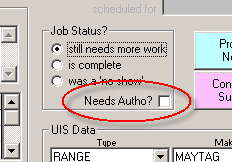
It's done with a simple new checkbox (within the SD-Mobile PVR page), as shown above. With this item checked, at least two things will be done differently:
1. When the tech clicks on the 'Submit PVR' button, the system will check for any parts that he's requested ordering on, and make sure he's checked the 'P&A-Only' only box. If not, it will prompt him to change; and
2. The underlying JobRecord (back at the office) will be placed into 'Pending Authorization' status.
"Go-Back" Feature Now Operational:
Long ago, we stuck a button into the tech's Mobile interface that was intended for the situation where he arrives at a particular job (or perhaps calls prior to going), and finds it doesn't work at that point in the day, but wants to schedule a "go-back" visit for later in the day. The button is shown here:
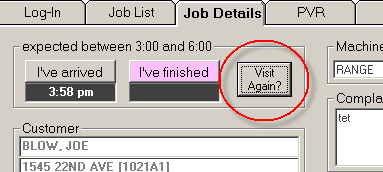
That button has been there for a long time, but until this release, if the tech clicked on it, he was basically told that the feature was not yet functional. With this release, that's changed. The button is now fully operational, and provides an easy means for the tech to make a same-day go-back appointment, particularly in situations where he is NOT doing a PostVisitReport in conjunction with the first appointment (in that case, he can use the 'New Visit' feature that has been operational for some time).
New Intermediate Option, Between Demanding Ticket Creation Never vs. Demanding Always:
The early Mobile design, in regard to creating electronic tickets, left it entirely to the tech's discretion as to whether to do so (though, to be sure, there were prompts urging him to do so in situations where it seemed most apt). To at least one user, this was not good. This user wanted assurance that each tech would create an electronic ticket in every instance, so we added a user-selectable option, in MobileLink, where such a requirement could be switched 'On' (see following).
Recently another user wanted some help enforcing ticket creation, but not a situation so draconian as demanding it in every instance. So, we created an in-between option where, within MobileLink, you can set to require ticket creation in any instance where the tech has collected money.
Contrasted with the old-option layout (first illustration), this shows how you'll see the choice from this version forward. FYI, the third option ("always") is the same as having checked the former checkbox. The first option ("never") is the same as having not checked it (and is the default). The middle option is the new intermediate.
Tiered (and Your-Curve-Specific) Auto-Pricing Now Functional in Mobile:
When initially rolling out a product like SD-Mobile, you leave off a lot of bells and whistles, even for things you know will ultimately be important. The idea is to get basic functionality running smoothly first, then add as you go. We certainly followed this strategy in regard to parts-pricing. Until this release, when the tech indicates parts as used from stock, the system would auto-fill (for selling price) whatever price you have listed as retail in your ServiceDesk MasterPartsPlan, without regard to what perhaps should be special pricing for a particular client (i.e., as setup in ServiceDesk's underlying QuickEntryTemplates). In regard to other parts (i.e., when the tech is ordering or similar, and selects from drop-down SmartParts data) the system would simply insert the SmartParts-indicated retail, and again without any special pricing considerations as might have been setup for the particular customer in question. Even worse, in this latter context, most companies want to charge even normal customers more than manufacturer suggested retail, which is essentially what's listed in the SmartParts data (and, until now, is what's been inserted for you).
With this release, we've addressed the second part of the equation, at least. In particular, Mobile will now be equipped with whatever pricing specific curves you've setup in the ServiceDesk Margin Planner, and (at least in the auto-insertion-from-SmartParts-data mode), will use the particular Tier as applicable to the customer involved.
FYI, we'll have to take one more step to make this applicable to stocking parts. The reason is, as of now, we're not providing the Mobile interface with actual inventory information, which includes the cost data on which any specific-to-circumstance margin markup must be based. Thus, we can't do the particular-tier margin markup on stocking parts until we address that underlying issue.
Improved Printing of Signature-Disclaimers for Printek-Direct Method:
If you're using a Printek printer (paper is in a tape-type roll), and have had a very long signature disclaimer, the system may have failed to print the entirety of that disclaimer. New coding within this release will detect the situation, and extend the length of paper used, as needed, to accommodate however much as is needed for your disclaimer text (note this will work with other paper situations, where page height is fixed).
Fix for "P&A" CheckOff:
We discovered that, when a tech
check's on parts he's ordering that they're for "P&A Only," the checkmark did
not reliably stick. That is now fixed.
Oops:
In the new, New-Job-Creation feature, I forgot all about coding for an important element: adding in the new appointment, as corresponding with the new job as created by the tech.
To clarify, when first-providing the new-job-creation feature in Mobile, I did indeed add elements to the interface where the tech can select and indicate an appointment that corresponds with the new job. However, when adding elements of machinery to MobileLink that would (in consequence of the tech's work in Mobile) create the new job in SD, I forgot to simultaneously add elements that would create the appointment within SD's dispatch system. This release corrects that.
Enhanced Visual Indicator for New Mail:
We learned from Levi at Lebarchrigen Appliance that some techs have their laptop's speakers turned off, which prevented the "beeping" function (to alert to new mail) from having much effect. This release adds more visual indicators than before, which should be harder to ignore.
New "Dealer Stock" Checkbox:
Until now, the solution for filling in the date-of-purchase, when the tech is working on dealer stock, has been for him to type "DEALER STOCK" right into the DOP box. That was a little less than elegant.
As you can see, we've now added
a simple little checkbox, which the tech can simply click to make the
indication.
Techs Can Now Create NEW JOBS via Mobile:
Several months back, we added the ability for a tech to create new appointments (on jobs already in his roster) via the Mobile interface. The present addition is significantly more dramatic. In the image below, you'll see that the 'Next Visit' Tab has been changed to read 'Next Visit +'. It's because the page under that tab now does more, than just allow creation of a new appointment. Indeed, the appointment-creating machinery has been squeezed somewhat to the left, to make room for that nice new yellow button on the right:

When the tech clicks on the button, he'll get a whole new interface, as follows:
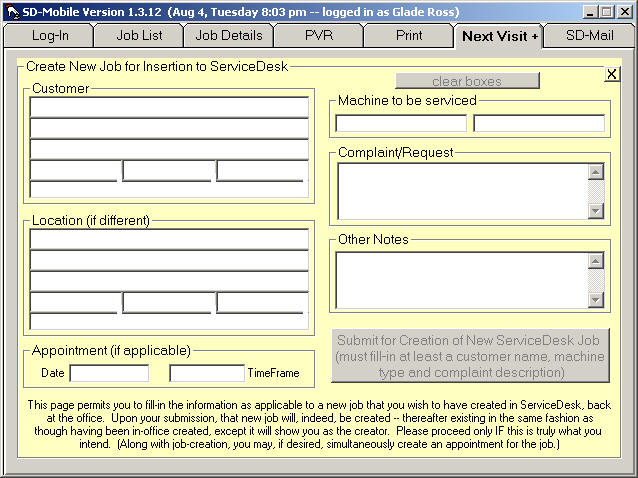
As you can see, it has all the appropriate spaces wherein the tech can fill-in info as pertinent to a new job. And when the submits it, that job will automatically appear in ServiceDesk as a new JobRecord (in other words, the Callsheet stage is bypassed).
Of course, we realize that not all of you will want to grant your technicians this kind of power. For that reason, by default setting this new power is turned off. If you want to turn it on, you must do so from the MobileLink utility. It has a newly operative checkbox for the function, as follows:
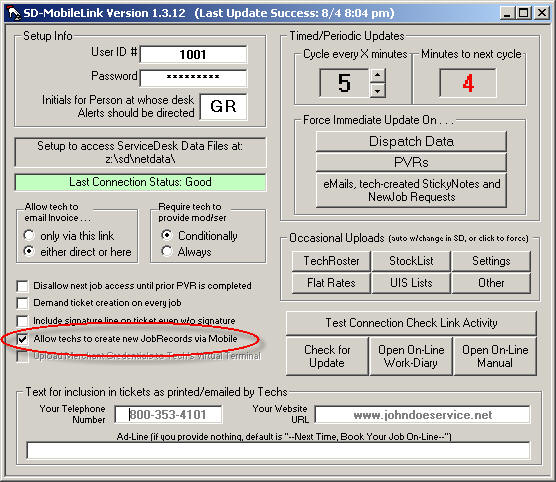
If you want your techs to have
the power, just check that box, and they'll have it!
New -- Tech-Created StickyNotes:
ServiceDesk users have long enjoyed the electronic "Sticky Notes" (formally known as AttentionNotes) that can be attached to the face of any JobRecord. A while back (and based on user request) we added the ability for field techs to see office-created Sticky-Notes via the Mobile interface (in fact, a button flashes in red to show him he should be reading such items). Since then, Steve Merriam (in Portland) added a new request: For an ability where the tech, via Mobile, can create new Sticky-Notes that show up in the applicable JobRecord back at the office.
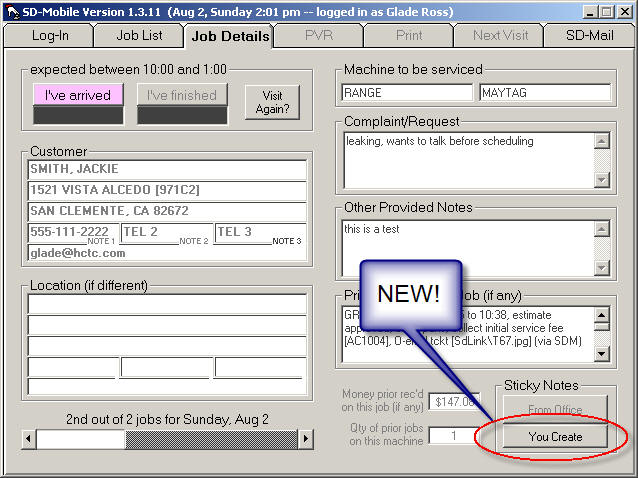
All the tech has to do is click
on that new button, and when prompted type in his note. The result will,
indeed, show up on the JobRecord, back at the office, as a new Sticky Note.
Two New User-Setting Options:
It seems that user preference infinitely varies -- and, of course, here at Rossware we attempt to accommodate preference to any and every extent it's reasonably feasible.
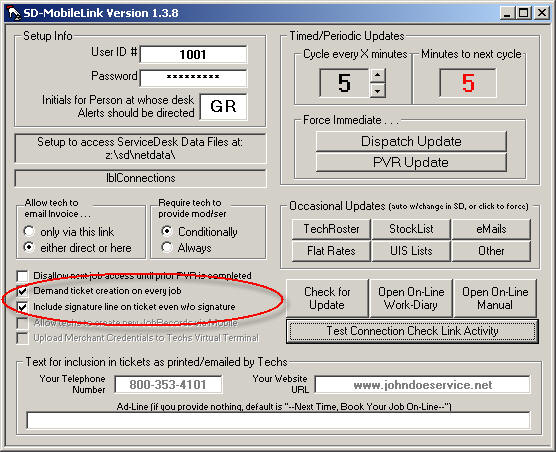
The first new option (see illustration above) was added at the request of a company that wants their techs to always create an electronic ticket, in every instance and without exception (and needed the system to provide a little enforcement). Please understand, if you check this option, that's exactly what Mobile is going to require of your techs (can't tell you how many calls we get from people complaining that Rossware systems are doing exactly what they -- the users -- told them to do).
The second option (again, see illustration) stems from the fact Mobile is designed, when printing a ticket, to omit the signature line (together with the text underneath it) in the absence of any electronic signature as collected from the customer. The reasoning is that there is no particular need for that, in the absence of a signature, and the ticket is more aesthetically pleasing in the absence of an empty signature line. However, a company in Nebraska is not collecting signatures electronically, but is field printing the tickets in every instance, and after field printing needs to have the signature line included (with disclaimer text), for good old-fashioned paper-and-pen signing by the customer. So, this option allows precisely that. With it checked, the mobile ticket will include the line and disclaimer text, whether an electronic signature has been collected or not.
Please understand, you'll set these options with MobileLink. The result will be experienced -- by your techs -- within SD-Mobile.
Miscellaneous:
There are always
miscellaneous improvements. For example, this time around we added a
feature that can tell us, when working on diagnostic issues, the precise moment
the tech saved a PostVisitReport (i.e., as opposed to when he started and ended
the job, when the PVR uploaded, etc.). We fixed a fault with the Copies
quantity when using the Printek-direct method, etc.
New Freedom on Opening Tabbed-Pages:
If, as a technician, you've wanted the ability to open a job's PVR, Print or Next Visit page prior to clocking-in on that job, this release addresses your desire. Just as always, the tabs for those pages will appear visibly disabled until you first click in your arrival. However, though appearing disabled, they'll not truly be unavailable. Just click on one, and you'll see the system allow you to open the page -- albeit with a small warning explaining why, even now, we're continue to make the pages appear disabled.

Again (and to emphasize), until you clock-in on a particular job, we're keeping those particular tabs (as associated with the job) grayed out. This is to maintain the visual continuity where, logically, you don't typically need to address those pages until after clocking in. But if you have the extraordinary need, the pages can be accessed (just click on the grayed-out tab) regardless.
Total Re-Write on Serial Port Access:
There are three operations, at this point, where SD-Mobile may need to communicate (with an accessory piece of hardware) via your computer's serial port. One is if you have a serial-type credit card swiper. The other two are if you're using a Bluetooth-attached printer and/or barcode scanner, particularly the Printek option (such Bluetooth connections work via a virtual serial port). Until now, SD-Mobile used a Windows component, for this purpose, called MSComm. It worked perfectly and consistently for hardwired serial connections, but on some platforms was problematic with Bluetooth. Finally, we decided to get rid of it.
Thus, with this release all
serial-port-connecting program code has been totally replaced with code that
uses direct Windows API calls for the communication. Though involving a
lot more coding effort, we believe this will result in the system being much
robust, and more universally adaptable to a multiplicity of platforms.
This series had many operational
fixes and improvements, but if there were any new features sufficiently
significant to write about, I forgot to do so (sorry).
Exciting New MapPoint Integration:

The image practically speaks for itself. With a single click, your tech can now open his entire route into MapPoint -- ready for turn-by-turn directions, and with the most optimum routing possible. He may also (and additionally) export his route to a file, for importation into a separate GPS guidance program, if so equipped. Wow!
Of course, for the MapPoint portion to work, you need MapPoint. It's a $300 program (or thereabouts) from Microsoft (do your own shopping). On the plus side, it's our experience you can install MapPoint on as many computers as wanted, off a single purchase and single install CD.
Naturally, the GPS guidance system is also up to you. We have not canvassed the market to know what systems can (or cannot) import a route via file. We can assure, however, that so long as you have a system that can, we now have the export for you.
Improved Infrastructure for Faster Log-Ins:
As we've added new functions in Mobile, it's sometimes been our strategy to release them quick, while minimizing investment in underlying infrastructure. To state this differently, though you'd always like to create a maximum foundation before building, sometimes it's better to get the building up quick. For us, this has been true in respect to several elements of underlying data that each tech needs to acquire from the office. It includes things like the MasterPartsPlan index (needed for the tech to indicate parts used from stock), the FlatRate list, and custom Signature Text and Disclaimers. Your SD-MobileLink program auto-uploads each of these to the remote server, from whence each tech's Mobile program downloads.
The thing is, these elements of data (often not tiny ones) do not need to be downloaded repeatedly. Typically, they remain constant for days, weeks, even months at a time. However, while it's easy on our end to write a bit of programming that simply downloads and uses such data (on-the-fly and with each log-in/run, as it were), it requires a considerably more to create mechanisms via which, after one download, it is stored locally, to be available for re-use the next time Mobile runs. Until now, such further programming had not been done. This meant, every time your techs logged-in, SD-Mobile was re-downloading those elements of data. If he had a superb internet connection every time, this was likely not an issue -- but if his connection was slow and/or tenuous, it likely resulted in a slow, even sometimes failed, log-ins.
All that is addressed with this release. For each of the above-described data elements, SD-Mobile downloads them once, and saves. With subsequent log-ins, it uses the saved data -- unless it's been superseded with newer, in which case it downloads and saves once again. This will significantly reduce data-transfer load -- making tech log-ins quicker and more reliable.
Next Step on Multi-Threading:
In the prior entry we described
a dramatic improvement, where data upload and download processes can now be done
in a separate processing thread, so if there's a failure or pause in the
communication, the tech's interface does not freeze on him. We explained
that, to be cautious in the introduction of such new technology, we were
implementing it only in respect to limited upload/download processes at first.
Essentially, we wanted to prove its reliability before implementing it more
broadly. With this release, we're broadening the implementation slightly
Now, SD-Mail downloads will employ the new method. The next release
should involve more processes still -- with expectation that we'll migrate
processes over gradually, one after another, until eventually all use the new
method. For now, please bear in mind that the bulk of download/upload
processes still use the old method -- meaning certain kinds of internet
connection faults may still result in temporary freezing of the tech's SD-Mobile
interface.
New SDM-WorkDiary:
This release was accompanied by the final routine/general-announcement email as sent in conjunction with SD-Mobile updates. It was the final such email because -- from this point forward -- announcements are being made via this brand new SDM-WorkDiary (the common term for any such a journal is "blog"). Here's an excerpt from that last routine email:
I've also now created a new SDM-WorkDiary (similar to the SD-WorkDiary, but for Mobile instead of SD) where you can read details regarding this set of improvements, those that preceded it, and those that will come after.
Indeed, please be aware that -- now that I've created this on-line "blog" -- it will be the primary means by which I communicate improvements to you. It's important to make yourself willing to read new entries there as you update to each new release. Otherwise, you'll not be aware of new features as they are added. There is, furthermore, added potential benefit in making your technicians aware of new features -- something that previously had been difficult, since new features were formerly announced, solely, in emails to you (emails which, for the most part, will not now be coming to you). Now that we have this on-line blog, your techs can read about new features and improvements for themselves. To make it easier, I've added buttons (in both Mobile and MobileLink) that will open the on-line blog for you or your techs (please see attached illustrations).
You may be wondering, since this (right here) is the first real entry in this blog, how is it there are so many preceding entries, below? It is because, simply, we went through, found all the prior update-announcement emails (that's the method we were using to inform users prior to this blog), and added them (or at least text from them) after the fact.
From now on, please be sure to check this "blog" regularly, as it's the place where you'll learn about new features and improvements.
Option to Use Graphic Logo for Header Section in Mobile Ticket:
It was most of a year ago when I worked out the machinery for allowing use of your own custom (and artistic) logo in the header section at the top of a mobile ticket. However, I did not then put it into production because I found that, when the on-screen version of the ticket did it's grow/shrink animation for customer signing, presence of the graphic made the animation much too slow. Later I realized we could simply stay with a plain text header for the on-screen view, but use the artistic graphic when composing the final presentation document (i.e., for printing or emailing). That expedient is offered in this release. For instructions on how to setup the system to use your own graphic header, please see the current SD-Mobile Handbook at the top of Page 13.
Improved Payment Info at Bottom of Mobile Ticket:
The mobile ticket will now include a description of the particular kind of money the tech received, and distinguish money received on the present visit from prior receipts on the same job. In the case of a check, it will include the check number. In the case of a credit card transaction that was run live, it will include the processing transaction number.
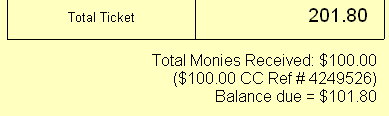
Improved Handling of Prior-Received Payments:
If the tech is using Mobile on other than the first visit, and if monies were already collected in the course of prior visits (or otherwise), the system tracks the prior collections. As previously programmed, it would automatically assume such prior collections should count, as monies received, against the current ticket. That works fine if the current ticket is assembled to be cumulative (i.e., including charges for whole job, both past visits and present), but where the ticket is assembled to reflect only current work, inclusion of such past collections (as credit toward the current) ends up being erroneous. There was previously no mechanism to deal with this. Now, there's a new checkbox in the print page. It shows the total of any prior collections, and can be checked to indicate whether (or not) such prior collections should apply toward the current ticket. It defaults as unchecked.
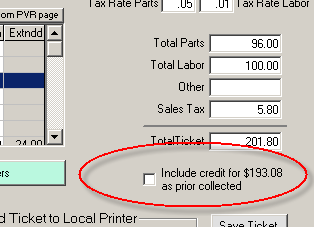
In this same connection, if the tech decides to run an integrated credit card transaction, the system will assume a total charge (for the credit card transaction) based on whether or not this new box is checked (i.e., it will only deduct past collections from the assumed charge if the box is checked).
Separate "Threading" for Server-Connection Functions:
This is huge. I would have made it the first item described in connection with this release -- except, while you need to know about the others to take advantage of them, your techs will enjoy this mega-improvement without any need to know it's there.
Specifically, you're certainly aware that SD-Mobile is designed to continue purring happily even if the tech loses his internet connection. For the most part, it has fulfilled this promise. Its simple mechanism has been, before it attempts any connection for the sake of updating data (uploading or downloading) it first does a simple "ping" to the server in Dallas. If the ping comes back good, it goes ahead with the update; if not, it refrains (though, of course, trying again in another few minutes). Only problem is, sometimes this does not work.
Occasionally the ping succeeds, so Mobile turns to Windows and says, essentially, please upload or download this data. Windows then makes the attempt, and (because the connection has since gone sour) stumbles. In fact, it waits and waits for the data transfer to complete, and while it's waiting the underlying processor is delaying further execution of program code within SD-Mobile. This means, in other words, that so far as the tech can see his SD-Mobile program has frozen. It's not that it's its fault. The underlying Windows system is simply refusing to further execute its code -- until that request, as sent to Windows, completes.
So how do we solve that?
The solution is called "multi-threading." Essentially, we setup a system where the request to upload or download is managed from a different process thread (it's actually a different program, running separately) than Mobile itself. Thus, if the request does not return immediately, it's that separate thread that pauses in its execution, and not SD-Mobile.
Multi-Threading is a very advanced process (most applications run in a single thread only), something few developers do, and it involved a large investment to program multi-threading ability into Mobile. However, it's now there.
With this release, multi-threading is being used with only two server-connection processes: downloading of updated SmartParts data, and uploading of SD-Mails. In case there are any operational issues as unique to particular platforms, we wanted to test on less critical functions first. Assuming no major issues arise, we'll soon add multi-threading to the others. Once it's added to all, your techs should cease to encounter any "freezing" at all, as associated with limited or no internet connectivity.
Again, please understand: though we've now introduced the new mode of connecting, it is still not implemented for most connection processes -- so at this point your techs may continue to encounter occasional freezing.
New Interface for Parts Directly Ordered (and/or Picked-Up) by the Tech:
I recently realized (of course, it was on basis of a user telling me so) that SD-Mobile was not well-configured to handle the situation where a technician directly calls a vendor to order a part, or goes right to the vendor's place and picks up a part. For many operations that's a common occurrence, and yet there was no mechanism in Mobile via which the tech could indicate that he'd actually ordered and/or picked up the part (from which vendor, invoice number purchased on, applicable PO#, etc.). Instead, we only had mechanisms for him to: (a) indicate parts used from his pre-existing truck stock; or (b) request that the office order a part (which then, of course, places the order with a vendor, documents the processes, etc.).
That deficiency is addressed with this release.
Specifically, the PVR page now has three boxes for entering parts, instead of the prior two, as follows:
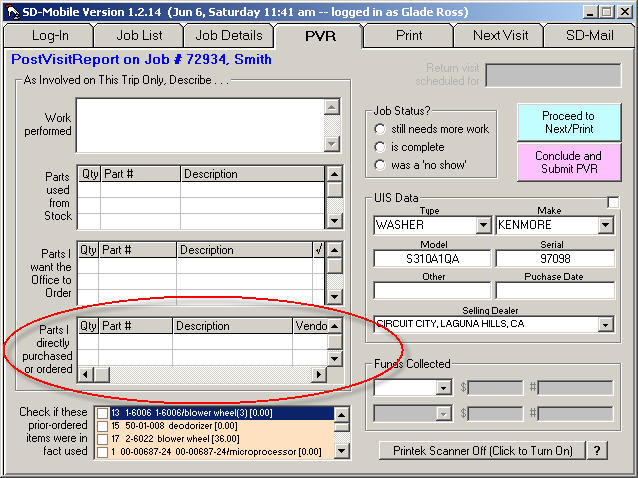
The added third box (circled above) is for the new, handled-direct-by-tech parts function. For any such part, the tech should simply use this section, appropriately filling in boxes for each involved item (as he scrolls to the right, he'll see there's a place to indicate whether he ordered or picked-up the part, which vendor, and similar info). Based on his appropriate use, all associated data will automatically populate into the ServiceDesk PartsProcess (F8) system.
Updated SmartParts Data
If you were not aware, SD-Mobile downloads the SmartParts data set, for use by the technician in drop-downs, auto-fills, and so on. We just uploaded fresh, up-to-the-minute data, which the Mobile interface will automatically prompt each user to accept the download of.
Protection Against Un-Submitted PVRs
As you should know, SD-Mobile provides the perfect interface for each tech to do PVRs on each job in real time. Recently we became aware that some techs are occasionally filling in all the PVR information -- dutifully and beautifully -- but forgetting to click on the 'Conclude and Submit' button. What a travesty. This release adds a protective dialog. If the tech has entered any significant edits into a PVR page, has not yet submitted the report, and attempts either to replace with a different job's PVR page or to close the program, the system will warn him, and invite him either to allow an admit submission, or to go back and finish his PVR then submit.
Protection Against Incomplete Parts-Entry Lines
We've had a very few reports where technicians claim they entered a part for ordering, yet it never showed up in ServiceDesk. One suspicion is that such a tech may have failed to fully enter the order information. Perhaps he provided part number and/or description, for example, but neglected to enter a quantity. This release adds a sentry that looks, as the tech goes to submit a PVR, to see if he perhaps made such an error, and warn him if so.
Fixed Ghost Part Entries
For a long time, there have been occasional reports of part items showing up in one mobile-generated ticket that, in fact, were from the prior job. I finally found and fixed the cause. It happened it a tech filled in the PVR page on Job-A with one or more parts, then switched to Job-B, and went directly to its 'Print' page without first visiting its 'PVR' page. This is because the 'Print' page pulls some of its data (including listing of parts) from the 'PVR' page. If the tech did not visit the second job's PVR page first prior to hitting its 'Print' page, the PVR page was still populated with data from the first job. That is now fixed.
Fixed Potential Failure to Record Virtual Terminal Transaction:
We recently encountered a tech
who was not closing the Virtual Terminal interface after a concluding a credit
card charge. He encountered one of those "unforeseen circumstances" that
programmers dread. Turns out, I'd programmed the Virtual Terminal to
transfer its completed transaction info to the requesting program upon the
moment of its own closing, expecting that anyone and everyone would close that
interface after completion. Obviously, it was a dumb assumption. The
Virtual Terminal is now programmed to transfer completed transaction info into
SD-Mobile immediately upon encountering success, whether the interface is closed
or not.
Improved SD-Mobile Handbook
The Handbook has been
considerably improved. If it's been a while since you looked at it, you
may want to do so once again. You can open it by clicking on the
applicable button in either Mobile or MobileLink, or here's a
link.
RE: Updates on SD-Mobile, Vers. 1.2.7 (Mobile, 1.2.8 (MobileLink)
Greeting Modern Servicers:
I've just uploaded updates that address a few issues. The good news is that the significant improvements from last week did not introduce any major faults, and with the slight tweaking now provided, this pair of updates is officially "recommended." In fact, both Mobile and MobileLink should self-prompt their users to permit an update. Just wanted to let you know.
Regards,
Glade Ross
RE: Update in SD-Mobile (Ver 1.2.6) and MobileLink (Ver 1.2.7)
Greetings Modern Servicers:
As you can see from the caption, I've just posted updates to both ends of the mobile system. These updates address a plethora of issues. The most significant operative addition is the fact your techs can now save an electronic ticket (i.e., for Hyperlink to be inserted to the Job back at the office) without either emailing it to the customer, or printing it (see attached image).
I apologize that's it's taken me this long to get the updates out. And, I apologize that even with these updates, there are several major improvements I've still not completed (the option to have your own stylized/graphic logo at top of the electronic ticket, instead of just a plain-text business name, for example). Karie and I have been overwhelmed in providing assistance to a deluge of new clients (as have recently signed up), and it's pulled me away from development time. On the bright side, yesterday marked the first workday for our new hire, Matt Parkman, who will be involved both in programming and providing technical assistance. With any luck, our rate of programming/development will be significantly accelerated.
At present, I have not configured these updates to voluntarily invite their installation. The reason is, I did a lot of work in lots of places, which means an increased chance I may have broken something important. If you find this is true, please bear in mind that the SD-Mobile Downloads/Updates page has "roll-backs" included (look down toward its bottom). If ever you're in a pinch with a problem as caused by an update, just use the rollback to go back to the prior version. It's a good solution.
I will be out of town for most of next week, but Karie and Matt will be here to serve you.
Regards,
Glade Ross
RE: Update in SD-MobileLink, Ver 1.2.5
Greetings Fine Servicers:
I've just posted an update on SD-MobileLink (this is the utility that runs at the office, not the one each tech has installed in his computer).
This release includes a few fixes. Most notable is that we found and fixed a fault whereby in some instances the system was failing to find parts, as used by the tech, to remove from his inventory. This happened, it turns out, if he picked a part number that was from other than the first column used in the MasterPartsPlan. So, that is now fixed, along with some other (and smaller) issues that recently came to light.
To accomplish this update, please display your MobileLink utility (from whatever station where you have it running), and click on it's 'Check for Update' button (see attached illustration). Then, follow the prompts.
BTW, while troubleshooting yesterday I noticed that, to date, the SD-Mobile system has managed in excess of 112,000 PostVisitReports. It's been just over a year since inception, and of course the quantity of users began at a trickle and have been slowly building. Anyway, for the first approximate year, that's a lot of PVRs. I suspect we'll easily surpass a million PVRs by end of our third year. Regards,
Glade Ross
RE: Further Improvements in SD-Mobile and MobileLink, Versions 1.2.4
Greetings, Fine Servicers:
I've just posted updates to both Mobile and MobileLink. Improvements are as follows:
1. I've "already" augmented the new Disclaimers facility. If wanted, the tech can now print any disclaimer (with or without the customer's electronic signature). There's an obvious new button provided for the purpose.
2. I found and fixed the cause behind a long-standing fault where, sometimes, PartsPickList info did not correctly upload to Mobile.
3. I found and fixed the cause behind another long-standing fault where, sometimes, after the tech did a PVR via Mobile, the expected addition to the underlying JobRecord's narrative history failed to insert.
As all of you guys know (based on fixing machinery), it's the intermittent, irregular, never-occur-while-you're-watching faults that are a devil to nail down, and this makes it particularly gratifying that I accomplished Numbers 2 and 3 above.
Regards,
Glade Ross
RE: User Customizable Disclaimer/Signature Capture Now in SD-Mobile
Greetings Mobile Servicers:
Though I am, sadly enough, not to the point where I expected to be in terms of further SD-Mobile improvements, I have managed to add a major (and rather awesome) new feature.
The 'Subject' caption (on this email) announces the gist of it, well enough.
For a deeper explanation, please recall that some two or three months ago we added electronic signature capture as associated with service tickets generated within SD-Mobile. At that time, I said we'd follow shortly with the ability for the technician to electronically present your customer with any of several disclaimers you may want them to sign, and in a context for the customer to electronically sign. It took me longer than expected to get to the task, and when I began it I thought I'd manage completion with just five or six hours work. It was tougher than expected, and ultimately consumed (probably) 40 hours. Anyway, that much larger time-sink is why I haven't yet reached a few other tasks that some of you are waiting for (sorry, I'm peddling as fast as I can).
But, back to the subject of this new feature. If you have any desire for your customers to sign particular disclaimers in particular situations (such as, for example, prior to the technician moving a machine), you're going to find this new system works incredibly well. Using SD-Mobile, the technician will simply pick the disclaimer that's applicable, display it to the customer, and ask her to sign it (using, of course, whatever pointing device is applicable). With the task done, an image of the signed disclaimer will auto-transmit back to the office, with hyperlink thereto included in the PVR narrative that's otherwise added to the underlying JobHistory. If you ever have need or desire to view the signed disclaimer, all you must do is double-click on that hyperlink in the history. It's that simple.
Or, I should say, actual use is that simple. It does require a bit of setup. In particular, if you want to present your customers with one or more potential disclaimers, you've got to decide what those disclaimers will be. We have a new little section in the SD-Mobile Handbook that provides all the necessary instructions. Please remember, there are presently buttons (in both SD-Mobile and SD-MobileLink) on which you can click to open that Handbook, or you can go to the SD-Mobile Downloads page on our website, or you can click on this link:
The new section to look for, in the Handbook, is Chapter 8, which you'll find begins on Page 13. As you'll see upon reading the section, we've provided some sample disclaimers with which to help you along.
Please let us know if you encounter any difficulty or need further improvements on this new feature. We believe many of you are going to love it (I say "many," because I understand some of you are simply NOT in the disclaimer business).
Regards,
Glade Ross
RE: SD-Mobile Update Ver. 1.2.2
Greetings Mobile Servicers:
I have posted another update to SD-Mobile (none on the MobileLink side this time, so if you were already up to Ver 1.2.1 there, you're still current).
This update makes a number of improvements as related to the new VirtualTerminal facility (i.e., the capability for your tech to run credit card transactions directly). Most notably, if your tech is using a swiper that fails to self-register, it offers a manual "initiate swipe" button that will allow the swipe to occur regardless.
More significant (as compared to such incremental improvements) is a whole new functionality: SD-Mobile can now use the Printek-integrated barcode scanner.
What is the Printek-integrated barcode scanner, you ask? Alright, here's some background:
Printek makes a line of printers specifically designed for the "field service" environment. They are portable, ruggedized, battery powered, Bluetooth-connecting, etc. -- all the design attributes that make them ideal for a mobile environment. They optionally even include an MCR (magnetic card reader, aka credit card swiper) -- built right into the printer's body. They're a bit pricey, but overall offer an extremely cool setup. They also offer an attached barcode reader, which is what led to the main improvement as added in this release.
So that you understand, a conventional/modern barcode reader will plug into your computer's USB port, and when you scan something the translated text pops right into whatever text-enabled box your Windows cursor happens to be in (i.e., as though it was typed on a keyboard). Per any such setup, SD-Mobile and ServiceDesk have both been barcode-compatible from day one. The Printek setup, however, presents a special case, because it's barcode scanner is attached to the printer (rather than to your computer), and the printer (in turn) is typically attached to your computer via Bluetooth. Because of this, the standard means of receiving scanned barcode info would not work with the Printek machinery. Special programming was required, and that's what was added with this release. The SD-Mobile handbook has a new section (Section D on page 7) that provides details on usage.
We are working closely with Printek, specifically, because Whirlpool asked us to. In such conjunction, we are putting together a "turn-key" package that includes all the hardware, with pre-installed software, that's needed for a mobile-tech. The objective is to make it maximally easy for a mobile-tech to become truly and fully modernized. To that end, we have now become a Printek dealer. We can provide any Printek hardware you desire, and at a good price. If interested in exploring their wares, here's a link: http://printek.com/mt3/fieldpro.html.
Please let us know if you have any questions.
Regards,
Glade Ross
RE: Updates in SD-Mobile and MobileLink
Greetings, Modern Servicers:
I've just released updates on both SD-Mobile and SD-MobileLink, in the 1.2.x series (current release on both is 1.2.0).
There is a big list of improvements (coming on top, of course, of having recently added the Virtual-Terminal facility for use by your mobile techs):
1. StickyNotes (aka AttnNotes), as attached to any applicable JobRecord at the office, will now show for the tech in SD-Mobile. (There's a new button on the JobDetails page that will show in bright red when there are StickyNotes to look at.)
2. You can now customize the Ad-Line that appears on the SD-Mobile generated ticket. Formerly, that ad-line was hard-coded to read " -- next time book your job on-line -- ". Now, in the SD-MobileLink interface, there's a new box where you can type your own custom text. Assuming any text is placed in that box, tickets as created by the techs should immediately use that text instead of the default (try, for example, " -- the ones to call when only the best is good enough -- ").
3. When, from the Mobile end, a tech is entering ItemType, ItemMake or Selling Dealer, the boxes will now do the same kind of as-you-type auto-fill, as you're used to enjoying within ServiceDesk.
4. Fixed a fault wherein, even though the tech did his part on the mobile-end, sometimes items from the PartsPickList failed to be checked off (as having been used by the tech) within ServiceDesk.
5. Fixed a fault wherein, sometimes, the indicated quantity for part item in the PartsPickList, as shown to the tech in SD-Mobile, was erroneously inflated (e.g., maybe showing quantity of 6 instead of 1).
6. Fixed a fault wherein, sometimes, a signature as captured in connection with one ticket would erroneously show up (in addition to the first and correct one) on the next ticket too.
7. Fixed a fault wherein, if the tech created UnitInfo data from the mobile side, and if you happened to already have a UnitInfoSheet in ServiceDesk with the same serial number (and not prior-attached to the underlying job), SD-MobileLink did not add a job-to-UIS attachment, as it logically should have (don't worry, it still does not do so without first verifying that all fields appropriately match).
8. Although I've still not created facility whereby the tech can edit basic customer info (i.e., name, address, telephone numbers and email) and have such change JobRecord text back at the office, this release does add a function whereby, if the tech chooses to email the customer a ticket image, and if during the resulting dialog he enters any email address that's not already setup for the customer (i.e., within ServiceDesk back at the office), MobileLink will add that email address into ServiceDesk at the office.
Both SD-Mobile and MobileLink will self-prompt for updating, but I wanted to be sure you're aware of the particular improvements available in this current set of releases.
Regards,
Glade Ross
RE: Fantastic News for Mobile Users
Greetings:
I've got really terrific news. It's been a while coming, but -- finally -- your techs can run credit card transactions directly via SD-Mobile!
There is no added software to buy. It's perfectly integrated, and when your techs run charges, all the appropriate details go directly into ServiceDesk (actually, the same new Virtual Terminal can be used directly from within ServiceDesk too).
It does not even require any added hardware (at least, not if you want to let your techs simply key-in applicable card data).
However, we don't think keying in credit card data is remotely ideal -- considering you can purchase a simple swipe device (that integrates with our Virtual Terminal) for as little as $36 a pop. Considering how much you'll save on each transaction (when it's actually swiped as opposed to being keyed), you'll pay back so small an investment in a jiffy, and find yourself smiling all the way to the bank thereafter.
For details on this awesome new capability, please click here:
http://rossware.net/MiniManuals/Handbook%20for%20Rossware's%20Virtual%20Terminal.pdf
For any further questions, please feel free to call. We're anxious to help you begin harnessing (and reaping major savings from) this great new benefit.
Regards,
Glade Ross
RE: Electronic Signature Capture Now Added to SD-Mobile
Greetings, Modern Servicers:
I've just uploaded SD-Mobile and SD-MobileLink Versions 1.1.0. There are several improvements, but the most notable is -- simply -- that which is advertised in the subject line.
It's very cool. If your techs have tablet PCs, they can implement immediately (i.e., no new equipment to buy).
In fact, even if a tech does not have a tablet PC (a tablet PC is one that allows use of a stylus directly on the screen), he can implement right now (and with no new equipment) using his laptop's touchpad. We'd earlier thought this method would not be very elegant, but upon testing we think it's quite reasonable.
Aside from using a tablet PC or laptop touchpad, our new system permits use of ANY POINTING DEVICE you wish to use.
We've added a new section in the SD-Mobile Handbook to help you learn all the details (it's only two pages, so don't worry). It includes details on a nice little "Pen Tablet" device you can get for just $35.
You can always go the SD-Mobile downloads page to open a copy of the current SD-Mobile Handbook, but, to make it easier right now, here's a direct link:
http://rossware.net/DownloadSdm/SD-MobileHandbook.pdf
The Handbook's new section (i.e., the one you'll want to read) is Chapter 7, and begins on Page 10. Please read it.
I hope you and your techs richly enjoy this great new feature.
Regards,
Glade Ross
RE: Updates on SD-Mobile
Spring Greetings, Modern Servicers:
I've just uploaded another SD-Mobile Update. This one brings both the mobile and office ends up to Vers. 1.0.38.
This pair of updates accomplishes a single major task: the TimeClock feature is now operational.
From your end, all you have to know is that each tech's TimeClock data will compile in a file, to be found within the \sd\netdata folder on your server. For any tech, look for the file called TimeClock.XX.TXT (where XX is the two-letter abbreviation for the tech wanted).
I suggest you open the file in Excel, as that will nicely separate the columns, and provide a context for easily adding times for the period of interest.
You'll notice two columns that may provide a bit of curiosity: they're called "InFudged?" and "OutFudged?". This indicates, simply, if the technician entered an In or Out time manually. The system allows him to do this, based on the fact that he may have forgotten to log in, then find he needs to log out, or vice versa. However (and as you'll see) it flags any item so entered.
Regards,
Glade Ross
Update on SD-Mobile and SD-MobileLink:
Greetings Modern Servicers:
Both programs in the Mobile series have been updated to Ver 1.0.36 (again, by coincidence, it's the same version on both). There is some exciting new stuff with this update, as follows:
1. There is now facility for the technician to Email an Invoice to the Customer. Many have found it somewhat problematic to equip each tech with a mobile printer, and it's thought that, for many at least, it may be a reasonable substitute to email the customer an electronic invoice. The new, electronic ticket is configured exactly like the paper variety, except it has a nice yellow background (I'm attaching an example). It's done in the common .jpg format, so any customer with a computer should have no trouble opening it.
There are a couple of details in connection with this electronic ticket you should be aware of:
(a) The new ability is configured so that, at his option, the tech may either email the ticket directly from his mobile computer, or he can click a button requesting that SD-MobileLink (back in the office) send the item from the computer in which it's running. I suspect, in almost all instances, you'll prefer the latter option. Disadvantages of the first include the fact that, if sent from the tech's mobile computer, the customer would get access to his direct email address. Plus, he'd need to have Outlook Express correctly configured in his computer (to do the actual sending). If all sending is done via the office computer instead, both worries are ameliorated. You'll find, in the new MobileLink program, there is a new option where you can disallow the tech from direct-sending tickets (thereby forcing him to do it via the office). I suspect most of you will want to choose this option.
(b) At any machine that's going to email invoices, a new underlying file is needed (it's what allows the system to formulate an image in .jpg format). The file is called FreeImage.DLL, and it's available on the SD-Mobile downloads page. Also, you will need to have Outlook Express setup with ability to send emails, and configured (on that machine) as the Windows default email program.
2. ServiceDesk will maintain an electronic copy of each ticket produced by the remote tech, whether it was printed or emailed. The fact that a ticket was produced (and method used) will be part of the narrative history (i.e., as inserted to the JobRecord via the PVR), and it will include a hyperlink to the underlying image. If you want to see the image, just double-click on the hyperlink.
3. There is now facility to force technicians to complete PVRs on earlier jobs, before proceeding to later ones. The SD-MobileLink program also has a new option to enable this (it's labeled "Disallow next job access until prior PVR is completed." I suspect many of you will want to check this option, as well. FYI, in disallowing next job access at the tech's end (absent prior PVRs) I worried about the occasional situation where, for whatever reason, the tech might legitimately need to break the rule. I just knew there were going to be needed exceptions. Based on this, I've structured the system so the tech gets a limited number of passes. I'm attaching the message boxs, from within the system, that greets the tech (and informs him of how the system works) when he tries to break the rules. I think the scheme is likely to work well, but time will tell.
4. I've bolstered linkage between the 'Description of Work Performed' box in the PVR page, and the 'List of Labor Items' box on the Print page. Now, if a tech populates the latter via its drop-down flatrate list, but has left the former blank, when he goes to print the system will automatically ask if he wants the former auto-filled based on what's in the latter. It also now asks, if the tech has filled in both boxes but with different text, which description the tech would like to have in the printed/emailed ticket.
5. I've also now configured it so the actual flatrate codes, as used for insertion of labor items, are included in the summarizing text. Thus (and in typical situations, at least) those codes will appear both in the ticket description and in the narrative job histories.
In all, I think you'll find these improvements are very powerful. Sadly (only to me, because it means I still have so much more work to do), there's a lot more on the way.
Regards,
Glade Ross
RE: New Updates, SD-Mobile and MobileLink
Greetings:
I've just posted updates for both the Office- and Tech-Side of SD-Mobile (both are Ver. 1.0.35). They feature the following improvements:
1. The PartsPickList (as displayed the tech) now includes BinLocation for each applicable part. You can use that field broadly. In other words, suppose the part is not in an actual bin at your location, but you intend for the tech to pick it up at a particular supplier. Make some code to denote that fact (e.g., "p/u APW). You should be able to figure shortened references to communicate almost any situation.
2. The system now uploads, for the tech, an indication of any money's prior received on the job (those monies are likewise figured in calculating balance due, when printing a ticket).
3. The system now uploads, for the tech, prior job history.
4. The system now uploads, for the tech, an indication of how many prior jobs were done on the same machine.
5. The system now uploads customer and location email addresses.
6. On both the Mobile and MobileLink sides, when you go to update, the utility will shut itself down (i.e., to get out of the way so the Unzip succeeds). Please note it won't help for this update, because the versions that are out there now do not have this feature.
Both systems should prompt for the update, but please check regardless to assure it's done. Again, both office and Mobile should be in Vers. 1.0.35.
Regards,
Glade Ross
RE: Update on SD-Mobile, Mobile-Side
Just wanting to letting you know, I just did an update on the mobile-side with several improvements:
1. The SD-Mail system is significantly upgraded; among other things, there's now notice when new mail arrives, and the tech will get pestered until he looks at it.
2. Printing tickets is upgraded; the tech can now select the printer wanted (which makes it possible to email tickets, among other options); also fonts were enlarged in places where previously they'd been unnecessarily small.
3. There's now a check, when a tech claims parts were used from stock, to make sure they're items correctly pulled from the drop-down list, and not simply typed in at large (we found a number of techs were erroneously using the PartsUsedFromStock box when they intended to reference parts that were special ordered).
Since the system now self-prompts for updates, there's likely no need for you to worry about the matter. At most, you might wait a day and check (using the facility in SD-MobileLink) to verify all your active techs have updated. The current version of both SD-Mobile and MobileLink, coincidentally and at this moment in time, happen to be the same. They're both Ver. 1.0.34.
Regards,
Glade Ross
RE More Updates, SD-Mobile and MobileLInk
I hate that stinking "Law of Unintended Consequences."
It's like a law of nature, immutable, unbreachable, forever omnipotent.
In this instance, based on an improvement as made to assure that the mobile tech's jobs always retain the same sequence as set in the office, there was the unintended consequence of the mobile tech's PartsPickLists in some cases multiplying (same items repeated over and over again).
Anyway, that's fixed in the current updates, along with a few other things.
Current SD-Mobile is Ver 1.0.32.
Current MobileLink is Ver 1.0.33.
Please see that you update (particularly in the office; your tech's should be auto-prompted).
Regards,
Glade Ross
RE: Ver 1.0.28 Update on SD-Mobile
Greetings all:
This update involves the Mobile-side only (i.e., the techs' computers). Assuming your techs already updated to Ver 1.0.27, the application itself should tell them, this time and henceforth, of the need to update.
FYI, it turned out that the Mobile app still had a fault that was causing the status indication, as displayed for each job, to occasionally go screwy. Last time I felt I "almost certainly" had the fault fixed, though it was tough to know for sure, because the symptom was so random. Anyway, I've taken another major stab at it. Now I really, really, really believe I have it.
I also learned today of the fact that, in some situations, jobs added during the course of a day (i.e., same day as jobs are displayed for in Mobile) were not inserting (on the Mobile end) in the correct sequential order. It turned out there was a flaw in my general strategy for sequencing, which I've now addressed. The correction, actually, is neither in SD-Mobile nor in MobileLink; it's in ServiceDesk itself. For that reason (and to have this particular improvement), I recommend updating ServiceDesk (the new release is Ver. 4.3.79).
Please keep the feedback coming. I can't get to it all near as fast as I want, but it's helpful regardless.
Regards,
Glade Ross
RE Updates on SD-Mobile
I've just uploaded Versions 1.0.27 (for SD-Mobile) and 1.0.32 (for SD-MobileLink).
These updates fix a couple flaws on the Mobile-end. In particular, they fix the fact that the new Return-Appointment box was in some cases populating erroneously. And, I'm pretty sure I finally fixed a situation where the CheckOff-Status (and occasionally start and end times) messed up, in terms of what was displayed for the tech later in the day (data going to the office was perfect regardless).
More significantly, a great deal of work went into these updates for the purpose of making future updates easier, and to make it more likely you'll do them when needed.
Both Mobile and MobileLink now have buttons on which you can click to check for an update (previously that was a new feature on the Mobile-side only). More importantly, both systems now automatically check, on their own accord, to see if a recommended update is available -- and alert you (or the tech) to update if needed.
In addition, it's now easy for you to determine the particular version each of your techs are running in. To do so, click on the MobileLink's Test Connection/Check Link Activity button. This button has been there from the beginning, and one of it's purposes has been to inform you of the most recent connection activity by each tech. Now, besides telling you that, it also tells you the Version of Mobile each was using when he last connected. Thus, shortly after putting out word to your techs that they need, presently, to update to Mobile Ver. 1.0.27, you can use this button to verify if each one has. For any that have not, you'll know who to contact and scold.
One caveat to the above is that pre-1.0.27 versions of SD-Mobile do not post their version number. Thus, if you invoke the above-described action prior to any techs doing this particular update, the system will simply show you a blank where their particular version numbers would have otherwise displayed.
As always, on the MobileLink/Office side, you can navigate manually to the downloads page and perform the update, or click here: http://rossware.net/DownloadSdm/index.html. In the future, of course, you can use the new button on the program itself, or let it prompt you on its own.
On the Mobile/Tech side, ask your techs to click on the new button in that program (i.e., the one we added in the last release).
Regards,
Glade Ross
RE: More SD-Mobile Updates
I've just uploaded Versions 1.0.23 (for SD-Mobile) and 1.0.29 (for SD-MobileLink). These fix some faults that were in yesterday's updates.
On the MobileLink/Office side (and as always), you can navigate manually to the downloads page to perform the updates (or click here on http://rossware.net/DownloadSdm/index.html).
On the Mobile/Tech side, there's now that new button in the program on which the tech can click to perform the update. Please, just let him know he needs to do so.
Regards,
Glade Ross
RE: New Updates for SD-Mobile and MobileLink
Greetings:
We are now ready with the first major updates since leaving beta mode.
These are Versions 1.0.23 (for SD-Mobile itself) and 1.0.29 (for SD-MobileLink). Among other important improvements, are the following:
1. Return Visit Scheduling:
The largest new feature is there is now provision for the remote tech to directly schedule his own return visit (i.e., in anticipation of the parts he's ordering). Happily, it's been designed as an intelligent system. Specifically, the tech can see in real time the dates that are available (and with sufficient JobCount openings) for the customer's zipcode, and is only permitted to schedule for those dates.
At least, the above is true if you're setup with and appropriately using SD-CyberOffice. Essentially, the SD-Mobile-Schedule-Return-Appointment feature calls the same availability-database, as is used by SD-CyberOffice's On-Line Scheduling, to see what dates are available for the customer the tech is re-scheduling.
If you are not uploading on-line availability data via SD-CyberOffice, the intelligent part, of what I explained above, will be absent. Specifically, there will be nothing in the rescheduling interface by which the tech can distinguish still available dates from those that are filled up. He'll be scheduling (relatively speaking) blindly.
2. Mobile-Side, Click-to-Update:
There is a new button in the SD-Mobile form to update that program. Your techs will not be able to use it this time (they still have an older version that lacks the button), but with all future updates, you can simply inform them they need to update, they can click on the new button, and follow the prompts.
3. Mobile-Side, Que Indicator:
You may recall the mobile-side scheme where, if the mobile-unit tries to upload new info (Tech-Arrived, Tech-Finished, PVR data, etc.) at a moment when a connection is not available, the system holds the information until the next time it's connected. Because of this, and depending on how long the connection has been down, you may have a number of events that are in a que, awaiting upload to the remote server. Formerly, there was no basis for the tech to know how many such items were in his que. Now there is a new window that tells him precisely that.
4. Mobile-Side, Larger Interface Size:
Responding to many complaints indicating that text in the mobile app was too small, I doubled the size of the interface. It's now full VGA in dimension (640 by 480 pixels). Correspondingly, I've increased text size in some but not all the boxes. There is sufficient space now to increase size in many other boxes. Please provide feedback, if you will, regarding which particular boxes you (or your techs) have a hard time reading.
5. Office-Side, Improved Handling of Requests for Human Intervention:
From an early point in this system's design, I realized there would be situations where the MobileLink utility encountered data in a tech's PVR that would be tough, using computer intelligence, to adequately handle. I made the system, you've seen, where the program puts notes regarding such an event in a document, then gives you a message inviting you to look at it. Turns out this was a bad stategy. As the program sat waiting for you to respond to the message, it ceased continuing in its ongoing updating duties.
The new strategy is for the program to you an internal mail (SD-Mail) for each such event. It's critical, for this purpose, that you have an appropriate two-letter abbreviation (in the indicated box of the SD-MobileLink utility) for the person who should be responsible for such matters. It's important, because as a rule these message concern matters where a human needs to intervene, in order to keep all data perfect.
As always, you can navigate manually to the downloads page to perform the updates, or (for a shortcut) just click here: http://rossware.net/DownloadSdm/index.html.
Regards,
Glade Ross
RE: SD-Mobile is Now Ready!
Dear Servicer:
For a long time, you've been begging for a product we've envisioned, have had a name for, even introduced in primitive form (to sadly aborted failure) a couple of years back.
The product is SD-Mobile.
As the end of last year approached, I made a frantic effort to re-introduce a much more viable SD-Mobile. I was determined to do it in 2007. I sort of made it. By December 31, I'd created a strong foundation, and had the basics minimally operable. I even distributed a copy to the first beta users.
For those who don't know, the terms "beta-user, beta-mode and beta-testing" refer to the situation where a software product is not ready for prime time, but is sufficiently along that a developer needs willing and real-world users to begin putting it through its paces, to help shake out any problems before it's offered to the world at large.
The great news is, as of now, we've finished that process.
Beginning today, SD-Mobile is fully ready, and available to everyone!
What is SD-Mobile?
Quite simply, it's a system that allows your technicians to be automatically synched with the office via a portable electronic device -- similar to the way a UPS man is synched, via his device, with his office.
In other words, SD-Mobile allows your tech to receive the details of his work, and be electronically directed from job-to-job. It allows your office to know what he's doing, when and where he's arrived and finished -- in fact, to receive in real-time the full content of PostVisitReports he performs as he finishes each job.
And, from the office end, it's fully automated. Just do your normal work in terms of creating jobs, scheduling them, and so on. Without any further effort on your part, the tech knows what he needs to do, does it, and you receive the information back.
Of course, back at the mobile end, the tech also has the ability to print tickets for the customers, collect signatures, etc.
In short, SD-Mobile is how modern business is done.
No doubt, you'll want to know more about it. Please go to our website: rossware.net. Once there, look for the link (on the left) that says "SD-Mobile." Click there, and you should find answers to most of your questions, including those regarding cost.
To give you a quick summary here (on the cost factor), our fee is minimal, just $10/mo for each tech using the system. The more significant cost is in equipping the tech with a portable computer ($300 to $900), and providing him with mobile internet access ($0 to $65/mo, depending on how you do it).
The system is configured, by the way, to eliminate any need for constant internet access. In fact, a tech could use the system by connecting just once each morning (though in that case, naturally, the office would not learn about his work, in any given day, until the morning following, nor would the tech auto-receive real-time information about cancellations and additions).
Please look into this, and make plans to implement it soon. It will further put you on leading edge, leaps-and-bounds ahead of most all other servicers in the country.
Regards,
Glade Ross
RE: SD-Mobile Updates, SDM-eMail Now Functional, Now Exiting Beta!
Greetings, former beta testers of SD-Mobile:
I'm using the word "former," because as of now I'm declaring the system has graduated from beta mode.
Thank you so much for your willingness to be guinea pigs. It was an essential and valuable service you performed. We could not have gotten here without you.
The current updates are Versions 1.0.19 (for SD-Mobile itself) and 1.0.27 (for SD-MobileLink).
There are many improvements -- including, most particularly, SD-Mobile is now fully integrated with the SD-Mail function. Yahoo!
On the down side, since we are now leaving beta mode, it means the period of "free" use is drawing to a close. Beginning on April 1, I intend to impose charges at the long-published rate of $10/mo for each tech you have registered on the system (minimum of $20).
By "registered," what's meant is that you have a tech's ID info sitting on the remote server. This happens if, when SD-MobileLink last ran, you had him designated (in the ServiceDesk Settings form) as an SD-Mobile user. Bottom line is, only designate techs there if you actually intend to have them using the system. You'll be charged, for any that are so designated, over the course of each month.
As always, you can navigate manually to the downloads page to perform the updates, or (for a shortcut) just click here: http://rossware.net/DownloadSdm/index.html.
Please continue to provide feedback. Even though I'm now taking SD-Mobile out of beta mode, it does not mean development is complete. Not by a long shot.
Regards,
Glade Ross
RE: Another Pair of SD-Mobile Updates
I've just uploaded another pair of updates. These address a series of relatively minor problems, but I very highly suggest doing the updates regardless.
As in any case where I've updated both SD-MobileLink (for use at the office), plus SD-Mobile itself (for use in each tech's mobile computer), please be sure that you update both on your end.
As always, if you don't wish to navigate to the updates page manually, here's the link:
http://rossware.net/DownloadSdm/index.html.
Regards,
Glade Ross
RE: More SD-Mobile Updates, Versions 1.0.16 and 1.0.23
More faults found, and another pair of updates to fix them.
1. In some instances SD-Mobile put PVR information with the wrong job -- a very lousy thing, which should now be fixed.
2. In certain other instances, SD-MobileLink reported a greater quantity of items being used from stock, than was genuinely involved. This over-reporting only occurred within the InventoryJournal (which, in turn, is used as the basis of auto-filling to the FinishedForm). The narrative JobHistory was unaffected, and actual inventory counts were also unaffected. Regardless, the fault is now fixed.
Please update, and you'll have the improvements.
If you don't wish to navigate to the updates page manually, here's the link:
http://rossware.net/DownloadSdm/index.html.
Regards,
Glade Ross
RE: Updates on SD-Mobile
I've just posted another pair of updates.
This set fixes two things.
1. Sometimes MobileLink was getting caught in a continuous loop and freezing the system.
2. The Mobile end was transposing Make and Type of machine.
Please update, and you'll have the improvements.
If you don't wish to navigate to the updates page manually, here's the link:
http://rossware.net/DownloadSdm/index.html.
Regards,
Glade Ross
RE: Update to SD-Mobile, Ver 1.0.14 and 1.0.20
I've posted another pair of updates.
This one just fixes a few things.
The most important fix is, for the Mobile-side drop-down boxes of UIS ItemType and ItemMake, I'd stupidly placed Types in the Makes box, and vice versa. That's fixed here, along with some other matters that came to my attention today.
Please update, and you'll have the improvements.
If you don't wish to navigate to the updates page manually, here's the link:
http://rossware.net/DownloadSdm/index.html.
Regards,
Glade Ross
RE: New SD-Mobile Handbook, On-Line Installers, etc.
Happy Leap Day:
I've just completed a handbook for SD-Mobile (http://rossware.net/DownloadSdm/SD-MobileHandbook.pdf).
This will be especially helpful for those to whom I previously sent a Setup email, but have not yet gotten around to implementation (in such a case, please ignore that earlier email, and rely on the handbook instead).
It will also be super useful to those who still need to come up with a FlatRate list. My former instructions on how to this are much improved, and are neatly incorporated into the new handbook (it's only 12 pages, by the way, so don't worry that it's going to be hard to slog through).
This handbook will, in fact, be useful to all, so I urge you (even if at this point you're relatively seasoned with SD-Mobile) to at least skim it.
In addition to now having a good handbook, I've now also placed installers (for both SD-Mobile itself and SD-MobileLink) on-line. This means you no longer have to rely on an installer (possibly old and out of date) as attached to an email that I sent you.
All these new tools (and more) are available on the SD-Mobile downloads page:
http://rossware.net/DownloadSdm/index.html.
Regards,
Glade Ross
RE: SD-Mobile and MobileLink Updates, 1.0.12 and 1.0.18
Good Wednesday Morning:
Besides addressing some minor issues, this pair of updates does the following:
1. Makes the "Require Model and Serial" option effective. In other words, if you've "checked" that particular option in MobileLink, the tech (operating Mobile) will now, in fact, be required to provide model and serial info in every instance (and not just when the system otherwise detects they'll be needed). In regard to the latter, the system will now also detect if it's an OEM-Warranty job, and (if so) require not only that he provide model and serial in such an instance (and regardless of whether you've checked that option in MobileLink), but that he also provide purchase date and dealer.
2. On the Mobile end, this release makes operative the "Hide Constituent Amounts" option on the Print page. Now, if the tech "checks" that option, the printout will indeed show only the total figure (as far as money/charge items are concerned).
3. Also on the Mobile end (and on the same Print page), this release makes operative the "Print as Estimate Only" option. Now, if the tech "checks" that option, the words "Estimate Only" will indeed print nicely on the ticket.
With these additions, we're now only one step away from achieving what I will consider complete, core-level functionality. That one remaining task is to make the SD-Mail function operable. Watch for it.
Please go to http://rossware.net/DownloadSdm and update to these latest. Afterward, please verify you are running with the versions above-indicated.
Regards,
Glade Ross
RE: SD-Mobile Updates, Ver 1.1.11 (Mobile) and 1.1.16 (MobileLink)
Monday Afternoon Greetings:
Today I completed another pair of updates, for the two programs.
The main advance is we now have drop-down boxes in which the mobile tech can select (if not already provided), ItemMake, ItemType and SellingDealer (previously, he had to to type in these fields, if either he had to change what was there or they'd not already been pre-populated by the office).
The drop-down lists are populated, naturally, via the same lists as setup within your own UnitInfo database in ServiceDesk. This latest release of SD-MobileLink (Ver 1.0.16) will upload your lists to the remote server. Correspondingly, the latest release of SD-Mobile will download the same lists to each tech's mobile computer, and there populate the new drop-downs.
Please go to http://rossware.net/DownloadSdm and update to these latest. Afterward, please verify you are running with the versions above-indicated (both programs indicate version number in the caption bar at top).
Regards,
Glade Ross
P.S. I think, with the next
update after this one, I'll likely consider the system sufficiently mature to
take out of beta mode, and offer freely to all as a reasonably tested and
functional program. I very much appreciate all the help you beta testers have
provided. I also hasten to add, just because we'll be graduating out of beta
mode, does not mean development will not continue, nor that your input will not
continue to be appreciated.
RE: More SD-Mobile Updates, and Great News on FlatRate Setups
Greetings again:
Just since this morning, there are new updates on SD-Mobile and SD-MobileLink. Current now, they are Versions 1.0.10 and 1.0.15, respectively.
Please go to http://rossware.net/DownloadSdm and update to these latest. Afterward, please verify you are running with the versions above-indicated (both programs indicate version number in the caption bar at top).
Many of you have been anxious to implement the new flat-rate feature in SD-Mobile, but have been stymied by the requirement to first create a flat-rate list. I've also been anxious for your to see how beneficial this feature is.
To make it super easy for you, I adapted my own old flat-rate list (i.e., as I used to use in my service business) to the format now required by SD-Mobile, and I've made it available to you. I've also written a handbook to help you go further.
When you go to the download page via the above hyperlink (i.e., to do the presently needed update), you'll see I've added a couple of new links there. Please click on the one labeled SD-MobileHandbook. It will provide the rest of the guidance you need.
Have a great weekend!
Regards,
Glade Ross
RE: Fix on SD-MobileLink, Ver 1.0.14
My apologies.
Turns out I broke something in Ver 1.0.13 of SD-MobileLink.
Prior versions were not super tight in terms of making absolutely sure, as they accessed ServiceDesk data, they did not interfere with ServiceDesk operation. Among other things, Ver 1.0.13 contained a large deal of work designed to make it "super tight" in such regard. In one particular place, this resulted in SD-MobileLink completely failing to access a ServiceDesk file.
That's addressed in Ver 1.0.14, available for download now.
As always, you could manually navigate to the applicable downloads page, but here's a link:
http://rossware.net/DownloadSdm
Regards,
Glade Ross
RE: Another Update to SD-Mobile
Greetings All:
I believe it's fair to say the SD-Mobile system is approaching reasonable maturity. It likely will not be long before I consider it out of beta mode.
The present updates (Ver. 1.0.7 to SD-Mobile itself, and Ver. 1.0.12 to the SD-MobileLink utility) contain a lot of upgrades over the prior version. I hate to ask you to read all of the following, but (and sadly) it really is needed to keep yourself abreast of what's going on.
Besides miscellaneous fixes and improvements, significant operational advances are as follows:
1. There is now a drop-down list in SD-Mobile's Parts-To-Special-Order box. The list is based on SmartParts data, which the system will prompt the tech to download. There's only need to download once (at least pending future updates), and it's a bit time-consuming (maybe as much as 30 minutes or more). I'd intended to put in a progress bar for the purpose, but as I write this I'm realizing I didn't get that done yet. Rather than delaying, I'm providing as is. The system will prompt the tech for the download, and will inform when it's done. At this time, you do not need to subscribe to SmartParts in order to use this.
2. Each of SD-Mobile's grid/fill-in boxes (i.e., parts-used-from-stock, parts-to-special-order, work-items-to-print, and parts-to-print) are now equipped with line-item deletion capability. In any such box, if the tech wishes to delete an entire line item, all he needs to do is right-click on it.
3. SD-Mobile's Description-of-Work-Performed box may now be auto-filled on the basis of JobCodes. This requires a little explanation. In the last release, we added the ability to use JobCodes when auto-filling the Labor-Items-To-Print box. With a succession of line items filled in there, you ended up with, substantially, a description of work performed -- which meant potential redundancy vis-a-vis the Description-of-Work-Performed box. But, on the other hand, a tech might want to describe his work in a different manner than the itemization of labor items that he's charging for. Given the above, we decided to allow it to be done either way.
Specifically, as before, the tech can type whatever he wishes to type in the Description-of-Work-Performed box. He can also input line items to the Labor-Items-To-Print box, just as before (i.e., by left-clicking from the drop-down, and of course this assumes you've equipped the system with a flat-rate list). But if he wants his insertions to also populate the Description-of-Work-Performed box with corresponding text, then all he has to do (as he selects any particular labor item), is right-click instead of left. Of course, he can edit the Description-of-Work-Performed box afterward, if desired.
Based on the above, there is now scarce need for the tech to type any significant amount of text into SD-Mobile. Virtually everything (with minor exception) can be handled via drop-downs.
But there is still much to do.
For example, when the system inserts an item to the Parts-To-Print box (and on the basis of a prior insertion to the Parts-To-Special-Order as based on the new SmartParts drop-down), at present it's going to use the standard SmartParts retail price. In the future, I'll make it so that part of the dispatch info (as received by SD-Mobile) includes the markup scheme as applicable to the particular client, and the markup will be done on that basis.
Similarly, for those servicers that advance quote particular (and variable) service call rates to their customers, we'll soon be uploading those amounts.
On the SD-MobileLink side, you'll see there are now boxes for you to fill-in the telephone number and website url that you want to include, when your tech remotely prints a ticket. Also, there's an option to indicate whether the tech should be required to provide model and serial in all instances, versus only in those particular situations (e.g., warranty, third-party-payer, ordering parts, etc.) where model and serial are more likely to be required. A warning on this last one: while it's operational on the SD-MobileLink end, I've not yet added corresponding functionality on the SD-Mobile side.
Regardless, you can see there's a lot of progress.
One more note: If you've not yet done anything in regard to creating a FlatRate list for use with the system, don't despair. I'm planning to provide one to you, based on what I used in my former business. It's very simple, likely too simple for many of you. But at least, for those of you who've come up with nothing else, it will be a place to start.
As always, go to the SD-Mobile download page to update both programs:
http://rossware.net/DownloadSdm.
Regards,
Glade Ross
SD-Mobile Upgrade -- Again
Hello again, Beta Testers:
I've just uploaded another big upgrade. Besides fixing a problem (in the last release SD-Mobile kept doing PVR updates over and over again), there are some major new functions:
1. Printing a Ticket for the Customer. Yes, indeed, the tech can now print a ticket for the customer, in the field, via SD-Mobile. It's pretty good too, though not fully complete and perfect quite yet. As I type this now, for example, I realize that I've not yet given any effect to a couple of check boxes you'll see on the printing page (one labeled "Hide Constituent Amounts" and the other labeled "Print as Estimate Only)." Regardless, those are only minor embellishments. There is full-fledged printing power there right now, and if you check it out I think you'll find it's rather awesome.
2. In conjunction with Number 1, you can now incorporate a Flat-Rate List with SD-Mobile. It makes it really cool, because the tech can just type in the first character or two of the flat-rate code, see a drop-down list, and select the item wanted from the list. Of course, to make this work you need a flat-rate list. I borrowed a very nice one from Jeremy at Appliance and Refrigeration Hospital (ARH) in Portland, but since it's sorta, kinda in a way like their intellectual property (actually, it truly and absolutely is) I can't simply give it to you. Instead, you can do one of two things:
(a) Create your own. It simply needs to be called RateSheet.TXT, saved to the \sd\netdata folder on your server, and it requires four columns (each separated by a tab). The first column is for your item "code" (up to five digits, or fewer if you prefer). Second is for the description (up to 65 characters). Third is the price if it's the first labor item on the ticket (i.e., no other charge for other item of work, such as service call, etc.). Fourth is the price if it's other than the first labor item on the ticket.
(b) Get a copy from the good folks at ARH. It's my impression they invested a lot in their system, and they've made it flexible so you can put in particular parameters, and have all the resulting values change. I think for sharing they may want a bit of return. At any rate, Jeremy's email is jsmerriam@appliancehospital.com.
(c) Once you create (or otherwise obtain) your RateSheet.TXT file, make sure you upload it via the SD-MobileLink program.
3. As another improvement, in any of the List/Grid boxes within SD-Mobile where the tech fills-in parts ordered/used, items of labor, etc., he can now right-click on any line item in order to delete it.
In terms of mobile printing, I just acquired a sexy little Brother MPrint 140BT printer. It was pricey (about $370), but it has the size and appearance of an old-fashioned cigarette case. Prints individual 3" by 4" sheets via a BlueTooth connection. Very cool. The printing in SD-Mobile, by the way, is setup to adapt to whatever size paper you end up using.
In regard to actual Mobile computers, I also acquired a Samsung Q1 Ultra XP. It's about the size of a thin paperback novel, and yet is a full-fledged PC. Very awesome (though also a bit pricey at around $1K).
Whether pricey or not, it is now a reality that the tech can walk into a home, with zero paper, exclusively guided by about a pound of electronics that fit easily in one-hand. He can do all that while being kept fully and perfectly linked with the office, and print a receipt for the customer too.
Please try out the new capabilities. I believe you'll love them. They work great with conventional laptops and somewhat larger mobile printers as well.
Regards,
Glade Ross
P.S. I just remembered one more little detail in regard to mobile printing. The printed ticket is configured to include the company's telephone number and website url. I need to make a place in the SD-MobileLink program for you to include those, so they can be uploaded (i.e., and thereby provided to the mobile unit). However, I've not done that yet, so if you're going to try this feature, please let me know. I'll add those to the remote server manually, so that your printing can go as it should.
P.P.S. Please go to the standard SD-Mobile downloads page to do the updates.
http://rossware.net/DownloadSdm
RE: SD-Mobile Upgrade
Hello Beta Testers:
I've just uploaded the first major upgrade on this new product. It's to Ver. 1.0.5 on SD-Mobile itself, and to Ver. 1.0.10 on the SD-MobileLink utility. Improvements are as follows:
1. PartsPickList functionality is now added. Previously, on the SD-Mobile JobList page, column six just had dashes (they were like "dummy" buttons on a car). In place of the dashes, you'll now see spaces there are either blank (meaning that for such a job there are no particular parts that the tech needs to take with him) or there will be a simple number, which indicates the quantity of parts, for that job, that the tech should be taking. These could be either parts that were previously special-ordered for the job, or parts that were speculatively transferred from inventory. If the tech clicks in this column on any job reference, the system will show an actual listing of the parts involved.
2. The same added functionality (as above-described) reflects in the PVR portion of SD-Mobile. On any job where items exist in the applicable PartsPickList, an added box will appear on the PVR page. It's akin to the far-right-hand box in the PVR-TypeII form within ServiceDesk (the one labeled "Were these prior-ordered items used"). As with it's counterpart in ServiceDesk, the obvious expectation is for the user check on those items that were indeed used.
3. Full Inventory functionality is now added. In the SD-MobileLink utility, you'll see there's a new button for uploading your "StockList." Once that is done, the SD-Mobile program can equip itself with the same list as is used within ServiceDesk. This then makes it so that, as the tech is typing in the part number of any item used from stock (i.e., in SD-Mobile's PVR page), there's an appropriate drop-down from which he can select, for full and perfect insertion of the item in question.
4. In connection with #3 (above), when the SD-MobileLink utility downloads the tech's PVR data, it will now react appropriately to indications of stock items used by actually pulling those items from inventory.
5. Definite versus P&A-Only option added to tech's requesting of special-order parts, within SD-Mobile's PVR page. Application of this is contextually obvious. Within each listing request, the tech can click in a checkbox column to indicate the status is P&A-Only. Absent the check, the order is assumed as definite.
6. Color-coding in JobList. Besides the check-off symbols (i.e., to indicate whether a job is in tech-arrived, tech-finished, PVR-done, etc., status, there are now colors to provide further visual, at-a-glance assistance.
7. Numerous other small improvements and fixes.
I've also created a new website downloads page, specifically for the two SD-Mobile programs (i.e., for SD-Mobile itself, and the SD-MobileLink utility that runs in the office). You can navigate there via normal means (i.e., go to our website, click on 'Updates', then pick 'SD-Mobile'). Or just use this link:
http://rossware.net/DownloadSdm.
Please be sure to update both programs. The new features won't work unless they're both equipped to handle the new items of data.
Regards,
Glade Ross
RE: SD-Mobile
Hello Steve and Jeremy:
I've got the whole scheme (at least in its most essential basics) operational. It's also at least half pretty. I'd like to spend a half-day rigorously debugging it at this point, but I'm out of time if I'm to get anything to you (to even play with) before the big ball drops (I'll be out of town Sunday and Monday).
The attached .zip folder contains four files. One is the mobile program, the other the program that provides the communicative link at the office.
The two other files are Windows support files that have to be installed in the Windows/System32 folder (plus the .dll has to be registered using regsvr32). If you run on a box that's had SD-WebScheduler installed, these files will already be taken care of.
Use the same username and password as we setup for you in connection with SD-WebScheduler. For the tech's password, set it yourself in the ServiceDesk Settings form.
The last two tabs in the SD-Mobile interface are not yet operational at all (Print and SD-Mail). You'll notice there's a column in the JobsList to indicate quantity of parts the tech should be bringing in connection with the job. That likewise is not yet operational.
Please try it out, but bear in mind that at this point I've only tested each functionality to the point of achieving basic operability, prior to moving to the next, etc., so there are certainly many rough spots remaining.
Regards,
Glade Ross